In this guide, we’ll cover:
Can You Move Without Losing The Pages That Already Work?
A domain migration only makes sense when the pages, forms and search signals that already produce revenue are protected before the switch.
Before moving a domain, review these GoHighLevel website examples to check whether consolidation will lower software spend without weakening tracking, forms or follow-up.
Before moving a domain, check the broken integration risks that can appear between forms, calendars, CRM records and follow-up workflows.
Where Do Forms, Calendars And Source Data Break?
The move is not just DNS. Every form, booking page and call path needs clean source data before leads enter the CRM.
Should You Cut Over Or Phase The Domain?
The safest route depends on organic traffic, paid traffic, sales capacity and how much of the current stack is already unreliable.
What Must Be Tested Before DNS Changes?
A migration is not complete until real submissions prove that contact creation, routing, follow-up and reporting all work together.
Before DNS changes, use the GoHighLevel implementation pre-migration checklist to map forms, calendars, CRM stages, owners and source tracking so the domain move does not break revenue reporting.
“A GoHighLevel website domain migration should be treated as a revenue-system move, not a cheaper website rebuild.”
Quick Answer
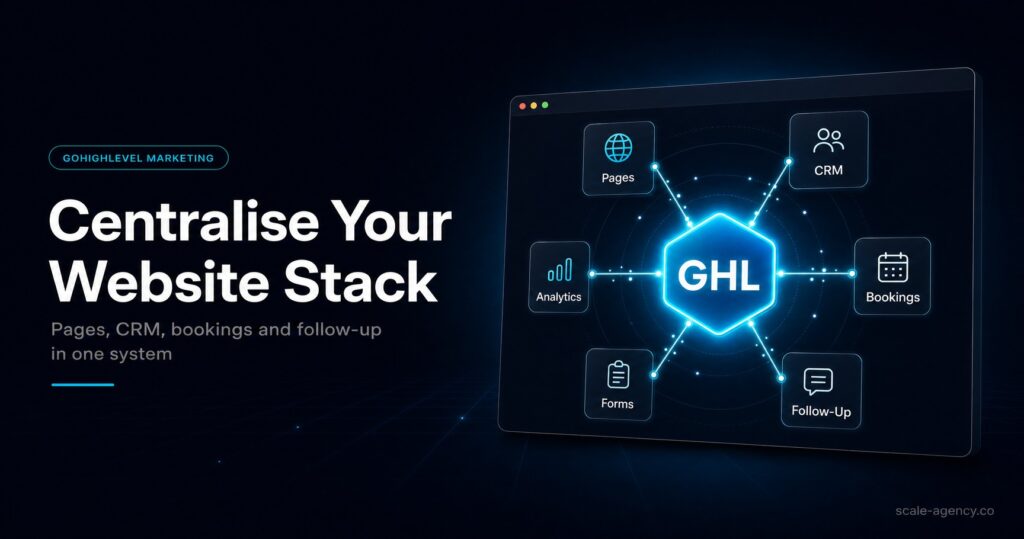
A GoHighLevel website domain migration moves the website, forms, calendars, CRM touchpoints and follow-up logic into one connected system. The safest migration protects existing SEO pages, maps redirects, preserves source tracking and tests every lead path before DNS changes. Done well, it reduces handoffs and improves attribution.
TL;DR
- A GoHighLevel website domain migration is worth considering when disconnected tools are slowing response, breaking tracking or hiding revenue data.
- Keep high-performing organic pages stable until redirects, metadata, internal links and tracking have been mapped properly.
- The highest-risk part is usually not design. It is lead capture, source attribution, calendar routing and post-submit follow-up.
- A phased move often works best: migrate paid landing pages, forms, booking pages and thank-you pages before the full domain.
- Before launch, test real submissions from ad clicks, organic pages, forms, calls and calendars so the CRM proves the move is safe.
Domain Migration Decision Table
| Option | Best Fit | Main Risk | What To Test First |
|---|---|---|---|
| Keep The Current Site | Organic search is already a major revenue channel and the current CMS handles complex SEO well. | The site may stay split from CRM, forms and follow-up, leaving attribution gaps. | Embed or connect GoHighLevel forms/calendars and test source capture into the CRM. |
| Move Conversion Paths First | Paid traffic, booking pages and quote forms need cleaner follow-up without risking the whole site. | Cross-domain tracking and inconsistent CTAs can confuse reporting if not planned. | UTM persistence, booking events, thank-you pages and opportunity creation. |
| Full GoHighLevel Domain Migration | The current website stack is fragile and revenue depends on faster follow-up and one source of truth. | SEO volatility, broken redirects or lost tracking if the cutover is rushed. | Redirect map, metadata parity, form submissions, calendar bookings, pipeline movement and GA4/Meta events. |
If the migration is for a local operator, pair the redirect plan with the GoHighLevel website for local business conversion setup so forms, booking, CRM and follow-up are measured as one revenue system.
When A Full Domain Move Makes Sense
A full move makes sense when the current site is not just expensive, but operationally unreliable. If a lead has to pass through a page builder, form plugin, Zap, calendar tool, email platform and separate CRM before anyone follows up, the website is creating more risk than control.
The strongest reason to move is revenue visibility. GoHighLevel becomes useful when the same system captures the enquiry, stores the source, assigns the owner, starts follow-up and moves the opportunity through pipeline stages.
Use The Migration To Remove Handoffs
Every handoff creates a place where leads can duplicate, source fields can disappear or notifications can fail. A connected GoHighLevel website reduces that risk because forms, calendars, workflows and pipeline rules can share the same contact record.
That does not mean every business should move every page at once. It means the pages that create booked calls should be connected to the CRM first.
When You Should Delay The Migration
Delay a full migration if organic traffic already produces a large share of revenue and the current site has strong authority. In that case, the smarter move may be to keep the content engine stable while GoHighLevel handles conversion pages, booking flows and follow-up.
Delay If SEO Complexity Is High
Large content libraries, advanced schema, programmatic pages, membership features and complex ecommerce flows need careful architecture. GoHighLevel can still be part of the revenue stack, but the main site may stay on a dedicated CMS until migration risk is low.
Delay If There Is No Redirect Map
A domain migration without a redirect map is a traffic-loss event. Inventory the current URLs, mark the pages that drive conversions, map old URLs to new URLs and test the redirects before the cutover.
The Migration Sequence That Protects Revenue
Phase 1: Conversion Paths
Start with the pages where response speed and source data matter most: paid landing pages, quote forms, booking pages, thank-you pages and confirmation flows. This phase usually improves revenue without putting the whole organic site at risk.
Phase 2: Core Service Pages
Move service and location pages only after the tracking and pipeline logic are proven. Preserve important headings, title intent, internal links and conversion paths so the new page does not lose the signals that made the old one useful.
Phase 3: Content And Blog Pages
If blog content is a real acquisition channel, migrate slowly with URL parity and redirect QA. If it is not a revenue source, keep it stable while the conversion system is strengthened first.
Tracking And Attribution Checks Before DNS
Before DNS changes, submit test leads from every important traffic source. Confirm that GA4, Meta Pixel, call tracking, hidden UTM fields and the GoHighLevel contact record agree on what happened.
Then check the opportunity. The contact record is not enough. The business needs to know whether the lead became booked, showed, bought or stalled. That is where website migration becomes a management decision instead of a design project.
What Strong Tracking Looks Like
- First-touch and last-touch source fields are separate.
- Landing page URL and campaign fields persist after form submission.
- Calls, forms and bookings create consistent opportunity records.
- Dashboards show lead source, booked calls, show rate and closed revenue.
What Strong Looks Like After The Move
After a strong migration, a new lead should move from page visit to contact record to assigned opportunity without manual repair. The visitor sees a clear path, the sales team sees ownership and the owner sees which source created the result.
That is the point of the GoHighLevel website builder in this context. It is not only a page builder. It is a way to make the capture point, CRM, automation and reporting operate from the same record.
Conclusion
A GoHighLevel website domain migration can improve revenue efficiency when it removes fragile handoffs and gives the business cleaner lead source visibility. The move should start with the conversion paths that already matter, then expand only when tracking, routing and redirects are proven.
- Protect the pages and search signals that already create revenue.
- Move forms, calendars and booking paths before low-value content pages.
- Test source capture, pipeline movement and follow-up before DNS changes.
- Use a specialist when the migration affects paid traffic, organic traffic or sales team ownership.
SCALE builds GoHighLevel CRM, funnel and automation systems for businesses that need better lead quality, faster follow-up and clearer attribution.
FAQs
What is a GoHighLevel website domain migration?
It is the process of moving website pages, funnels or conversion paths onto GoHighLevel while preserving URL structure, redirects, tracking, forms, calendars and CRM follow-up.
Should I move my entire website to GoHighLevel?
Move the full site only when the operational upside outweighs SEO and technical risk. If organic traffic is valuable, start with high-intent conversion pages and migrate the rest carefully.
What is the biggest risk in a domain migration?
The biggest risk is losing revenue signals: broken redirects, missing source data, failed form mapping, calendar errors or disconnected pipeline stages.
Can I keep WordPress and still use GoHighLevel?
Yes. Many businesses keep WordPress for SEO content and use GoHighLevel for funnels, forms, calendars, follow-up and CRM reporting.
What should be tested before DNS changes?
Test redirects, metadata, forms, calendars, contact creation, owner assignment, workflow triggers, GA4 events, Meta events, call tracking and pipeline reporting.
