
Which Tools Can This Website Replace?
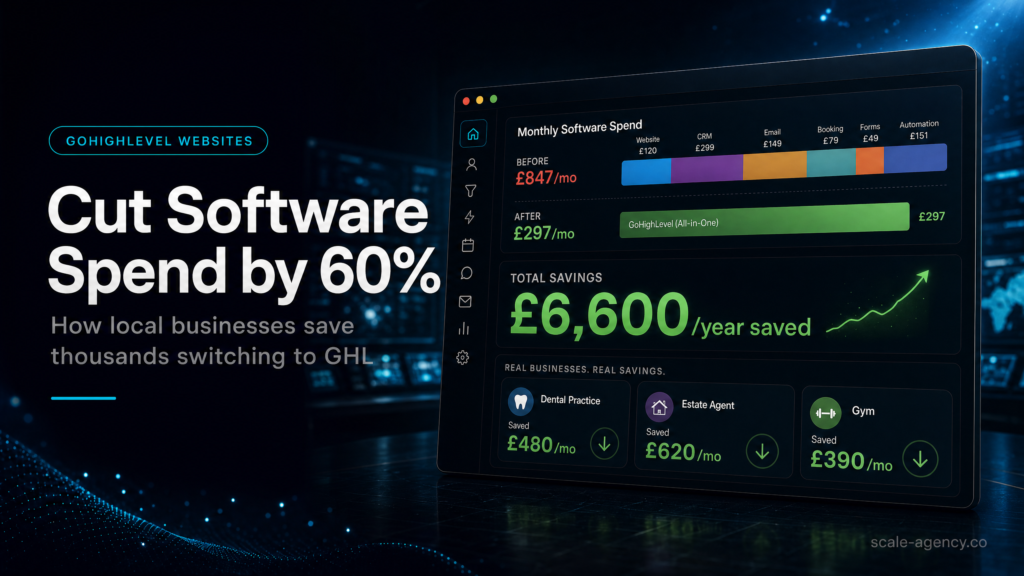
The savings come from removing duplicated page, form, booking, chat and follow-up tools without weakening the sales journey.
Does The Page Feed The Pipeline?
A strong GoHighLevel website example sends each form, call and booking into a contact record that sales can actually use.
What Happens After Someone Clicks?
The website should trigger follow-up, tasks and pipeline movement instead of leaving leads stranded in separate software.
Can You Move Without Breaking Revenue?
Cutting software spend only works when redirects, tracking, forms and calendars survive the move into one system.
Can The New Setup Prove Savings?
The best examples show less software waste and clearer lead attribution, not just a cheaper monthly subscription list.
In this guide, we’ll cover:
These GoHighLevel website examples show how SCALE builds CRM, funnel and automation systems for businesses that need better lead quality, faster follow-up and clearer attribution.
The software-spend argument is strongest when the current stack is also fragile; this guide explains why local businesses ditch broken integrations when leads are leaking between tools.
If a consolidated setup looks cheaper on paper, validate the website conversion rules before publishing so the saving does not create a weaker CTA, form handoff or attribution path.
A cheaper website stack only helps if the leads, follow-up and reporting become easier to control.
Quick Answer
The best GoHighLevel website examples cut software spend by replacing separate website, form, booking, CRM and follow-up tools with one connected system. The goal is not a cheaper page builder. The goal is a simpler lead journey that still protects tracking, sales speed and revenue visibility.
TL;DR
- GoHighLevel website examples are strongest when the page, CRM, calendar and follow-up share one contact record.
- Local businesses can often remove overlapping form tools, booking tools, email tools and basic landing-page software.
- Software savings are only useful if conversion tracking, redirects and lead routing are protected during migration.
- The website should feed the pipeline automatically so sales teams do not rely on manual copy-and-paste admin.
- Use the platform comparison to decide whether this is a consolidation project or a full growth-system rebuild.
Website Consolidation Decision Table
| Example Type | What It Replaces | Revenue Risk | Best Fit |
|---|---|---|---|
| Simple service website | Website builder, forms and basic contact routing. | Low if URLs and forms are mapped correctly. | Local businesses with one main offer and simple booking needs. |
| Landing page plus CRM | Landing pages, lead forms and spreadsheet follow-up. | Medium if source tracking is not locked before launch. | Businesses running ads that need cleaner lead attribution. |
| Booking-led website | Page builder, scheduler and reminder tools. | Medium if calendar rules are copied poorly. | Clinics, consultants and service teams selling appointments. |
| Full growth system | Website, funnels, CRM, email, SMS and reporting tools. | High if migrated without a staged QA plan. | Operators who want one system for lead capture and revenue visibility. |
Who This Setup Is For
This is for local businesses and service teams comparing GoHighLevel website examples because their current stack has become too expensive or too fragmented. They may have a website in one tool, forms in another, bookings elsewhere and follow-up inside a spreadsheet or email platform.
It also fits operators who want fewer logins and cleaner reporting. The point is not to copy a design. The point is to understand which website structure reduces admin while keeping the sales process measurable.
What GoHighLevel Website Examples Actually Replace
A GoHighLevel website can replace more than a page builder when it is built correctly. It can connect landing pages, forms, calendars, chat widgets, CRM records, email, SMS and pipeline reporting around one lead journey.
That is where software spend starts to fall. The business is no longer paying several tools to collect, notify, remind and report on the same lead.
Website Patterns That Cut Software Spend
The Service Page Connected To A Pipeline
The page explains one service, captures the enquiry and creates a contact with the right pipeline stage. This removes weak handoffs between website forms and manual CRM entry.
The Booking Page With Automated Reminders
The calendar becomes part of the sales system. Confirmation, reminders, reschedules and no-show follow-up happen in the same place as the contact record.
The Local Landing Page With Source Tracking
Ad traffic should land on focused pages that preserve campaign source. That lets the team compare lead quality by service, area and traffic source.
The Consolidated Website And Funnel Stack
When several tools are doing overlapping jobs, GoHighLevel can become the central operating layer. The business still needs QA, but the long-term stack becomes easier to manage.
Implementation Sequence
Start by listing every tool the current website depends on: builder, forms, calendar, chat, email, SMS, CRM, reporting and analytics. Then decide which parts GoHighLevel should replace immediately and which should stay until migration is safe.
Next, rebuild the highest-value pages first. Map forms, calendar events, redirects, UTM fields and pipeline stages before switching traffic. Test the lead journey from first click to booked call before cancelling old tools.
Common Problems To Fix Before Migration
The biggest mistake is treating a GoHighLevel website migration as a visual redesign only. If the new page looks right but tracking, redirects or follow-up break, the cheaper stack can cost more in lost leads.
The second mistake is cancelling tools too early. Keep the old stack active until the new GoHighLevel pages, forms, calendars and automations have been tested with real lead paths.
Conclusion
GoHighLevel website examples are useful when they show how a business can simplify its stack without weakening revenue operations. The strongest examples connect the page, CRM, booking flow, automation and reporting.
Before copying an example, check these points:
- The website captures the lead into a real CRM record.
- Forms, calendars and follow-up live in one operating flow.
- Redirects and tracking are protected before migration.
- Software savings do not remove a tool the sales process still needs.
- The new setup makes source and revenue reporting clearer.
FAQs
Can a GoHighLevel website reduce software spend?
Yes, when it replaces overlapping tools for pages, forms, booking, CRM, email, SMS and follow-up. The savings depend on how much of the current stack is duplicated.
Are GoHighLevel website examples good for local businesses?
They can be a strong fit for local businesses that need simple pages, booking, lead capture and follow-up in one system rather than several disconnected subscriptions.
What should I check before moving my website into GoHighLevel?
Check URLs, redirects, forms, tracking, calendar rules, CRM fields, automation triggers and reporting before traffic is moved.
Should I use GoHighLevel instead of ClickFunnels?
Use GoHighLevel when the website or funnel must connect to CRM, booking, automation and follow-up. Use a standalone funnel builder only when you do not need those operating-system features.
