
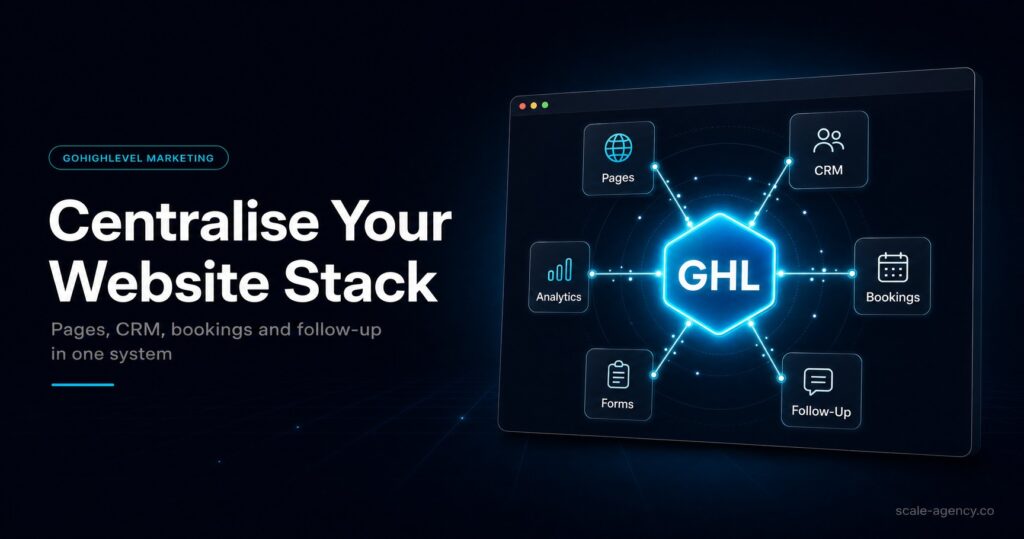
One System Can Expose Hidden Leaks
The real benefit is not fewer subscriptions. It is seeing where forms, calls, bookings and follow-up stop matching each other.
The First Hand-Off Is Where Revenue Starts
A central website setup should send every enquiry into the correct pipeline, owner and first-touch sequence without manual guessing.
Cleaner Data Makes Better Decisions
When pages and CRM share the same source logic, you can compare traffic, booked calls and closed revenue with less spreadsheet work.
Not Every Page Belongs Inside GoHighLevel
Some content, ecommerce or advanced design use cases still need a separate site layer. The decision should follow operational fit.
In this guide, we’ll cover:
A practical look at when centralising your website, forms, CRM and follow-up inside GoHighLevel makes the business easier to manage.
SCALE builds GoHighLevel CRM, funnel and automation systems for businesses that need better lead quality, faster follow-up and clearer attribution.
“Centralisation only helps when the website, lead record and follow-up workflow are designed as one revenue path.”
Quick Answer
GoHighLevel website centralisation works best when your website is mainly used to capture leads, book appointments and trigger follow-up. It is weaker when your site depends on deep publishing, complex ecommerce or heavy custom front-end design.
TL;DR
- Centralise lead capture pages when CRM ownership and speed-to-lead matter more than advanced web publishing.
- Keep critical SEO or ecommerce assets separate if GoHighLevel would reduce design, indexing or merchandising control.
- The strongest setup connects forms, calendars, pipelines, automation and reporting before ad spend increases.
- Do not centralise just to reduce tools; centralise when the hand-offs between tools are causing missed leads or unclear revenue data.
Website Centralisation Decision Table
| Question | Centralise In GoHighLevel | Keep Separate | Why It Matters |
|---|---|---|---|
| Primary job | Lead capture, booking and follow-up | Content hub, ecommerce or advanced publishing | The page must match the revenue workflow it supports. |
| CRM hand-off | Needs instant routing and automation | Can tolerate a slower manual hand-off | Speed-to-lead matters most for high-intent enquiries. |
| SEO depth | Small service site or landing pages | Large editorial site or technical SEO requirements | Publishing depth can matter more than tool consolidation. |
| Reporting need | Source-to-pipeline visibility is weak | Analytics and CRM already reconcile cleanly | Centralisation is strongest when data is currently fragmented. |
Why Website Centralisation Looks Attractive
Most businesses do not lose revenue because they have a bad website page. They lose revenue because the page, form, calendar, CRM and follow-up workflow act like separate systems. That is where GoHighLevel can help.
A centralised setup gives the team one place to manage leads, pipeline stages, appointments, SMS, email and reporting. That can reduce tool cost, but the bigger gain is operational visibility.
Where Centralisation Can Go Wrong
GoHighLevel should not be used as a shortcut for weak website thinking. If the page experience is thin, the message is unclear or the offer does not match the buyer stage, moving the page into one platform will not fix the conversion problem.
The risk is strongest when a business moves every page without deciding which pages are revenue pages, which pages are SEO assets and which pages need more flexible design control.
- Keep long-form SEO assets where they can be structured properly.
- Move landing pages when they need CRM-native routing.
- Audit forms and calendars before rebuilding every page.
The Best Use Case For GoHighLevel Website Pages
GoHighLevel is strongest for pages that create an immediate revenue action: submit a form, book a call, request a quote, start a nurture flow or trigger a sales task.
That makes it useful for service businesses, agencies, clinics, home services and local teams that need fewer manual steps between first enquiry and first conversation.
How To Make The Centralised Setup Work
Start by mapping every entry point: organic pages, paid landing pages, contact forms, chat widgets and booking calendars. Then decide where each lead should go, who owns it and what happens if the lead does not respond.
Only after that should you rebuild pages. Otherwise the website changes visually while the revenue workflow underneath stays messy.
Conclusion
GoHighLevel website centralisation is valuable when it creates a cleaner lead journey, not just a smaller software bill. The best setup connects the page, form, contact record, pipeline, appointment and follow-up logic into one trackable system.
Use centralisation for high-intent landing pages and operational workflows. Keep separate tools where they protect deeper SEO, ecommerce or publishing requirements.
FAQs
Is GoHighLevel good for websites?
GoHighLevel is useful for lead capture websites, landing pages and booking journeys. It is less suited to complex publishing or ecommerce sites that need more specialist control.
Should every business move its website into GoHighLevel?
No. Move the parts of the website that benefit from CRM-native routing and automation. Keep content-heavy or ecommerce sections separate when that protects performance.
Does centralising a website improve SEO?
Centralisation does not automatically improve SEO. It can improve conversion and attribution, while SEO still depends on helpful content, technical quality, internal links and search intent fit.
What should be checked before centralising?
Check form routing, calendar logic, source tracking, pipeline stages, follow-up timing, reporting fields and whether each page needs advanced design or publishing features.
