
In this guide, we’ll cover:
A practical checklist for connecting your GoHighLevel website, CRM, forms, calendars, follow-up and reporting before you send more traffic.
For the page-level checks, pair this CRM checklist with the GoHighLevel website builder conversion rules so traffic, forms, booking and follow-up are tested before the page goes live.
If your site also needs clean CRM routing, owner assignment and follow-up logic, use the GoHighLevel expert checklist before treating the website as a design-only decision.
For the cost side of that decision, compare the checklist with these software-spend website examples showing where website, CRM and follow-up consolidation reduces tool drag.
SCALE builds GoHighLevel CRM, funnel, and automation systems for businesses that need better lead quality, faster follow-up, and clearer attribution.
Each Page Needs One Commercial Job
Why offer pages, landing pages and funnels should route visitors toward one measurable conversion event.
Every Submission Should Become Useful Data
How fields, tags and source data should land cleanly in the CRM before automation starts.
Lead Response Should Fire Instantly
What to check before running ads: confirmation, owner assignment, call tasks, reminders and stop rules.
Attribution Needs To Survive The Journey
Why UTMs, form fields and opportunity source rules have to connect clicks to booked calls and revenue.
The Website Should Feed The Revenue System
How to decide whether GoHighLevel should host the site, the funnel, the CRM flow or all three.
“A GoHighLevel website is valuable when every click, form, call and booking becomes a trackable sales motion.”
Quick Answer
A practical GoHighLevel website checklist confirms your pages, forms, calendars, CRM, automations and reporting are connected end-to-end. When your site and CRM live in the same place, you reduce tracking gaps, improve speed-to-lead and make revenue visibility easier to manage before traffic scales.
TL;DR
- Your website should not only look good; it should create clean contacts, opportunities and follow-up actions.
- GoHighLevel works best when pages, forms, calendars, CRM and automation share the same source of truth.
- Before running ads, test source capture, owner assignment, instant follow-up and pipeline reporting.
- If you are comparing platforms, read the canonical GoHighLevel website builder vs ClickFunnels guide.
- The DIY route is sensible for simple offers; a SCALE build is safer when paid traffic, sales teams and attribution matter.
GoHighLevel Website Checklist: DIY Vs Connected Revenue System
Use this table to decide whether the site should stay separate, move into GoHighLevel, or become part of a broader CRM and funnel system.
| Route | Best Fit | Main Risk | What To Check |
|---|---|---|---|
| Separate website + separate CRM | Content-heavy site with low lead volume | Integration gaps between conversion and follow-up | Does every form, call and booking create a contact and opportunity? |
| GoHighLevel landing pages only | Paid traffic, lead capture and campaign testing | Useful pages, but weak wider website structure | Are campaign UTMs and source fields stored correctly? |
| Connected GoHighLevel website + CRM | Service businesses, agencies and high-ticket offers needing speed-to-lead | Requires stronger planning and QA | Can you see source, booked calls, stage movement and revenue in one view? |
Why Site And CRM Alignment Matters
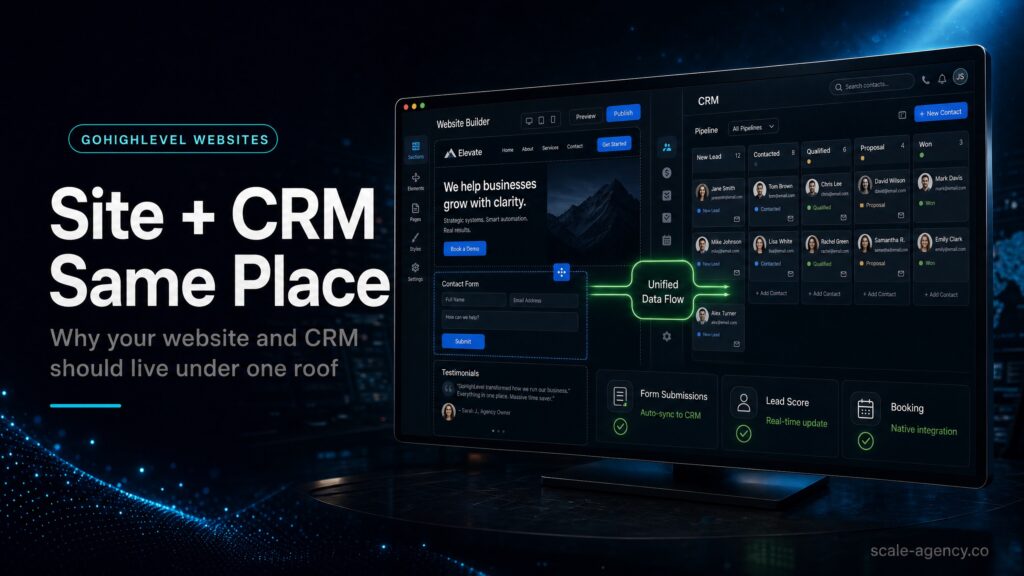
Most website rebuilds focus on design. That is only one part of the commercial job. A lead generation site also needs to explain the offer, capture the right information, route the lead, trigger follow-up and keep the source data intact. If any of those steps fail, the page can look finished while revenue leaks in the background.
HighLevel’s official websites overview explains how sites and funnels sit inside the platform. The strategic question for SCALE is different: can the website feed a clean sales motion from first click to booked call?
The Checklist Before You Publish Or Send Traffic
- One page, one job: each page should have a clear primary action: submit a form, book a call or call now.
- Clean form fields: collect only the information needed for routing, qualification and follow-up.
- Source capture: standardise UTMs and hidden fields so ad, organic and referral traffic does not become “unknown.”
- Opportunity creation: every serious conversion should land in the right pipeline stage with an owner.
- Instant follow-up: confirmation, internal notification, task creation and first-touch messaging should trigger without delay.
- Calendar routing: bookings should move the opportunity, trigger reminders and stop the wrong nurture messages.
- Reporting: dashboard views should show leads, booked calls, show rate and closed revenue by source.
- QA: test the journey from desktop, mobile, paid traffic URLs and organic URLs before launch.
Where GoHighLevel Website Builds Usually Break
Most GoHighLevel website problems are not visual. They happen between the page and the sales process. The site collects a form, but the CRM does not store source data. A calendar books a call, but the opportunity does not move. A lead replies, but the nurture workflow keeps sending messages. A paid campaign drives traffic, but nobody can see which page produced booked calls.
That is why the checklist has to cover more than design. A connected build should describe what the visitor sees, what the CRM stores, what the sales team receives, what the automation sends and what the owner can measure. If those pieces are reviewed separately, the finished site may still fail commercially.
The practical test is simple: submit a form from a tracked URL, book a call, reply to a message, cancel the booking and check the pipeline. If the contact record, opportunity, source, owner, stage, reminders and stop conditions all behave correctly, the site is closer to being revenue-ready. If not, the page is only part of the job.
Website And CRM Architecture
A useful GoHighLevel website architecture starts with intent. Core service pages should explain the offer and direct serious prospects to a call, form or funnel. Landing pages should remove distractions and measure campaign-specific performance. Thank-you pages should confirm the action, set expectations and create a clean next step. The CRM should then store the information in a way that supports follow-up and reporting.
Do not let every form create a different data shape. Standardise names, fields, source rules and opportunity creation. For example, if one page stores “service type” as a tag and another stores it as a custom field, reporting becomes weaker. If one booking path creates an opportunity and another only sends an email notification, sales will miss leads.
GoHighLevel is most valuable when the page, form, calendar and pipeline are designed as one system. That is the difference between a website that receives enquiries and a website that creates a measurable sales motion.
When To Keep WordPress
There are cases where WordPress should remain part of the stack. A large editorial site, complex SEO archive, advanced custom functionality or established content operation may still belong on WordPress. In that case, GoHighLevel can handle landing pages, forms, calendars, CRM, follow-up and reporting while WordPress continues to carry the broader website.
The key is not platform loyalty. The key is operational clarity. If WordPress remains the main site, the lead paths still need to pass data cleanly into GoHighLevel. That means source capture, hidden fields, embedded forms, calendar tracking and clear rules for what happens after submission. A WordPress site with poor CRM handoff is not safer than a GoHighLevel site with poor CRM handoff. Both leak revenue.
When GoHighLevel Should Own The Conversion Path
GoHighLevel should own the conversion path when speed, simplicity and CRM continuity matter more than custom website complexity. This is common for paid traffic funnels, local service offers, lead magnets, booked-call campaigns and high-ticket service pages. In those cases, the closer the page sits to the CRM, the fewer breakpoints you need to manage.
A connected GoHighLevel path can capture the lead, assign an owner, create the opportunity, send the first message, trigger reminders, update the stage and keep source data together. That does not guarantee conversion, but it gives the business a cleaner system to improve.
Pre-Publish QA Checklist
Before sending traffic to a GoHighLevel website or funnel, run a real QA pass. Do not only preview the page. Test the complete commercial journey from the visitor’s first click to the team’s next action.
- Open the page on mobile and desktop: check load speed, button visibility, form placement and above-the-fold clarity.
- Submit every form: confirm the contact record, fields, source, opportunity and owner are correct.
- Book through every calendar: confirm reminders, pipeline movement, owner assignment and no-show logic.
- Reply to the first message: check whether automation stops or changes correctly.
- Test UTM links: confirm campaign, source, medium and page data survive inside the CRM.
- Review dashboard output: check whether the owner can see leads, booked calls, show rate and revenue by source.
How This Supports Affiliate And Lead-Magnet Revenue
This article is affiliate and lead-magnet friendly because the reader is already evaluating whether GoHighLevel can replace a disconnected stack. The job is not to push a signup too early. The job is to show the reader what needs to be true for GoHighLevel to make money, then route them into the right next step.
For DIY readers, the GoHighLevel path should feel like a controlled experiment: launch a simple page, connect the CRM, test follow-up and prove whether the system can produce booked calls. For higher-risk businesses, the SCALE path should feel safer: get the website, CRM, funnel, follow-up and reporting built properly before scaling traffic.
What This Means For Revenue
A connected website can improve revenue without changing the offer or ad creative. Faster response increases contact rate. Cleaner forms improve qualification. Better calendar logic reduces no-shows. Source reporting helps budget move toward the campaigns that create booked calls. Pipeline visibility makes sales follow-up less dependent on memory.
That is why this checklist belongs in a revenue-led GoHighLevel strategy. It supports software evaluation, but it also reinforces the bigger SCALE position: the platform only becomes valuable when it turns traffic into a measurable sales process.
Common Problems And Fixes
| Problem | What It Usually Means | Fix | Metric To Watch |
|---|---|---|---|
| Forms email the team but do not create opportunities | The website is not connected to sales operations | Create contact, opportunity, owner and task on submit | % form submits with opportunity |
| Source data is missing | UTMs are not captured or not mapped into the CRM | Add hidden fields and a source taxonomy | % known source |
| Bookings are low quality | Calendar is not qualifying or routing by offer | Add 1-3 qualification fields and route by service or urgency | Show rate and close rate |
| Follow-up is inconsistent | No instant workflow or human task discipline | Add instant response, assignment and escalation rules | Time to first response |
| Reports do not match ad platforms | Lead definitions and tracking are inconsistent | Reconcile platform leads, contacts and opportunities weekly | CRM-to-ad reconciliation |
Conclusion
SCALE builds GoHighLevel CRM, funnel and automation systems for businesses that need better lead quality, faster follow-up and clearer attribution. The website is not separate from that system. It is the front door.
If a visitor fills out a form and the CRM does not know the source, owner, pipeline stage and next action, the website is not doing its commercial job. A connected GoHighLevel build should make the path from page view to pipeline measurable enough to optimise.
Want to learn more?
Watch the video below:
FAQs
Is GoHighLevel good for a full website or just landing pages?
GoHighLevel can work for both, but it is strongest when the site is part of a conversion system: pages, forms, calendars, CRM, automations and reporting working together.
Why keep the website and CRM in the same platform?
The main benefit is fewer breakpoints. A form, calendar or call can create a contact, source field, opportunity, owner and follow-up sequence without relying on fragile plugin chains.
What should be in a GoHighLevel website checklist?
At minimum: one clear CTA, mapped forms, hidden UTM fields, opportunity creation, owner assignment, instant follow-up, calendar routing and reporting by source.
Can I migrate from WordPress or ClickFunnels without losing leads?
Yes, if you stage it. Rebuild one high-value page first, test every conversion path, keep the old page live until QA passes, then move traffic gradually.
Should I hire SCALE or do the GoHighLevel website setup myself?
If you have one simple offer and low lead volume, DIY can work. If paid traffic, attribution, sales reps or booked calls depend on the setup, a SCALE build reduces operating risk.
