
In this guide, we’ll cover:
A buyer-focused way to tell whether a GoHighLevel implementation expert is building a revenue system or only installing a polished template.
The Build Starts Before The First Workflow
Why premium implementation begins with fields, lifecycle stages, ownership rules and source tracking before anything is automated.
Every Lead Needs A Clean Destination
Where templates break: calls, forms, calendars and paid campaigns need different routing, ownership and next-action logic.
Automation Has To Stop As Cleanly As It Starts
How a premium build avoids duplicate messages, missed appointments and workflows that keep firing after a prospect replies or books.
Reports Need To Explain Revenue, Not Activity
What to capture before launch: lead source, campaign, first touch, booked calls, stage movement and closed revenue.
Your Team Needs A System It Can Run
How QA, documentation and stage discipline stop a premium build becoming messy again after launch.
“The right GoHighLevel implementation expert is not hired to add more automation. They are hired to protect the commercial path from lead capture to revenue.”
Quick Answer
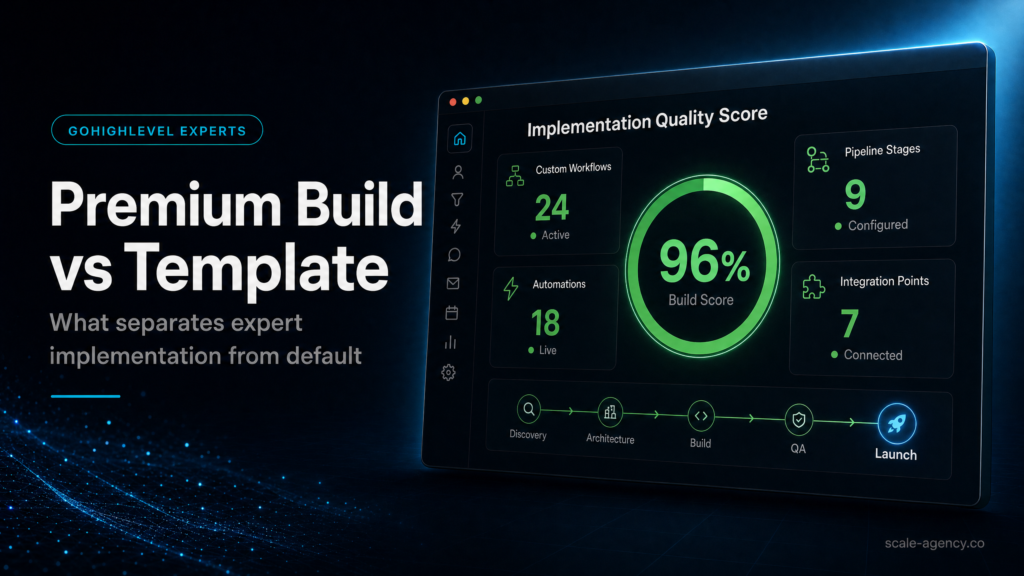
A GoHighLevel implementation expert separates a premium build from a template by designing the CRM, pipeline, routing, automations, tracking and reporting around your real sales process. A template can launch quickly. A premium implementation protects speed-to-lead, attribution, sales ownership and revenue visibility when traffic and team complexity increase. For the build-planning layer, use the GoHighLevel implementation checklist before templates, workflows or migration work are approved. Then use the GoHighLevel expert questions before hiring checklist to test whether the builder can explain the operating model before touching the account.
TL;DR
- Templates are useful for simple tests, but they rarely survive paid traffic, multiple lead sources or sales-team handoffs.
- A premium implementation starts with the operating model: fields, stages, owner rules, SLAs and reporting definitions.
- The right expert should ask commercial questions before discussing workflows.
- Attribution, stop conditions and QA are where most cheap GoHighLevel builds leak revenue.
- SCALE treats GoHighLevel as a CRM, funnel and automation system, not just a page builder.
Decision Table: Template Vs Premium GoHighLevel Implementation
Use this decision table before you hire. The question is not whether someone can make the account look finished. The question is whether the system still works when leads, campaigns and sales responsibility increase.
| Route | Best Fit | Main Risk | Better Next Step |
|---|---|---|---|
| DIY setup | Simple test, one offer, one owner and low lead volume | Slow QA, missed edge cases and unclear reporting | Use a narrow setup checklist and avoid complex automations. |
| Template or cheap freelancer | Basic landing page, one calendar and simple nurture | Looks finished but misses sales logic, ownership and attribution | Ask for proof of workflow QA, data model and handover support. |
| SCALE GoHighLevel expert build | Paid traffic, sales team, multiple sources and high-ticket offers | Higher upfront cost, but lower operating risk | Book a Growth Systems Audit. |
Hire Vs DIY: The Buyer Framing That Matters
If GoHighLevel is only being used for a small proof-of-concept, a DIY setup can be sensible. However, if your business depends on booked calls, paid leads, multiple reps or clean revenue reporting, the cost of a weak build is usually not the setup fee. It is the missed follow-up, confused ownership and bad decisions made from unreliable data.
That is why this post links into the wider GoHighLevel expert guide. The parent hub explains when to hire an expert. This page explains what a premium implementation expert should actually build.
What A Premium Implementation Expert Should Map First
The best implementers start with operational questions: What happens when a lead calls? What happens after a no-show? Which source gets credit? Who owns the lead? Which dashboard decides whether spend scales or stops? If those answers are unclear, the implementation is not ready.
- Lifecycle definitions: define contact, lead, opportunity, booked, showed, won and lost.
- Field and tag discipline: keep permanent reporting fields separate from temporary segmentation tags.
- Pipeline stages: make each stage represent a real sales action, not a vague status label.
- Routing rules: assign owners by source, offer, location, territory or availability.
- Stop conditions: suppress nurture when a lead replies, books, cancels, opts out or becomes a customer.
- Attribution: capture source and campaign data before the lead reaches the CRM.
- QA: test every entry path, device, booking result and sales handoff before launch.
What Premium Implementation Looks Like In Practice
A premium GoHighLevel implementation is not judged by how many workflows exist inside the account. It is judged by whether a real lead can move from first touch to booked call, follow-up, show-up, quote, close and reporting without the team guessing what happened. That means the build has to reflect the way the business sells, not the way a template happens to be organised.
For example, a local service business may need different routing rules for calls, website forms, missed-call text back, Google Ads enquiries and Facebook lead forms. A high-ticket consultancy may need qualification questions, calendar routing, pipeline ownership and no-show recovery. An agency may need client-specific pipelines, separate reporting views and permission rules. The same platform can support all of those models, but the implementation logic is different.
This is where cheap builds usually fail. They create pages, add a calendar, connect a few notifications and call the account complete. The missing work sits underneath: field naming, lifecycle definitions, assignment logic, stop conditions, source reporting, QA notes and a handover process that the sales team can actually use. If that layer is weak, the account starts clean and becomes messy as soon as volume increases.
Questions To Ask Before You Hire
Before hiring a GoHighLevel implementation expert, ask questions that reveal whether they think like an operator or only like a tool builder. You are not buying software setup. You are buying a system that should protect lead quality, response speed and revenue visibility.
- How will you map the sales process before building? A serious answer should mention lead sources, lifecycle stages, owner rules, calendar outcomes and reporting definitions.
- How will you decide what becomes a custom field, tag or pipeline stage? The answer should show data discipline, not random tagging.
- How will the system stop workflows after a booking, reply, opt-out or sale? Stop logic is one of the clearest signs of implementation quality.
- How will we know which source produced booked calls and revenue? If the answer stops at lead count, the reporting is not commercial enough.
- What QA evidence will we receive before launch? A premium build should include tested lead paths, screenshots, notes or a handover checklist.
The strongest answers are specific. They describe the system behind the account, not just the modules inside it. If the expert cannot explain how data, routing, follow-up and reporting work together, the build may need senior review before launch.
Implementation Sequence: From Audit To Launch
The safest implementation sequence starts with diagnosis. First, map the current lead journey. Then define the target operating model. After that, build the CRM structure, connect pages and forms, configure calendars, add automations, set reporting rules and test the full path. This order matters because automation should enforce the sales process, not invent it.
- Audit the current journey: review forms, pages, phone calls, missed calls, calendars, ad sources, email handoffs and manual follow-up habits.
- Define the operating model: decide what counts as a lead, who owns it, when it becomes an opportunity and what sales should do next.
- Build the CRM foundation: create fields, tags, stages, pipelines, calendars and source rules that match the commercial model.
- Connect intake paths: make every form, call, chat, funnel and ad source land in the right place with the right ownership.
- Add follow-up logic: write workflows for instant response, task creation, reminders, no-show recovery and suppression rules.
- Test reporting: check that source, stage, booked call and revenue views are useful before the team relies on the dashboard.
- Handover and refine: train the team, document admin rules and review the first live leads for defects.
What Proof Should The Expert Provide?
A polished screenshot is not proof of a premium implementation. Real proof shows whether the system behaves correctly when the user journey changes. Ask for a sample pipeline map, workflow QA notes, reporting definitions and a clear handover plan. If the expert has worked with paid traffic, they should also understand source tracking, UTMs, landing page variants and the difference between leads, booked calls and revenue.
You should also expect commercial pushback. A strong implementation partner will question weak offers, unclear sales stages, overloaded forms and unrealistic automation requests. That is useful. It means they are protecting the revenue system rather than blindly building whatever is requested.
When A Template Is Enough
A template is not always wrong. If you have one offer, one person following up, low lead volume and no paid traffic pressure, a template can help you launch quickly. The mistake is treating that launch setup as a scalable operating system. Templates are starting points. They are not a substitute for process design, attribution discipline and sales-team adoption.
Once the business depends on the system, the risk changes. If a workflow fires twice, if source data goes missing, if sales cannot tell who owns a lead, or if booked calls are not connected to the campaign that created them, the cost is no longer technical. It becomes commercial.
What This Means For Revenue
Better implementation does not only make the CRM cleaner. It changes how quickly hot leads are contacted, how consistently booked calls are created, how clearly the team sees pipeline movement and how confidently the owner can allocate budget. That matters because one extra high-intent booked call can be worth more than the difference between a cheap setup and a proper build.
If the business is already paying for traffic, the implementation should be treated as revenue infrastructure. The goal is not to own a tidy GoHighLevel account. The goal is to make every serious enquiry easier to capture, route, follow up, measure and convert.
Common Problems And How To Fix Them
| Problem | What It Usually Means | Fix | Metric To Watch |
|---|---|---|---|
| Leads Are Slow To Respond | No owner, weak notification or missing escalation | Add assignment, task creation and manager alert rules | Time to first attempt |
| Duplicate Messages Fire | Overlapping triggers and no stop conditions | Split workflows into modules and add suppression logic | Opt-out and complaint rate |
| Source Is Blank | UTMs and landing page data are not captured consistently | Add hidden fields and map source into opportunity records | Opportunities with known source |
| Pipeline Looks Busy But Sales Are Flat | Stages do not match real action or deal values are unreliable | Redesign stages around contact, booking, show and close movement | Stage conversion rate |
| Team Ignores The CRM | The system adds admin work instead of guiding next action | Simplify fields, clarify ownership and create daily pipeline views | Weekly opportunity hygiene |
Conclusion
SCALE builds GoHighLevel CRM, funnel and automation systems for businesses that need better lead quality, faster follow-up and clearer attribution. The core difference is not the toolset. It is the operating model. GoHighLevel becomes commercially valuable when the CRM, funnel, calendar, follow-up and reporting all move in one direction.
If your current setup cannot show where booked calls came from, who owns each lead, what happened after follow-up and which campaigns deserve more budget, the implementation is not finished. It may look live, but it is not commercially reliable.
Want to learn more?
Watch the video below:
FAQs
What does a GoHighLevel implementation expert do?
A GoHighLevel implementation expert designs the CRM, pipelines, calendars, forms, automations, attribution and reporting so the platform matches the real sales process. The stronger version does not just install workflows; it protects lead response, ownership, handover and revenue visibility.
When is a GoHighLevel template enough?
A template can work for a small test, one offer, one user and low lead volume. It becomes risky when paid traffic, multiple lead sources, sales reps, booked calls and source reporting need to stay reliable.
What separates a premium build from a basic setup?
A premium build starts with the operating model: lifecycle definitions, field rules, routing, stop conditions, QA, reporting and team adoption. The pages and automations then enforce that model.
How long should a premium implementation take?
A credible implementation usually takes weeks, not hours, because it needs process mapping, CRM design, automation testing, attribution checks and handover. A fast launch is possible, but untested speed creates expensive rebuilds.
How does SCALE approach GoHighLevel implementation?
SCALE builds GoHighLevel CRM, funnel and automation systems for businesses that need better lead quality, faster follow-up and clearer attribution from first click to closed revenue.
