
In this guide, we’ll cover:
How GoHighLevel for local business can reduce admin by connecting booking forms, calendars, CRM records and follow-up in one managed revenue path.
Capture Enquiries Cleanly
Turn calls, forms and DMs into trackable opportunities instead of scattered tasks.
Route Every Lead
Send each enquiry to the right pipeline stage, owner and next action.
Respond Faster
Use simple reminders and messages so high-intent enquiries do not go cold.
See What Converts
Connect source, booking, show rate and revenue so the team can improve what works.
Quick Answer
GoHighLevel for local business works best when it is set up as a booking and follow-up system, not just a collection of tools. It should capture enquiries, assign owners, trigger reminders, book appointments and show which source created the lead.
For most local businesses, the fastest win is reducing the admin between lead capture and the first meaningful response. Therefore, SCALE focuses on CRM routing, calendar flow, follow-up automation and reporting before adding more software.
TL;DR
- Use GoHighLevel to connect forms, calendars, CRM stages and follow-up.
- Start with the booking path before adding more marketing tools.
- Every enquiry should keep its source and trigger a clear next action.
- Local teams usually need simpler handoff, faster response and better visibility.
- SCALE builds the system so owners can see leads, booked calls and revenue in one place.
Local Business Automation Checklist
| Area | What To Check | Why It Matters |
|---|---|---|
| Lead capture | Forms, calls and DMs create a CRM record with the right source. | The team can see where demand came from and avoid duplicate admin. |
| Calendar flow | The booking page is easy to use and sends confirmations instantly. | More enquiries become appointments instead of stalled conversations. |
| Pipeline routing | Every new lead has an owner, stage and next task. | No lead is left waiting because nobody owns the follow-up. |
| Automation | SMS, email and reminders support the team without replacing judgement. | Response speed improves while the business stays personal. |
| Reporting | Source, booking, show rate and revenue are visible together. | The owner can invest in the channels that produce real customers. |
Start With The Booking Path
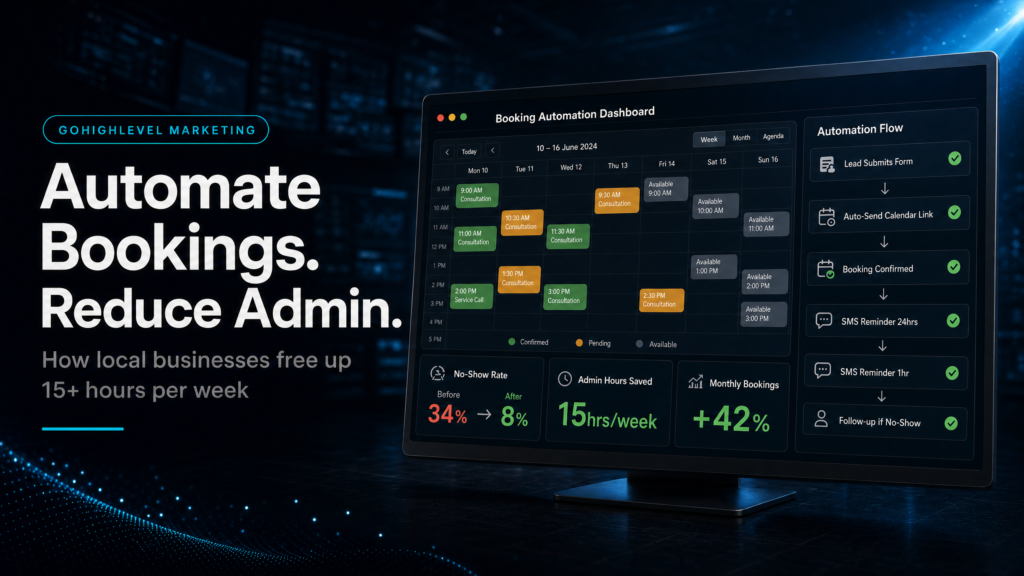
First, map the path from enquiry to booked appointment. A local business does not need a complicated stack if the current lead path is unclear. However, it does need a clean handoff from form, phone call or DM into the CRM.
That handoff should create the record, preserve the source, assign the right owner and make the next step obvious. As a result, the team spends less time chasing notes and more time responding to real prospects.
Use The CRM As The Operating Layer
Next, GoHighLevel should become the place where the team sees lead status. The pipeline does not need dozens of stages. Instead, it needs enough clarity to show whether a prospect is new, contacted, booked, showed, won or lost.
When the stages are simple, automations can support the team without creating noise. For example, a missed-call text, a booking reminder or a no-show recovery sequence can all run from the same record.
Reduce Admin With Simple Follow-Up
Follow-up automation should make the first response faster and the next action clearer. It should not make every prospect feel like they entered a generic sales machine.
Therefore, the strongest setup uses short messages, clear booking links, internal alerts and stop rules. Once a person replies or books, the system should adapt instead of continuing to send the wrong sequence.
Report On Revenue, Not Just Leads
Finally, the system should show which channel created the opportunity and what happened after the booking. Lead count is useful, but it does not prove whether the business gained a customer.
SCALE connects source, pipeline, calendar and revenue visibility so the owner can see where the next improvement should happen. That is the difference between installing software and building a local revenue system.
Conclusion
GoHighLevel for local business is most useful when it removes admin from the revenue path. The priority is not more tools. Instead, it is a clean system for capture, booking, routing, follow-up and reporting.
If your team is missing enquiries, replying slowly or guessing which source creates customers, start with the booking and CRM handoff. From there, automation becomes a revenue tool rather than another dashboard to manage.
FAQs
Is GoHighLevel good for local businesses?
Yes, when it is configured around bookings, follow-up and CRM routing. It is less useful when every feature is switched on without a clear local sales process.
What should a local business automate first in GoHighLevel?
Start with missed-call response, form follow-up, booking confirmations, reminders and pipeline owner assignment. Those areas usually reduce admin fastest.
Can SCALE set up GoHighLevel for a local business?
Yes. SCALE builds the CRM, funnel, calendar, follow-up and reporting path so local teams can respond faster and see what is creating revenue.
