
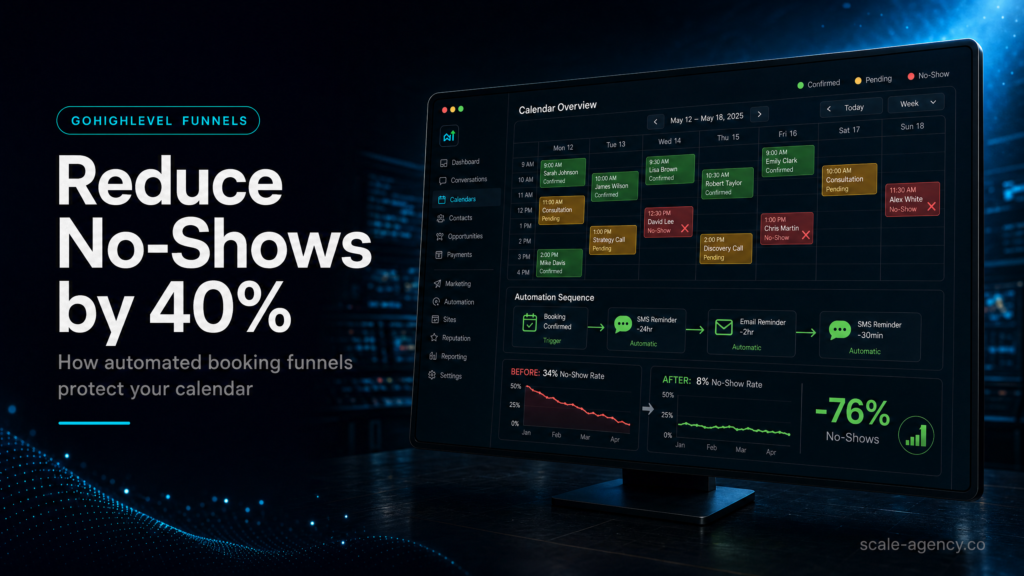
Why No-Shows Are Not Random
Usually, missed appointments come from weak confirmation, unclear pre-frame, or broken follow-up rather than bad leads.
Where Automation Protects The Booking
Therefore, calendar, pipeline and reminder events need to move together so the lead always knows the next step.
What Your CRM Must Prove
In practice, a GoHighLevel build should show who booked, confirmed, showed, rescheduled and bought by source.
When Specialist Setup Pays Back
If paid traffic or sales capacity is involved, every recovered attended call protects margin.
In this guide, we’ll cover:
For context, SCALE builds GoHighLevel CRM, funnel, and automation systems for businesses that need booked calls to turn into attended conversations and measurable revenue.
A booking funnel does not reduce no-shows because it sends reminders. It reduces no-shows because it creates commitment before sales capacity is wasted.
Quick Answer
GoHighLevel sales funnel systems reduce no-shows by combining a frictionless booking page with automated confirmation, reminders, rescheduling, and pre-qualification inside one CRM workflow. When your calendar, pipeline, SMS/email, and lead source tracking are connected, you increase show-up rates, protect ad spend, and give sales a clean, prioritized queue.
TL;DR
- If you’re buying leads (Meta/Google), no-shows are usually a systems problem: weak confirmation, poor pre-frame, and slow speed-to-lead.
- Automated booking funnels work when the calendar, pipeline stage changes, and reminders are triggered by real events (form submit, appointment booked, appointment confirmed).
- Reduce no-shows by adding a two-step booking flow: qualify first, then book, then confirm with a “reply YES” step.
- Most “GoHighLevel templates” fail because they don’t match your offer, your sales process, or your lead sources; reporting and attribution break first.
- Track three numbers weekly: booking rate, show rate, and time-to-first-contact; fix the biggest leak before adding more traffic.
- Use reschedule-first logic (not cancel) and “no-show recovery” automations to salvage revenue without manual chasing.
- If your team is busy, a specialist build pays for itself by preventing wasted ad spend and giving you reliable pipeline visibility.
Build Approach Decision Table
| Option | Best fit | Risk | Speed | Revenue visibility | When to choose it |
|---|---|---|---|---|---|
| DIY / internal build | Operators who understand their sales process, can test weekly, and have time to learn GoHighLevel workflows | Medium to high: missed triggers, messy pipelines, broken tracking, inconsistent follow-up | Slow to medium | Low to medium unless you build reporting and source tracking properly | You have a simple offer, low lead volume, and you can commit to a 2–4 week iteration cycle |
| Cheap freelancer / template implementer | Basic landing pages and “good enough” reminders for low-stakes bookings | High: cookie-cutter funnels, wrong pipeline logic, poor deliverability, no attribution, hard to maintain | Fast | Low: usually no clean lead source mapping or stage definitions | You need something live quickly, but you accept you’ll rebuild later when volume increases |
| Specialist GoHighLevel expert (SCALE-style growth systems build) | Businesses buying traffic, selling high-ticket services, or needing reliable booking + follow-up + reporting | Low: correct event-based automation, clean CRM structure, measurable funnel performance | Medium (fast once inputs are clear) | High: pipeline, attribution, and conversion reporting designed in from day one | You want fewer no-shows, faster speed-to-lead, and a system your team can run without heroics |
Who Is This For?
- Local service businesses (med spas, dental, home services, legal) running paid ads and losing ROI to no-shows
- Agency owners using GoHighLevel to manage client lead follow-up and appointment setting
- Coaches/consultants selling high-ticket offers where each booked call has real revenue value
- Founders/operators who need pipeline visibility and attribution without stitching together five tools
- Sales teams dealing with “calendar chaos” (double bookings, wrong time zones, unqualified calls)
- Businesses migrating from Calendly/HubSpot/ActiveCampaign and wanting one booking + CRM system
- Teams with inconsistent follow-up who want automation to enforce standards
If you want this booking system built around routing, follow-up and attribution instead of another template, use the GoHighLevel expert checklist before hiring anyone to implement it.
First: understand why no-shows happen in booking funnels
No-shows are rarely “bad leads.” They’re usually the result of weak commitment, unclear expectations, or a broken follow-up sequence. In GoHighLevel, the fix is not “add more reminders.” The fix is to design a booking funnel that creates commitment, confirms contactability, and routes the right lead to the right calendar and pipeline stage.
The three root causes you can actually control
- Low intent: the funnel lets anyone book without qualifying, so your calendar fills with curiosity clicks.
- Low commitment: the lead books but never confirms, never receives a strong pre-frame, or can’t reschedule easily.
- Operational friction: wrong time zone, wrong rep, no SMS deliverability, slow speed-to-lead, or the team doesn’t see the booking in time.
Commercial reality: no-shows are paid for twice
You pay once in ad spend and again in opportunity cost: sales time, calendar capacity, and delayed pipeline. If you’re running Meta Ads, a 10–20% swing in show rate can be the difference between scaling and shutting campaigns off.
How GoHighLevel sales funnel systems reduce no-shows (the mechanism)
GoHighLevel works best when you treat the booking funnel as a system, not a page. The system is: landing page → qualification → booking → confirmation → reminders → pre-call prep → attendance → outcome → follow-up. Each step changes the contact record, pipeline stage, and automation path.
What a strong automated booking funnel includes
- Two-step conversion: capture details first (and tag/source), then present the calendar.
- Calendar routing: correct calendar based on service, location, lead type, or qualification score.
- Confirmation loop: SMS/email that requires a micro-commitment (e.g., “Reply YES to confirm”).
- Reschedule-first UX: reminders include a reschedule link; cancellations trigger a recovery sequence.
- Pre-call prep: short intake form, expectations, and “what to bring” reduces anxiety and ghosting.
- Speed-to-lead automation: immediate text + optional call connect for hot leads.
- Pipeline + reporting: every appointment outcome is a stage, not a note.
What a weak setup looks like (common in template builds)
- One page with a calendar embed and no qualification.
- Reminders that fire even when the appointment is cancelled or rescheduled (because triggers are wrong).
- No lead source captured, so you can’t tell which ads produce show-ups.
- Pipeline stages that don’t match reality (“New Lead → Booked → Won/Lost”) with no “Confirmed,” “No-show,” or “Rescheduled.”
- Sales reps manually texting from personal phones because SMS deliverability wasn’t configured.
What SCALE would check first
- Are triggers event-based (appointment booked/updated) or time-based guesses?
- Is the calendar connected to the pipeline stage changes?
- Do reminders stop when the appointment status changes?
- Is there a defined “no-show recovery” path?
- Can you report show rate by lead source and by rep?
If you want the broader hub-level checklist for GoHighLevel funnel readiness, use this pre-launch resource: GoHighLevel sales funnel pre-launch checklist.
Design the booking funnel to create commitment (not just bookings)
Bookings are a vanity metric if they don’t show. Commitment is built by clarity, friction in the right place, and fast confirmation. The goal is to make it easy for qualified people to book, and slightly harder for unqualified people to waste your calendar.
Step 1: qualify before the calendar
Use a short form (3–7 fields) that answers: who they are, what they want, and whether they fit. Then show the calendar. This does two things commercially: it improves lead quality and gives you data to personalize follow-up. If show rate improves but poor-fit leads still enter the pipeline, diagnose the lead-quality friction points before blaming the booking reminders.
Practical fields that reduce no-shows:
- Primary goal/problem (dropdown)
- Timeline (this week / this month / later)
- Budget range (if relevant)
- Service area / location (for local businesses)
- Best contact method (SMS/call/email)
Step 2: add a confirmation micro-commitment
After booking, send an SMS like: “You’re booked for Tuesday 2:30pm. Reply YES to confirm.” If they don’t confirm, your workflow should escalate: reminder + call attempt + reschedule link.
Step 3: pre-frame the call so they know what to expect
No-shows spike when the lead is unsure what will happen on the call. Your confirmation page and reminders should include:
- What the call is (strategy, estimate, consultation)
- How long it takes
- What you’ll cover (3 bullets)
- What they should prepare (photos, policy number, goals, etc.)
- Who they’ll speak to (name + role)
Strong vs weak: commitment signals
| Element | Weak setup | Strong setup | Why it reduces no-shows |
|---|---|---|---|
| Booking flow | Calendar embed only | Form → calendar → confirmation page | Captures intent and enables routing + personalization |
| Confirmation | Generic email only | SMS “reply YES” + email + calendar invite | Creates a micro-commitment and verifies contactability |
| Rescheduling | Cancel link or “call us” | One-click reschedule link in every reminder | Turns “no-show” into “rescheduled” |
| Pre-call prep | No prep | Short intake + expectations | Reduces anxiety and increases perceived value |
Build the CRM + pipeline so attendance is measurable (and fixable)
If your pipeline can’t tell you how many booked calls showed up, you can’t manage the problem. GoHighLevel sales funnel systems should treat attendance as a first-class metric with explicit stages and outcomes.
Recommended pipeline stages for appointment funnels
- New lead (captured but not booked)
- Attempting contact (speed-to-lead sequence running)
- Booked (appointment created)
- Confirmed (reply YES / clicked confirm / intake completed)
- Showed (attended)
- No-show (did not attend)
- Rescheduled (new appointment set)
- Closed won / Closed lost
Why “Confirmed” is not optional
Without a “Confirmed” stage, you can’t separate “booked but flaky” from “booked and committed.” That matters commercially because your team can prioritize outreach to unconfirmed appointments and protect calendar capacity.
How to diagnose pipeline problems quickly
- If Booked is high but Showed is low: confirmation/reminders/reschedule logic is broken or the offer is attracting low intent.
- When New lead is high but Booked is low: landing page message mismatch, form friction, or speed-to-lead is too slow.
- Where Confirmed is low: SMS deliverability, opt-in language, or the confirmation ask is unclear.
- For one rep, a high No-show rate usually points to inconsistent handoff, calendar settings, or pre-call process.
What SCALE would fix inside the CRM
- Standardize stage definitions so “Showed” means the same thing across the team.
- Enforce stage changes via automations (not manual updates).
- Attach lead source and campaign data to every contact so show rate can be segmented.
- Build a “daily appointments” view and tasks so reps don’t rely on memory.
Automation that actually reduces no-shows (not just noise)
However, the best reminder sequence is the one that adapts to what the lead does. In GoHighLevel, that means using appointment triggers, conditional logic, and stop conditions so you don’t spam people who already confirmed or rescheduled.
Minimum viable automation stack for show-up rate
- Instant confirmation: SMS + email immediately after booking, includes time, location/Zoom, and reschedule link.
- Calendar invite: send ICS or ensure the calendar integration pushes an invite.
- 24-hour reminder: includes prep + reschedule link.
- 3-hour reminder: short, direct, includes “Reply 1 to confirm / 2 to reschedule” (if your flow supports it).
- 15-minute reminder: only for virtual calls; keep it minimal.
- No-show recovery: if marked no-show, send a “missed you” message with a reschedule link and a human follow-up task.
Stop conditions (the part most builds miss)
Your workflows should stop or branch when:
- Appointment is cancelled
- Appointment is rescheduled
- Lead confirms (reply YES / intake completed)
- Lead becomes “Closed won” or “Closed lost”
Deliverability and compliance checks that affect attendance
- Verify SMS number configuration and A2P/10DLC registration where applicable.
- Make sure opt-in language exists on forms (especially for paid traffic).
- Use a consistent sending domain for email and configure SPF/DKIM/DMARC.
- Keep reminder copy short; avoid spammy phrasing that triggers filtering.
The implementation process
- Define the booking outcome: what counts as “showed,” what counts as “qualified,” and what the next step is after the call (proposal, estimate, second call).
- Map your lead sources: list every source (Meta, Google, organic, referrals) and decide how you’ll capture source/UTM in GoHighLevel fields.
- Build the funnel structure: landing page with one promise, one CTA; form step (qualification); calendar step (booking); confirmation page (prep + reschedule link).
- Create the CRM objects: custom fields (goal, timeline, budget), tags, and a pipeline with stages that reflect attendance and outcomes.
- Configure calendars properly: availability, buffers, minimum notice, time zone handling, meeting location (Zoom/phone/in-person), and round-robin rules if multiple reps.
- Set form routing rules: route to the right calendar and pipeline based on service/location/qualification; prevent unqualified bookings from hitting sales calendars.
- Build event-based workflows: triggers for form submit, appointment booked, appointment updated, appointment cancelled, appointment no-show; include stop conditions and branching.
- Implement confirmation logic: SMS “reply YES” (or click confirm), move to “Confirmed” stage, and create tasks for unconfirmed appointments.
- Add pre-call intake: short questionnaire or document upload; store responses on the contact record; use it to personalize the call.
- Set up reporting: dashboard for booking rate, show rate, reschedule rate, time-to-first-contact, and show rate by lead source and rep.
- QA the full journey: test with multiple devices, time zones, and lead sources; verify that reschedules don’t duplicate opportunities or break reminders.
- Handover and SOPs: define who owns stage updates, how no-shows are handled, and what “daily operating rhythm” looks like (morning check, pre-call tasks, end-of-day cleanup).
Common problems and how to fix them
| Problem | What it usually means | Commercial risk | Fix | Metric to watch |
|---|---|---|---|---|
| High bookings, low show rate | Low commitment; reminders not landing; weak pre-frame | Wasted ad spend and sales capacity | Add confirmation step (reply YES), improve confirmation page, add reschedule-first reminders | Show rate; confirm rate |
| Leads book but never confirm | SMS deliverability/opt-in issues or unclear confirmation ask | Calendar fills with low-intent leads | Fix SMS setup, add opt-in language, create “unconfirmed” task queue and escalation | Confirm rate; SMS delivery rate |
| Reminders keep sending after reschedule | Workflows are time-based without stop conditions | Brand damage; increased cancellations | Use appointment updated triggers; add stop-on-cancel/reschedule logic | Complaint rate; cancellation rate |
| Double bookings or wrong rep | Calendar settings and routing rules are incorrect | Lost trust; missed revenue | Fix availability/buffers; implement round-robin correctly; route by service/location | Reschedule rate; rep utilization |
| Sales says “these leads are trash” | No qualification, no context, slow follow-up | Lower close rate; internal friction | Add qualification step, intake form, speed-to-lead automation, and lead scoring tags | Time-to-first-contact; close rate |
| Can’t tell which ads produce show-ups | UTMs/source not captured or not mapped into reporting | Scaling the wrong campaigns | Standardize UTM capture; map to custom fields; report show rate by source | Show rate by source; CAC by source |
| No-show follow-up is inconsistent | No defined recovery workflow and ownership | Lost second-chance revenue | Automate no-show recovery + create tasks + reschedule link; set SLA for outreach | Recovery rate; rebook rate |
What this means for revenue
No-shows are a revenue leak that compounds. If you’re paying for leads, every missed appointment increases your effective cost per attended call. If you’re relying on organic/referrals, no-shows still burn your team’s time and reduce capacity for real buyers.
The revenue math you should actually track
- Cost per booked call (ad spend ÷ booked appointments)
- Cost per showed call (ad spend ÷ attended appointments)
- Show rate (showed ÷ booked)
- Close rate on showed calls (won ÷ showed)
- Speed-to-lead (time from form submit to first human touch or meaningful automated touch)
Why automation improves revenue even before you “get more leads”
When your booking funnel is automated correctly in GoHighLevel, you typically see revenue impact in three places:
- Higher attended volume: the same traffic produces more real sales conversations.
- Better lead quality: qualification and routing reduce wasted calls and improve close rate.
- Cleaner pipeline visibility: you can forecast, coach reps, and scale spend based on showed calls, not hope.
Attribution: the hidden lever
If you can’t segment show rate by lead source, you’ll keep funding campaigns that generate “bookings” but not “shows.” A strong system captures UTMs, stores them on the contact/opportunity, and reports show rate and close rate by source. That’s how you stop guessing and start reallocating budget with confidence.
Conclusion
Most businesses don’t have a “no-show problem.” They have a systems alignment problem: the offer, funnel, calendar, CRM stages, and follow-up are built by different people (or different templates) and don’t agree on what should happen next.
Here’s what we see most often:
- Funnels built for conversion, not attendance: they optimize for the calendar booking event, not the showed-up event.
- Automation without ownership: reminders exist, but no one owns unconfirmed appointments or no-show recovery.
- CRM stages that don’t match reality: teams can’t diagnose where the drop-off occurs, so they “try more ads.”
- Attribution bolted on later: by the time someone asks “which campaign works,” the data is missing or inconsistent.
Ultimately, SCALE builds GoHighLevel CRM, funnel and automation systems for businesses that need better lead quality, faster follow-up and clearer attribution. Practically, that means we design the booking funnel around measurable outcomes (confirmed, showed, rescheduled, won), wire automations to real events, and build reporting that lets you scale spend based on attended calls and revenue.
FAQs
How do I reduce no-shows in GoHighLevel without annoying leads?
First, use fewer, smarter touches: an immediate confirmation, a 24-hour reminder, and a short same-day reminder. Add stop conditions so reminders stop on cancel/reschedule, and include a reschedule link in every message. The biggest “non-annoying” lever is a confirmation micro-commitment (reply YES) plus clear pre-call expectations.
What’s the best GoHighLevel workflow trigger for appointment reminders?
Use appointment-based triggers (appointment booked, appointment updated, appointment cancelled) rather than time-based triggers tied only to form submission. Appointment triggers keep your reminders accurate when someone reschedules, changes time zones, or cancels.
Should I use a two-step form before the calendar?
Yes for most paid-traffic and high-ticket funnels. A short qualification form before the calendar improves lead quality, enables routing to the right calendar/rep, and gives you context for personalization. If your market is extremely urgent (e.g., emergency services), keep the form minimal and prioritize speed-to-lead.
How do I track show rate by lead source in GoHighLevel?
Capture UTMs (source/medium/campaign) on the first form submission and store them in custom fields. Ensure every opportunity inherits those fields (or is linked to the contact record), then report show rate by pipeline stage transitions (Booked → Showed) segmented by source/campaign. If you can’t segment, your source capture is inconsistent.
What pipeline stages do I need to measure no-shows properly?
Finally, at minimum: New Lead, Booked, Confirmed, Showed, No-show, Rescheduled, Closed Won, Closed Lost. “Confirmed” is the key stage that lets you prioritize outreach and diagnose whether the issue is commitment, deliverability, or offer mismatch.
What’s a good no-show recovery sequence?
Send a “missed you” SMS within 5–15 minutes with a reschedule link, then an email with the same link and a short value reminder. Create a task for a human follow-up within the same business day. If they reschedule, stop the recovery workflow and move them to Rescheduled/Booked automatically.
Do automated booking funnels work for local businesses with phone-first sales?
Yes, if you route correctly. Use the funnel to capture intent and schedule, then trigger a “call connect” or immediate outbound call task for hot leads. The system should still track appointment outcomes and show rate so you can see which campaigns and reps produce attended appointments and revenue.
