
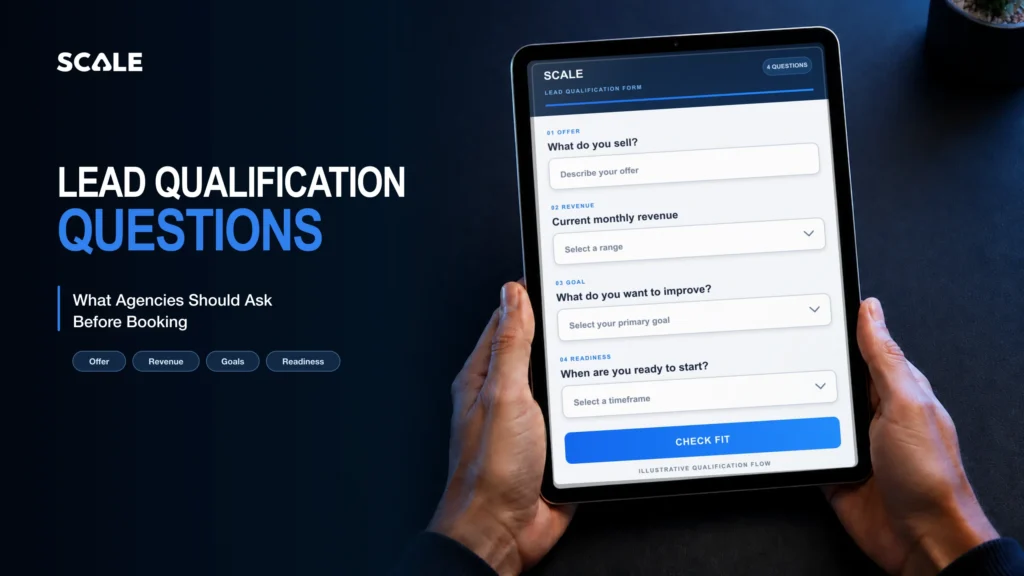
Quick answer: what should an agency ask before booking?
The best lead qualification form questions are the ones whose answers change the next route or prepare the person who owns the next decision. Ask what service the prospect needs, what triggered the enquiry, what they use now, the outcome they want, the relevant scope, constraints, timing, investment range where it genuinely matters, decision-makers and the next step they prefer. Keep every route provisional when an answer is ambiguous or consequential.
A form captures evidence; it does not decide a person’s value. Use this guide when you are designing the form that sits before an agency sales conversation and need to decide which questions earn their place.
FIRST-PARTY EXAMPLE · VERIFIED 3 SEPTEMBER 2026
Here’s what we ask our leads before they book a call with us
On our public strategy-call form, every visible field is currently marked required. We ask for first name, last name, email and phone so we can identify and contact the person requesting the booking. Those contact fields are not lead-quality criteria. The seven questions and confirmations below give us practical context to prepare for the conversation and make the expected next step clear.
| What we ask | Current answer format | Why we ask it |
|---|---|---|
| Your Current Website/Funnel URL | Required text | We review the current public experience or funnel before the call. We do not ask for logins or access credentials here. |
| Tell us briefly about your offer? For example, who do you serve, what do you charge, etc.. | Required long text | We use this to understand the audience, offer and price context before the conversation. |
| What is the current monthly revenue? (GBP or local equivalent) | Required single select: Under £15k; £15k–£25k; £25k–£50k; £50k–£100k; £100k–£250k; £250k+ | We use the selected range as commercial-scale context for preparation. It is not proof of fit, quality or likely results. |
| What is your target monthly revenue? | Required single select: £50k; £100k; £250k; £500k+ | We use this to understand the target the person wants to discuss. It is context, not a forecast or guarantee. |
| Please confirm you have a proven offer & are ready to scale your business with our help? | Required single select: “YES! My offer is proven & I’m ready to scale 🚀” or “No, my offer is new and I’m not ready to scale (please don’t book a call)” | We ask for a public self-selection signal about offer readiness. The visible form does not prove that this answer triggers an automated score or route. |
| Please confirm you will attend the strategy call at the selected date and time. | Required checkbox: “I confirm I will attend the strategy call at the selected date and time.” | We make the attendance expectation explicit before the appointment. This is an administrative confirmation, not a measure of lead quality. |
| We charge a one time setup fee to setup everything up, and then work on a retention basis. Please confirm you understand this. | Required two-choice acknowledgement | We check that the person understands the commercial model described before requesting the call. The answer does not evidence an outcome. |
We use these answers to research the prospect’s public website or funnel and understand the offer before the call. That lets us arrive with specific audit observations and suggested changes to discuss, rather than starting from a blank page. The answers prepare our review; they do not by themselves score the lead or predict an outcome.
A first-party example: Rav says SCALE used this research-first questionnaire approach while preparing for the F&C engagement. The answers helped the team review the company’s public site, funnel and offer before the conversation and arrive with audit observations and suggested changes. That is evidence of how we prepared, not evidence that the questionnaire caused F&C’s commercial result.
What this example proves—and what it does not: it proves which questions and choices were visible on SCALE’s public form on the verification date. It does not prove an automated score, a hidden CRM route, a conversion effect or that another agency should copy every field. Keep only the questions whose answers genuinely change preparation or the next available step, and make the relevant privacy information accessible wherever personal data is collected.
ARTICLE MAP
What this guide helps you decide
| Decision | What you will leave with | Jump to |
|---|---|---|
| Field choice | A ten-question matrix tied to routes and preparation | Question matrix |
| Routing | Four neutral provisional routes with human owners | Route logic |
| Data handling | A purpose test, privacy prompts and a removal list | Data minimisation |
| Launch readiness | A pass/fail test for the form and every branch | Prelaunch checklist |
Define the decision before adding fields
Start with four provisional destinations: direct booking, manual review, a relevant nurture or resource route, and an alternative or no-current-fit route. Name the person who owns each one. Then work backwards and ask which evidence that owner needs.
This keeps N06 narrow. It supplies pre-booking inputs to the wider agency lead qualification process; it does not replace the scoring, fit criteria or complete routing framework owned there. Spoken discovery-call questions are a later human step, not extra fields to copy into this form.
For each proposed field, complete this sentence: “If the answer changes, we will change ______ or prepare ______.” If neither blank has a specific answer, remove the field.
Lead qualification form questions: the decision matrix
These prompts are configurable starting points, not a universal form. Adjust the wording and whether a field is required to match your offer, routes, privacy purpose and sales process.
| Question to ask | Why it matters | Useful field type | Status | Route or preparation changed |
|---|---|---|---|---|
| Which service or use case are you exploring? | Identifies the relevant team, offer or resource. | Single-select | Required when routes differ by service | Service-specific booking, review or resource |
| What prompted you to look at this now? | Gives the next owner the trigger and immediate context. | Short text or single-select plus “Other” | Optional unless urgency changes the route | Preparation notes and review priority |
| How are you handling this today? | Shows whether the conversation needs migration, replacement or first-build context. | Multi-select plus optional note | Optional | Specialist preparation or manual review |
| What outcome are you trying to create? | Lets the owner compare the request with what the chosen route can address. | Single-select or short text | Required when offers have different outcomes | Offer route and call preparation |
| What scope or volume is relevant? | Provides operational context only where capacity, records, locations or campaigns change the work. | Range select | Conditional | Resourcing review or preparation |
| Which tools, integrations or constraints must remain? | Surfaces dependencies that may need technical review before a booking. | Multi-select plus short note | Conditional | Technical review or specialist preparation |
| When would you like the next step to happen? | Separates immediate scheduling from later research without treating timing as a measure of worth. | Range or single-select | Optional | Booking availability, manual review or nurture |
| Is there an approved investment range for this work? | Helps only when different ranges genuinely lead to different services or preparation. | Range select with “Not sure” and “Prefer to discuss” | Conditional | Service route or commercial preparation |
| Who needs to be involved in the decision? | Prepares the owner for the people and approvals required in the next conversation. | Multi-select or short text | Optional | Attendee and agenda preparation |
| What would you prefer to happen next? | Honours the promised next step and records the service-contact preference. | Single-select plus required contact detail for the chosen route | Required when more than one next step is offered | Book, request review, receive a requested resource or alternative route |
Ten configurable pre-booking prompts
1. Service or use case
Example prompt: “Which area would you like help with?” Give options that match real routes, plus “Not sure” if a person can review the answer.
Reason: the answer can send the enquiry to the relevant offer, owner or guide. Do not ask when: every enquiry reaches the same owner and the answer would not change their preparation.
2. Trigger or problem
Example prompt: “What prompted you to look at this now?” Use a short list only if the options have operational meaning; otherwise allow a concise written answer.
Reason: the trigger can prepare the owner to understand urgency or context. Do not ask when: the form already captures the same context in a more specific question.
3. Current approach or tools
Example prompt: “How are you handling this today?” Offer current platform or process categories and an “Other” option rather than forcing a false match.
Reason: the answer may identify migration, replacement or integration preparation. Do not ask when: the current setup has no effect on the route or conversation.
4. Desired outcome
Example prompt: “Which outcome is most important for this project?” Keep the options within outcomes the route can legitimately discuss.
Reason: the answer helps align the requested work with the correct service conversation. Do not ask when: the options are vague aspirations that every respondent would select.
5. Scope or volume
Example prompt: “Which range best describes the relevant number of locations, records, campaigns or team members?” Ask only for the unit that affects delivery.
Reason: a meaningful range can prepare resourcing or identify a review requirement. Do not ask when: revenue, headcount or another proxy is being collected out of habit rather than because it changes the work.
6. Constraints and integrations
Example prompt: “Which systems or constraints must the proposed solution work with?” Include only dependencies your team can recognise and route.
Reason: the answer may trigger specialist preparation or a manual feasibility review. Do not ask when: the field invites sensitive access details, credentials or technical data that is not needed before booking.
7. Timing
Example prompt: “When would you like to take the next step?” Use honest ranges based on the routes you can offer, including a research-only option if appropriate.
Reason: timing can decide whether to book now, review first or provide a later resource. Do not ask when: the answer will be used as a hidden worth judgment or you cannot act differently on it.
8. Approved investment range, where relevant
Example prompt: “Is there an approved investment range for this work?” Include “Not sure” and “Prefer to discuss” unless a specific route genuinely requires a confirmed answer.
Reason: the answer can prevent a conversation about an unavailable service or prepare a commercial discussion. Do not ask when: there are no distinct routes, the ranges are arbitrary, or one answer would be treated as proof that someone is unsuitable.
9. Stakeholders and decision process
Example prompt: “Who else should be involved in the next conversation or approval?” Let the respondent describe roles without demanding personal data for people who are not yet participating.
Reason: the answer prepares the meeting and reduces avoidable agenda gaps. Do not ask when: the next step does not require additional attendees or approval context.
10. Preferred next step and contact permission
Example prompt: “What would you prefer to happen next?” Pair the chosen service step with the minimum contact detail needed to deliver it.
Reason: the answer controls the promised route and how the agency may contact the person about that request. Do not ask when: the only available next step is already explicit. Do not bundle unrelated email or SMS marketing permission into the booking request.
Build neutral provisional route logic
Route labels should describe the next action, not the person. A response can support a provisional destination, but a human should review ambiguous or consequential cases before the agency treats the route as final.
| Provisional route | Use when the evidence supports | Human owner | Required record |
|---|---|---|---|
| Direct booking | The selected service, next-step preference and required context match an available booking route. | Named sales or calendar owner | Route reason, source answers and booked next step |
| Manual review | An integration, constraint, scope or unclear answer needs interpretation before a booking. | Named sales or operations reviewer | Question to resolve, reviewer and response method |
| Nurture or requested resource | The person asked for information or is not ready for the offered conversation. | Named marketing or revenue owner | Requested resource, service-contact purpose and any separate marketing choice |
| Alternative or no-current-fit | The requested service is unavailable or another route is more appropriate now. | Named sales or operations owner | Neutral reason, promised response and any approved alternative |
If your team needs the lifecycle definitions behind a route, define the MQL-to-SQL boundary separately. Do not turn one form answer into an automatic lifecycle truth.
Fictional worked example: route the uncertainty, not the person
This example is illustrative and uses no real client data or SCALE performance result. Northbank Studio is a fictional agency enquiry. It selects CRM implementation, says its current records are split between a CRM and spreadsheets, chooses an eight-to-twelve-week timing range and notes that an existing reporting integration must remain. It prefers a call but is unsure which data can be migrated.
| Evidence | What it changes | Provisional action |
|---|---|---|
| CRM implementation selected | Identifies the relevant service conversation. | Prepare the CRM implementation route. |
| CRM plus spreadsheets | Signals that migration context may be required. | Add a migration-preparation note. |
| Existing reporting integration must remain | Introduces a technical dependency. | Send to manual technical review before confirming the booking route. |
| Migration answer is “Not sure” | Leaves a consequential detail unresolved. | Name the reviewer and question; do not reject the enquiry. |
The useful decision is not a value judgment. It is “technical review required before the booking route is confirmed.” The reviewer can then record the reason and next action.
Keep the form useful without over-collecting
The UK Information Commissioner’s Office describes data minimisation as collecting personal data that is adequate, relevant and limited to what is necessary for the stated purpose. It also says organisations collecting personal data directly through a form should provide privacy information at the time of collection. Apply those principles to each field, then assess your own purpose, lawful basis and circumstances. This is general operational guidance, not legal advice.
For the current guidance, see the ICO’s pages on data minimisation and when to provide privacy information.
Separate the booking purpose from marketing permission
Contact details supplied for a requested booking or service response should not silently become blanket email or SMS marketing permission. The ICO’s current PECR guidance explains that the applicable rules depend on the message and subscriber context; where consent is used, it requires an active, specific choice and a record of that choice. The products-and-services soft opt-in has its own conditions. Review the ICO electronic-marketing guidance for the detail and obtain legal advice where needed.
Remove these fields when they do not change a decision
- Revenue, headcount or company age collected as a prestige signal rather than a route input.
- A second open-text field that asks for the problem already captured elsewhere.
- A compulsory investment answer when every range reaches the same conversation.
- Personal data about other stakeholders before it is needed.
- File uploads, credentials or system access that belong after a human has confirmed the next step.
- A pre-ticked or bundled marketing choice presented as part of booking acceptance.
Map answers into the CRM without turning the form into a build tutorial
Give each answer a stable field name, a clear owner and a defined use. Use structured options where the agency needs consistent routes or reporting; keep free text for context that a person must interpret. Store the route reason separately from the raw answer so later reviewers can see what the system observed and what a person decided.
HighLevel’s current custom-field documentation distinguishes Contact and Opportunity fields and says only Contact fields appear in forms and contact workflows. Choose the object before creating the field, because the provider documents that an existing field cannot later be switched between those objects.
In supported HighLevel calendar flows, a custom form can collect mapped information during booking. The current calendar custom-form documentation says the form appears after a time slot is selected and that mapped responses are saved to the contact record after the visitor completes the final booking action. Preview the exact calendar and do not assume every calendar type or flow behaves identically.
Once the pre-booking evidence is structured, decide where to place qualification in the agency sales pipeline. The complete calendar implementation and detailed conditional-rule setup belong to their own builds; this guide stops at the field and route contract.
Use conditional behaviour as a routing aid
HighLevel’s current conditional-logic documentation describes show/hide, message, redirect and disqualify actions, with supported field, operator and calendar-flow limitations. That capability can remove irrelevant questions or present the configured next message, but it does not prove that the route is right for every person.
Keep ambiguous or consequential cases under human review. Preview and test every branch, including rule order, empty answers, “Other” responses and the fallback confirmation. Services (v2) and Rentals are excluded from the calendar behaviour described in the current provider article, and calendar fields are not listed as supported rule fields there.
A selected form submission can also start a configured HighLevel workflow. The provider’s Form Submitted trigger documentation requires the form filter, workflow actions, testing and publication to be configured. Treat the trigger as a technical possibility, not evidence that an automation exists or that it will produce a commercial outcome.
Test the form and every route before launch
A form is not ready because its default path submits. Use a pass/fail run that proves the exact question contract, every provisional route and the handoff to the named owner.
| Test | Pass condition | Fail response |
|---|---|---|
| Mobile layout | Labels, inputs, errors and the submit action are readable and operable at supported widths. | Stop launch and repair the layout. |
| Required fields | Only route-critical or delivery-critical fields block submission. | Remove or reclassify unnecessary requirements. |
| Optional fields | Skipping an optional field still produces a safe route or review state. | Add a fallback or change the field status. |
| Empty and “Other” answers | Each produces a defined fallback without data loss. | Route to named manual review. |
| Show/hide paths | Every supported branch reveals only relevant fields and preserves entered answers. | Repair the rule and retest all dependent paths. |
| Messages and redirects | Each route displays or opens the promised next step. | Stop the affected branch. |
| Duplicate submissions | The record, owner notification and workflow behaviour match the agreed duplicate rule. | Define the duplicate handling before launch. |
| CRM mapping | Each answer reaches the intended field and object without overwriting unrelated data. | Correct the mapping and test with a new record. |
| Route reason | The provisional route, evidence and human decision can be read separately. | Add distinct fields or notes. |
| Owner notification | The named reviewer receives enough context to take the promised action. | Keep the route closed until ownership works. |
| Privacy and permission | Privacy information is accessible at collection; booking contact and marketing choice remain distinct. | Stop launch and review the wording and basis. |
| Analytics baseline | The asset, date range and starting metrics are recorded before changes are compared. | Record the baseline before claiming movement. |
Measure behaviour without inventing a win
Record a dated baseline for the exact form and route version. HighLevel’s current forms and surveys analytics documentation lists views, responses, completion rate and average time; survey slide views and drop-off depend on the selected survey view.
Combine those interface metrics with your own route distribution, manual-review rate and downstream accepted-booking observations. Document when question wording, required status or conditional logic changes. A movement after an edit is an observation to investigate, not proof that the edit caused a result or that fewer questions are always better.
When an enquiry progresses, carry accepted context into the lead handoff with the raw evidence, route reason, human decision, owner and next action intact.
Choose questions by the decision they support
Keep a field when its answer changes the next route or prepares the person who owns the next decision. Make questions optional or conditional when they apply only to some enquiries. Remove fields collected from habit, preserve the reason behind each provisional route and let a human resolve uncertainty before a consequential decision becomes final.
Frequently asked questions
How many lead qualification form questions should an agency ask?
There is no universal number. Keep the smallest set whose answers change a route, prepare the next owner, establish the requested contact step or meet a justified data purpose. Test the exact form rather than treating a field count as a rule.
Should an agency ask for budget before booking?
Ask for an approved investment range only when it changes an available service route or prepares a necessary commercial conversation. Include neutral options such as “Not sure” or “Prefer to discuss” where appropriate, and do not treat one answer as a judgment of the person.
Which form fields should be required?
Require fields that are necessary to deliver the promised next step or safely determine the route. Keep context fields optional or conditional when an empty answer can go to a defined fallback or human review.
Can HighLevel use conditional logic for pre-booking questions?
HighLevel currently documents show/hide, message, redirect and disqualify actions, including supported custom-form calendar behaviour and field limitations. Preview and test the exact asset, rule order and every fallback; do not assume the feature behaves the same in every flow.
What privacy information belongs on a qualification form?
Explain the collection purpose and make the relevant privacy information accessible when personal data is collected. Keep contact about the requested booking or service distinct from electronic-marketing permission. The correct wording and lawful basis depend on your circumstances. This is general operational guidance, not legal advice.
Is a qualification form the same as a discovery call?
No. The form captures consistent evidence and supports a provisional next route before booking. A discovery call is a human conversation used to diagnose context, test assumptions and decide what should happen next. Do not turn the form into a written call script.
Primary sources
- HighLevel: Adding Custom Forms to Calendars (modified 12 August 2026; accessed 3 September 2026).
- HighLevel: Conditional Logic V2 in Forms and Surveys (modified 12 May 2026; accessed 3 September 2026).
- HighLevel: How to Use Custom Fields (modified 1 September 2026; accessed 3 September 2026).
- HighLevel: Workflow Trigger — Form Submitted (modified 25 August 2025; accessed 3 September 2026).
- HighLevel: Analytics for Forms and Surveys (modified 10 September 2025; accessed 3 September 2026).
- ICO: Principle (c) — Data minimisation (accessed 3 September 2026; guidance under review following the Data (Use and Access) Act).
- ICO: When should we provide privacy information? (accessed 3 September 2026; guidance under review following the Data (Use and Access) Act).
- ICO: How to comply with PECR electronic-mail marketing rules (guidance updated 28 April 2026; accessed 3 September 2026).
