
In this guide, we’ll cover:
A cost-control view of why GoHighLevel follow-up, routing, no-show recovery and attribution should be fixed before ad spend increases.
SCALE builds GoHighLevel CRM, funnel, and automation systems for businesses that need better lead quality, faster follow-up, and clearer attribution.
The Hidden Cost Is Usually Wasted Leads
Rising costs often come from slow response, weak routing and poor nurture rather than the subscription itself.
First-Touch Speed Protects Margin
SMS, email, call tasks and owner assignment need to trigger before intent cools.
Stages Stop Cost From Hiding
A clean pipeline shows whether leads become conversations, bookings, shows and revenue.
No-Show And No-Response Paths Save Spend
Recovery workflows help you stop buying the same demand twice.
Attribution Decides When To Increase Budget
Scale spend only when cost per booked call, show rate, close rate and payback are visible by source.
“GoHighLevel marketing costs become controllable when follow-up, routing and attribution turn every paid lead into a measurable revenue path.”
Quick Answer
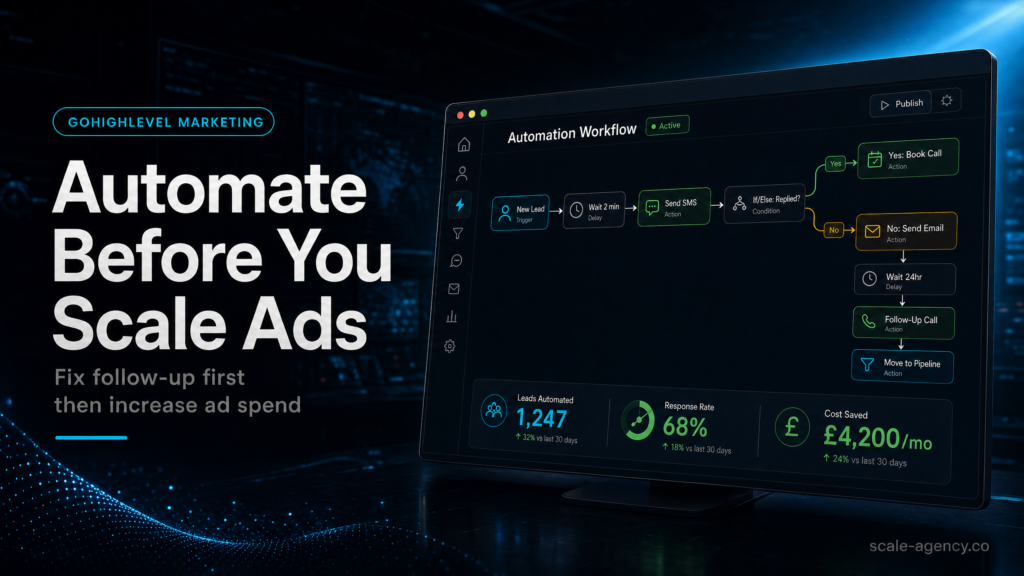
If your gohighlevel marketing costs are rising, don’t scale ad spend until your GoHighLevel follow-up is automated and measurable. The fastest cost reduction usually comes from improving speed-to-lead, routing, and multi-step nurture so more leads book and show. Fix follow-up first, then scale ads with clean attribution and pipeline visibility.
If rising costs are really a speed-to-lead and attribution problem, use the hire a GoHighLevel expert checklist before adding spend. The commercial test is whether your CRM, automation and pipeline reporting can prove which leads turn into revenue.
TL;DR
- If you’re buying leads but not booking calls, your biggest “marketing cost” is usually unworked leads, not ad CPMs.
- Automate speed-to-lead (under 60 seconds) with SMS + call + email + voicemail drops before increasing budget.
- Build one clear pipeline with strict stage definitions, owner assignment, and SLA timers; otherwise reporting lies.
- Track lead source at capture (UTMs + hidden fields) and map it to opportunities, not just form submissions.
- Use “no-show” and “no-response” workflows to recover revenue you’re currently paying for twice.
- Scale ads only after you can answer: cost per booked call, show rate, close rate, and payback by source.
- For most teams, a specialist GoHighLevel build pays back faster than DIY because it prevents months of wasted spend.
If you need to prove which channel created the booked call, pair this follow-up page with the GoHighLevel lead source tracking guide so source, pipeline stage, attribution and revenue stay connected.
Decision: who should build your follow-up system?
| Option | Best fit | Risk | Speed | Revenue visibility | When to choose it |
|---|---|---|---|---|---|
| DIY / internal build | Operator-led business with time, process discipline, and someone who can own CRM hygiene daily | High: missed edge cases, inconsistent routing, “looks automated” but leaks leads | Medium to slow | Low to medium unless you’re strong on UTMs + pipeline governance | You have low lead volume, simple offer, and can commit to weekly iteration for 6–8 weeks |
| Cheap freelancer / template implementer | Very simple lead capture + basic reminders; you already have a clear process documented | Very high: template mismatch, broken triggers, no attribution, no QA, no handover | Fast (but often fragile) | Low: usually stops at “contacts created” not “opportunities won” | You need a temporary stopgap and you can personally test every path end-to-end |
| Specialist GoHighLevel expert (SCALE-style growth systems build) | Businesses spending on ads, running sales calls, or managing multiple lead sources and reps | Low to medium: depends on governance + documentation | Fast with proper discovery (often 1–3 weeks to stable v1) | High: pipeline + source tracking + reporting designed around revenue | You’re scaling ads, need reliable follow-up, and want cost per booked/closed tracked by source |
Who Is This For?
- Local service businesses (home services, clinics, legal, med spa) paying for leads and losing them to slow follow-up
- Agencies running Meta/Google ads who need proof of ROI beyond “leads generated”
- Coaches/consultants selling high-ticket offers where no-shows and slow nurture kill CAC payback
- Founders/operators who suspect their CRM is inflating marketing costs through poor routing and missed touches
- Sales teams with multiple reps where ownership, SLAs, and stage definitions are inconsistent
- Businesses migrating into GoHighLevel and wanting to avoid rebuilding the same leaks
- Anyone about to increase ad budget and wanting to protect margin first
Why “marketing costs” spike in GoHighLevel (and it’s not the subscription)
Most people search gohighlevel marketing costs expecting a pricing breakdown. The subscription is rarely the problem. The real cost is what you pay for traffic that never gets worked properly: slow response, no routing, no nurture, no show recovery, and no attribution to prove what’s working.
Before you scale ads, you need to know whether your current system converts leads into conversations, conversations into booked calls, and booked calls into revenue. If any link is weak, your “marketing costs” rise because you’re forced to buy more leads to hit the same sales number.
Commercial reality check: what you should be able to answer
- What is your cost per booked call by lead source?
- What is your show rate by calendar and by rep?
- What is your close rate by pipeline stage path (not just “won/lost”)?
- How many leads received a human response within 5 minutes?
- How many leads were never assigned an owner?
Weak setup vs strong setup
| Area | Weak setup looks like | Strong setup looks like |
|---|---|---|
| Speed-to-lead | Lead gets an email; someone “tries later” | Instant SMS + call attempt + email + task + SLA timer; escalation if no response |
| Routing | All leads go to one inbox; reps cherry-pick | Round-robin or rules-based assignment; ownership locked; manager visibility |
| Nurture | One reminder message; then silence | 14–30 day multi-channel sequence with stop conditions and intent-based branching |
| Pipeline | Stages are vague (“New, Contacted, Booked”) | Stages reflect your real sales process with definitions, entry/exit rules, and required fields |
| Attribution | “Facebook lead” is guessed | UTMs captured at form, stored on contact/opportunity, and reported by source and campaign |
For a broader operating model on running your business inside GoHighLevel, use the canonical hub: GoHighLevel marketing (definitive guide). If you’re specifically trying to reduce spend, this companion breakdown is also useful: will marketing on GoHighLevel reduce my costs?
Where your GoHighLevel follow-up actually leaks money
If ad spend is about to increase, run the GoHighLevel sales funnel pre-launch checklist first so cost, follow-up and pipeline readiness are judged before more traffic enters the system.
If the cost problem is unworked leads rather than traffic price, use the Go High Level automation recovery guide to map the routing, no-response and stop-condition controls that reduce wasted spend.
Most follow-up “automation” fails because it’s built like a demo: a couple of texts, a couple of emails, and a calendar link. Real-world lead flow is messier. People submit twice, book then cancel, reply “stop,” ask pricing, ghost, or call after hours. Your system must handle those branches without creating chaos for your sales team.
Leak #1: no SLA and no escalation
What to check: Do you have a defined SLA (e.g., first attempt within 60 seconds, second attempt within 5 minutes, third attempt within 30 minutes)? Does GoHighLevel enforce it with tasks, notifications, and escalation?
Why it matters commercially: If leads sit unworked, you pay for them twice: once to acquire, and again to replace the ones you didn’t convert.
How to diagnose: Pull a sample of 50 recent leads and measure time from lead created to first outbound touch (SMS/call/email) and first human reply.
Weak setup: “We try to call quickly” with no reporting.
Strong setup: A workflow that triggers immediately, creates a task, attempts a call, sends SMS, and escalates to a manager if no activity is logged.
Leak #2: ownership is unclear (or changes silently)
What to check: When a lead comes in, who owns it? Is it assigned by rules (location, service line, calendar, round-robin)? Does ownership persist through the lifecycle?
Commercial risk: Leads get double-contacted (bad experience) or never contacted (wasted spend). Both inflate your effective CAC.
Diagnosis: In GoHighLevel, audit opportunities with no assigned user, or contacts with multiple users touching without a clear handoff.
Leak #3: “booked” is treated as “won”
What to check: Do you track booked calls separately from attended calls and closed deals?
Why it matters: If you scale ads based on booked calls but your show rate is weak, you’ll scale no-shows, not revenue.
Strong setup: Separate pipeline stages for Booked, Confirmed, Showed, No-show, Rescheduled, Won, Lost, with automation tied to each.
Leak #4: nurture stops too early
What to check: How long does your follow-up run for “no response” leads? Do you have a long-tail nurture (30–90 days) for high-ticket offers?
Commercial risk: You keep paying for top-of-funnel traffic because you fail to monetize the leads you already bought.
Strong setup: A short-term intensive sequence (first 7–14 days) plus a long-term value sequence, with stop conditions when they book, reply, or opt out.
Leak #5: attribution is missing at the opportunity level
What to check: Are UTMs and lead source captured on the contact record and carried into the opportunity? Can you report revenue by source/campaign?
Why it matters commercially: Without revenue attribution, you cut winners and fund losers. That’s how marketing costs “mysteriously” rise.
How to design follow-up automation that reduces gohighlevel marketing costs
The goal isn’t “more messages.” The goal is more qualified conversations per lead with clean measurement. Your automation should do three things: respond instantly, route correctly, and keep working the lead until a clear outcome happens.
1) Build a speed-to-lead stack (the first 10 minutes)
Buyer check: Does your workflow fire on the correct trigger (form submit, inbound call, chat, calendar booking, manual opportunity creation)?
Strong pattern:
- Immediate SMS: short, human, confirms request and asks one qualifying question
- Immediate call attempt (if appropriate): connect to assigned rep or a shared inbound line
- Email: includes context + calendar link + what to expect
- Task created for rep with due time (SLA)
- If no activity in X minutes: escalate (notify manager, reassign, or trigger second call attempt)
2) Use intent-based branching (not one linear sequence)
Most templates fail because they treat every lead the same. Your automation should branch based on intent signals:
- If they reply with a question: stop the generic sequence and notify the owner
- If they click the calendar link but don’t book: send a “need help choosing a time?” message
- If they book: switch to confirmation and show-up sequence
- If they no-show: switch to recovery sequence with reschedule options
- If they opt out: stop all marketing and tag appropriately
3) Separate “marketing nurture” from “sales follow-up”
Commercial reason: Sales follow-up is about booking and closing now. Marketing nurture is about staying top-of-mind until timing is right. Mixing them creates spammy sequences and rep confusion.
Strong setup: Two workflows with clear stop conditions and ownership rules, plus a handoff point (e.g., when they reply, book, or hit a lead score threshold).
4) Build a show-up system (because booked calls aren’t revenue)
To control gohighlevel marketing costs, you need to protect the most expensive asset you have: booked time with a qualified prospect.
- Instant confirmation SMS + email with calendar details
- 24-hour reminder + 2-hour reminder + 15-minute reminder (channel mix based on your audience)
- Pre-call micro-commitment: short intake form or “reply YES to confirm”
- No-show workflow: immediate “missed you” + reschedule link + personal follow-up task
5) Add guardrails: frequency, quiet hours, and compliance
What to check: Are you respecting quiet hours? Are you limiting message frequency? Are you handling STOP/UNSUB correctly?
Why it matters: Over-messaging increases complaints, reduces deliverability, and can create legal/compliance risk depending on your region and consent model.
Strong setup: Quiet hours, smart delays, channel rotation, and clear consent capture at the form level.
The implementation process
- Define the revenue path and SLA. Document your lead-to-sale steps: lead captured → contacted → qualified → booked → showed → proposal → won/lost. Set response SLAs (first touch, first call attempt, follow-up cadence) and who owns each step.
- Standardize your GoHighLevel CRM structure. Create one primary pipeline per offer/service line (or per business unit), with stage definitions, entry/exit rules, and required fields (lead source, service, location, budget range, etc.).
- Build lead capture with clean data. Update forms/surveys to capture consent, service selection, and hidden UTM fields. Ensure every lead has: name, phone, email (if possible), source, and intent signal.
- Set up calendars with routing logic. Configure calendars by rep, service, or location. Add buffers, availability rules, and confirmation settings. Ensure bookings create/advance opportunities and assign owners correctly.
- Create the “New Lead” workflow (first 10 minutes). Trigger on lead creation from each source. Send SMS, attempt call routing, send email, create tasks, and start SLA timers. Add escalation if no rep activity occurs.
- Create the “No Response” workflow (days 1–14). Multi-step sequence across SMS/email/voicemail drops (where appropriate). Include stop conditions: reply, booked, disqualified, opted out. Add branching for link clicks and partial form completion.
- Create the “Booked → Showed” workflow. Confirmation, reminders, pre-call intake, and “reply YES” confirmation. Add reschedule/cancel handling and stage movement rules.
- Create the “No-show recovery” workflow. Immediate reschedule message, task for rep, and a short recovery sequence over 48–72 hours. Move opportunity to No-show stage and track recovery rate.
- Implement lead source tracking end-to-end. Ensure UTMs are captured at the form, stored on the contact, and mapped to the opportunity. Standardize source naming (e.g., meta_paid, google_paid, referral, organic).
- Build reporting around outcomes, not activity. Dashboards for: leads → contacted → booked → showed → won, by source and by rep. Include speed-to-lead, contact rate, show rate, close rate, and revenue by source.
- QA every path with test leads. Submit test leads from each channel, book/cancel/no-show, reply with questions, opt out, and ensure workflows stop/start correctly. Confirm stage movement and owner assignment.
- Handover and governance. Document workflows, stage definitions, and “what to do when” playbooks. Set weekly hygiene: pipeline cleanup, tag discipline, and deliverability checks.
QA The Follow-Up Paths Before Spend Increases
Common problems and how to fix them
| Problem | What it usually means | Commercial risk | Fix | Metric to watch |
|---|---|---|---|---|
| Leads say “I never heard back” | Triggers not firing, wrong workflow, or rep not notified | Paid leads wasted; brand trust drops | Audit triggers per source; add redundancy (task + SMS + notification); add escalation | Time to first touch; contact rate |
| Double texts/calls to the same lead | Multiple workflows firing; duplicate contacts; no stop conditions | Higher opt-outs; lower conversion | Deduplicate; add “if replied/booked then stop”; consolidate triggers | Opt-out rate; complaint rate |
| Pipeline stages don’t match reality | Stages are generic; reps interpret differently | Bad forecasting; wrong scaling decisions | Redesign stages with definitions; require fields; enforce stage movement rules | Stage conversion rates; aging by stage |
| Booked calls are high but sales are flat | Low show rate or poor qualification | You scale ads and lose margin | Add confirmation + micro-commitment; improve qualification questions; track show rate by source | Show rate; close rate |
| “Facebook leads are bad” but you can’t prove it | No UTM/source mapping to opportunities and revenue | Budget misallocation | Capture UTMs; standardize source naming; report revenue by source | Cost per booked/show/won by source |
| Reps don’t use the CRM | Too many steps; unclear tasks; no benefit to reps | Automation breaks; visibility disappears | Make tasks actionable; reduce clicks; automate stage moves where safe; train with playbooks | Task completion rate; notes logged |
| Deliverability drops (SMS/email) | Over-messaging; poor list hygiene; compliance issues | Lower contact rate; higher costs | Quiet hours; frequency caps; clean lists; confirm consent; rotate channels | Reply rate; bounce rate; opt-out rate |
Want a second set of eyes on your CRM, funnel or follow-up system?
Book a free Growth Systems Audit and SCALE will show you where your current setup is leaking leads, visibility or revenue.
What this means for revenue
When follow-up is weak, you experience “rising marketing costs” even if ad prices stay the same. That’s because your effective cost is:
Cost per customer = (ad spend + tooling + labor + wasted lead cost) / customers closed
The revenue mechanics that change when you automate follow-up
- Higher contact rate: More leads turn into two-way conversations, which is the real gateway to qualification and booking.
- More booked calls from the same lead volume: A structured first 10 minutes plus a 14-day sequence typically outperforms “call once and hope.”
- Higher show rate: Confirmation loops and reminders protect your calendar inventory (your scarcest resource).
- Cleaner pipeline visibility: You can forecast and staff properly because stages mean something.
- Better attribution: You stop guessing which channel “feels good” and start funding what produces revenue.
How to know you’re ready to scale ads
Don’t scale because you “need more leads.” Scale when your system is stable and measurable. A practical readiness checklist:
- You can report cost per booked call by source.
- Your speed-to-lead is consistently fast (and enforced by automation).
- Your show rate is tracked and has an improvement plan (confirmation + recovery).
- Your pipeline stages are consistent across reps and reviewed weekly.
- You have at least one working nurture path for “no response” and one for “no-show.”
If you can’t measure those, increasing spend usually increases chaos, not revenue. That’s the hidden driver behind high gohighlevel marketing costs.
Practical examples: how different businesses reduce marketing costs with better follow-up
Local service business (high lead volume, fast decisions)
What to optimize: speed-to-lead and routing. If you’re in home services or urgent appointment categories, the first responder often wins.
- Instant SMS: “Got it—what’s the best address for the job?”
- Immediate call connect to the on-duty rep
- If missed: voicemail drop + second call attempt in 3–5 minutes
- After-hours: acknowledge + book link + next-morning priority task
Commercial outcome: You stop paying for “duplicate leads” because you convert more of what you already buy.
High-ticket consultant/coach (lower volume, longer consideration)
What to optimize: qualification, show rate, and long-tail nurture.
- Short intake survey before booking to filter poor-fit leads
- Confirmation loop: “Reply YES to confirm” + pre-call expectations
- Value nurture for non-bookers: 2–3 weeks of proof, FAQs, and objections handling
Commercial outcome: Fewer wasted calls, higher show rate, and better close rate without increasing ad spend.
Agency running ads for clients (needs proof and retention)
What to optimize: attribution and reporting tied to opportunities and revenue.
- UTM capture + standardized source naming
- Dashboards: cost per booked/show/won by campaign
- Workflow audit logs and QA checklist for every funnel change
Commercial outcome: Better client retention because you can show revenue impact, not just lead volume.
Diagnostic checklist: audit your follow-up before you scale ads
- Trigger coverage: Every lead source (forms, calls, chat, calendar, manual) triggers the correct workflow.
- Data quality: Every lead has phone/email (where possible), source, and owner assigned.
- Speed-to-lead: First touch happens fast and is logged; escalation exists if reps don’t act.
- Stop conditions: Workflows stop on reply, booking, opt-out, disqualification, or “won.”
- Pipeline integrity: Stages have definitions; reps follow them; aging is reviewed weekly.
- No-show recovery: There is a specific workflow and stage for no-shows with reschedule logic.
- Attribution: UTMs are captured and reported at the opportunity and revenue level.
Conclusion
Most businesses don’t lose money because GoHighLevel is expensive. They lose money because they treat GoHighLevel like a set-and-forget CRM instead of a revenue operating system. They copy a template, turn on a few workflows, and assume follow-up is “handled.” Then they scale ads and discover their pipeline is a black box.
What we see most often:
- Automation without governance: Workflows exist, but no one owns stage definitions, routing rules, or QA.
- Activity metrics instead of revenue metrics: Teams track “leads” and “messages sent,” not booked/show/won by source.
- Attribution gaps: UTMs aren’t captured at the point of conversion, so reporting can’t answer budget questions.
- Rep experience is ignored: If the system creates noise (too many tasks, unclear next steps), reps stop using it and the data rots.
“SCALE builds GoHighLevel CRM, funnel and automation systems for businesses that need better lead quality, faster follow-up and clearer attribution.” Practically, that means we design around the revenue path: capture clean data, enforce speed-to-lead, route ownership, build intent-based nurture, and report outcomes that let you scale ads with confidence.
FAQs
What are gohighlevel marketing costs really made of?
They’re usually a mix of ad spend, GoHighLevel subscription, messaging/email costs, and labor. The biggest hidden cost is wasted lead spend from slow response, poor routing, and weak nurture. If you can’t measure cost per booked/show/won by source, your “marketing costs” will feel high even when ads are performing.
Should I automate follow-up in GoHighLevel before running Meta ads?
Yes, if you’re spending enough that missed leads matter. At minimum, set up instant SMS + email, a call attempt task, owner assignment, and a 7–14 day no-response sequence. Otherwise you’ll pay for leads you don’t convert and assume the ads are the problem.
How fast should I follow up with new leads in GoHighLevel?
Fast enough that it’s consistent and enforced. Many businesses aim for under 5 minutes; some categories benefit from under 60 seconds. The key is not the exact number—it’s having an SLA, automation that triggers immediately, and escalation when reps don’t act.
How do I track marketing ROI inside GoHighLevel?
Capture UTMs at the form/landing page, store them on the contact, and ensure opportunities inherit or reference the same source fields. Then report on booked calls, shows, and won revenue by source/campaign. If you only track form submissions, you’ll optimize for volume instead of profit.
Why do my GoHighLevel automations send duplicate messages?
Usually because multiple triggers fire (form + pipeline stage + tag), duplicates exist in contacts, or stop conditions are missing. Consolidate triggers, deduplicate contacts, and add clear “stop if replied/booked/opted out” logic so only one sequence owns the lead at a time.
What pipeline stages should I use to reduce wasted ad spend?
Use stages that reflect real outcomes: New Lead, Contacted, Qualified, Booked, Confirmed, Showed, No-show, Proposal/Sent, Won, Lost. Tie automations to stage changes (confirmation, reminders, recovery) and enforce definitions so reporting stays accurate.
Is a GoHighLevel template enough to lower marketing costs?
Templates can help you start, but they rarely match your routing, SLAs, offer, and sales process. If you’re scaling ads, you need QA, attribution, stop conditions, and governance. Otherwise templates often create fragile automation that looks good but leaks revenue.
Want to learn more?
Watch the video below:
If your gohighlevel marketing costs feel high, treat it as a systems problem: GoHighLevel should connect your CRM, funnels, automation, lead follow-up, attribution, and pipeline reporting into one measurable revenue engine. Fix speed-to-lead, routing, nurture, and stage governance first; then scale spend with confidence. That’s how SCALE approaches gohighlevel marketing: build the operating system before you buy more traffic.
