
In this guide, we’ll cover:
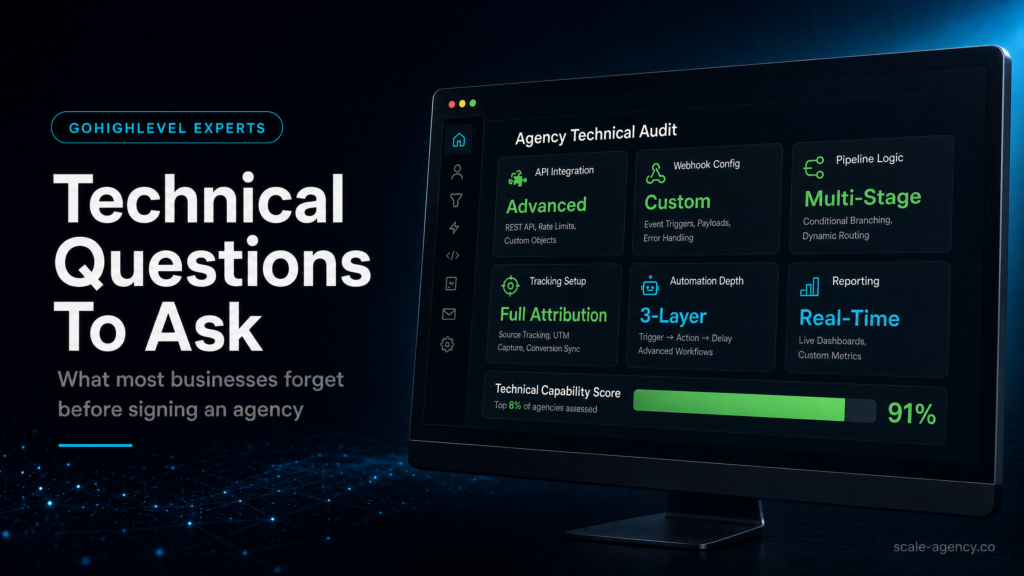
A technical due-diligence view of the GoHighLevel agency questions that protect ownership, routing, follow-up and reporting before you sign.
Confirm The Account Can Survive A Change Of Agency
Why ownership questions matter: sub-accounts, domains, phone numbers, pixels and data exports need a clear handover path.
Map Stages Before Anyone Builds Workflows
Where revenue leaks: vague stages, unclear entry rules and missing owner assignments make the CRM look busy while sales stays blind.
Speed-To-Lead Needs Guardrails
How automation should respond quickly without duplicate messages, missed leads, broken stop conditions or compliance risk.
Reporting Has To Reconcile To Revenue
What to inspect before signing: UTM capture, source fields, opportunity reporting and the dashboards used to make budget decisions.
The Build Needs Documentation And Change Control
Why strong GoHighLevel agencies document field rules, workflow ownership, QA tests and support boundaries before launch.
“The right technical questions turn a GoHighLevel sales call into a due-diligence test for revenue, ownership and operating risk.”
Quick Answer
The fastest way to avoid a broken GoHighLevel build is to ask gohighlevel agency technical questions about data ownership, tracking, pipeline logic, automation safeguards, deliverability, and reporting before you sign. If an agency can’t explain how your CRM, funnels, lead follow-up, and attribution will work end-to-end, you’re buying a template—not a revenue system.
TL;DR
- Ask who owns the sub-account, domains, numbers, pixels, and data exports; “we’ll handle it” is not an answer.
- Demand a written pipeline map: stages, entry rules, exit rules, and what triggers sales tasks vs. nurture.
- Require speed-to-lead design (SMS/call/email) with guardrails to prevent spam, duplicates, and missed leads.
- Make them prove deliverability and compliance: SPF/DKIM/DMARC, warm-up, opt-in language, and quiet hours.
- Insist on attribution you can reconcile to revenue: UTM standards, source-of-truth fields, and reporting definitions.
- Clarify handover: documentation, admin access, change control, and what happens if you leave.
- If you run ads, ask how Meta Ads leads are deduped, routed, and tracked to booked calls and closed deals.
Stack This Post With These Related Guides

Before you sign with an agency, compare these questions with the GoHighLevel expert hiring checklist, then use the GoHighLevel expert questions before hiring list to pressure-test the person behind the build.
Decision Table: Which Build Approach Fits Your Situation?
| Option | Best fit | Risk | Speed | Revenue visibility | When to choose it |
|---|---|---|---|---|---|
| DIY / internal build | Operators with time, strong ops discipline, and someone who can own CRM + automation weekly | High: misconfigured automations, inconsistent tracking, “works on my machine” setups | Medium to slow | Low to medium unless you’re rigorous with fields, UTMs, and reporting definitions | You have a technical owner in-house and can tolerate iteration without revenue risk |
| Cheap freelancer / template implementer | Very simple lead capture + basic follow-up, low compliance risk, low ad spend | Very high: template pipelines, weak deliverability, no attribution, no handover | Fast | Low: dashboards look “busy” but don’t reconcile to bookings and sales | You need a temporary stopgap and you’re prepared to rebuild properly later |
| Specialist GoHighLevel expert (SCALE-style growth systems build) | Businesses that need reliable lead routing, speed-to-lead, clean reporting, and scalable follow-up | Low to medium: depends on documentation, governance, and testing discipline | Fast with structured rollout | High: defined sources, lifecycle stages, and revenue-linked reporting | You want a system that survives staff changes, scales with ads, and supports revenue ops |
Who Is This For?
- Local service businesses running Meta Ads or Google Ads who need faster lead follow-up and fewer missed calls
- Coaches/consultants selling high-ticket offers who need booked-call quality and pipeline visibility
- Agencies building client sub-accounts who need clean handover, governance, and repeatable QA
- Founders/operators migrating from HubSpot, ActiveCampaign, Keap, or spreadsheets into GoHighLevel
- Teams with multiple sales reps who need routing rules, tasking, and accountability
- Businesses with compliance constraints (TCPA/GDPR-like expectations, opt-in, quiet hours, consent logs)
- Anyone who has “a GoHighLevel account” but can’t confidently answer: where do leads come from, what happens next, and what closes?
The technical questions that prevent expensive rebuilds
Most businesses hire a GoHighLevel agency expecting “funnels + automations.” What they actually need is a revenue system: lead capture, routing, speed-to-lead, sales workflow, nurture, attribution, and reporting that matches how money is made.
Use the questions below as a pre-contract checklist. A strong agency will answer clearly, show examples inside a sandbox, and document decisions. A weak agency will dodge, overpromise, or hide behind “our snapshot.”
1) Ownership and access: “If we leave, what do we keep?”
What to check
- Who owns the GoHighLevel sub-account (you vs. agency)?
- Who owns domains (funnels, tracking, email sending), phone numbers, and WhatsApp integrations?
- Who owns ad accounts, pixels, conversion APIs, and analytics properties?
- Can you export contacts, opportunities, conversations, and custom fields in a usable format?
- Do you get admin access on day one?
Why it matters commercially
If the agency owns critical assets, you’re locked in. The cost isn’t just switching fees—it’s lost pipeline history, broken attribution, and downtime in lead follow-up. That’s how “we changed agencies” turns into a quarter of messy reporting and missed revenue.
How to diagnose
- Ask for a written asset register: domains, numbers, integrations, tracking IDs, and who pays for what.
- Ask what happens to snapshots, workflows, and templates if you terminate.
- Ask for a sample export and confirm it includes the fields you need (source, lifecycle stage, last touch, owner, opportunity value).
Weak setup looks like
- Agency creates everything under their master account, you get limited access, and “handover” is vague.
- Phone numbers and domains are “managed by us,” with no transfer process.
Strong setup looks like
- You have admin access, billing clarity, and a documented transfer plan.
- Critical assets are owned by you or transferable with minimal downtime.
What SCALE would look for or fix
SCALE will map ownership and portability before building. We standardise naming, document integrations, and ensure you can export and operate without us if needed—because governance is part of revenue reliability.
2) Data model: “What are the source-of-truth fields?”
What to check
- Which fields define a lead’s lifecycle (new lead, contacted, booked, showed, closed-won, closed-lost)?
- How is lead source captured (UTM source/medium/campaign, referrer, form name, ad platform lead ID)?
- How are duplicates handled (same phone/email, multiple form fills, multiple ad leads)?
- What is the “primary contact method” and consent status?
Why it matters commercially
If your data model is sloppy, your automations misfire and your reporting lies. You’ll think ads “aren’t working” when the real issue is duplicate contacts, overwritten sources, and opportunities created in the wrong pipeline stage.
How to diagnose
- Ask the agency to show the exact custom fields they will create and why.
- Ask how they prevent UTM overwrites when a lead returns later via a different channel.
- Ask how they reconcile “contact” vs. “opportunity” vs. “appointment” in reporting.
Weak setup looks like
- Lead source is a single dropdown manually selected by staff.
- UTMs are captured sometimes, but not tied to opportunities or appointments.
Strong setup looks like
- Standardised UTM capture + immutable “first touch” fields and separate “last touch” fields.
- Clear lifecycle fields that drive automation, tasks, and reporting.
What SCALE would look for or fix
We define a minimal, durable data model: fields that power routing, follow-up, and attribution without creating a “custom field graveyard.” Then we lock definitions so reporting stays consistent as your team grows.
Pipeline, routing, and speed-to-lead (where most revenue leaks happen)
Most GoHighLevel builds fail in the same place: the handoff between “lead captured” and “sales conversation started.” That gap is where ad spend turns into wasted spend.
3) Pipeline design: “What are the stages and the rules?”
What the buyer should check
- How many pipelines will you have (new business vs. renewals vs. partnerships)?
- What are the exact stages, and what qualifies a lead to move?
- What creates an opportunity (form submit, booked call, manual)?
- What closes an opportunity (invoice paid, contract signed, manual close-won)?
Why it matters commercially
Your pipeline is your revenue scoreboard. If stages are vague, reps “work from inbox,” forecasting becomes guesswork, and follow-up becomes inconsistent. You can’t improve what you can’t measure.
How to diagnose
- Ask for a one-page pipeline map with entry/exit criteria per stage.
- Ask how the pipeline ties to calendars and outcomes (booked, showed, no-show).
Weak setup looks like
- Stages like “New / Contacted / Won” with no definitions.
- Opportunities created multiple times per lead or not created at all.
Strong setup looks like
- Stages reflect your actual sales process (e.g., New Lead, Attempting Contact, Qualified, Booked, Showed, Proposal Sent, Closed Won/Lost).
- Automations move stages based on verifiable events (appointment booked, call outcome, invoice status).
What SCALE would look for or fix
We design stages around operational truth, not “what looks nice.” Then we connect stages to tasks, SLAs, and reporting so you can see bottlenecks (contact rate, show rate, close rate) by lead source.
4) Routing logic: “Who gets the lead, when, and why?”
What to check
- Round-robin vs. territory-based vs. skill-based assignment
- Rules for after-hours leads (queue, next-day priority, on-call)
- Rules for existing customers vs. new prospects
- What happens when a rep doesn’t respond (escalation, reassignment)
Why it matters commercially
Routing is a conversion lever. The “best rep” should get the highest-intent leads. The “next available rep” should get time-sensitive leads. Without rules, you get internal politics, slow response, and inconsistent customer experience.
How to diagnose
- Ask the agency to walk through three scenarios: new lead during business hours, new lead after hours, and repeat lead from an existing contact.
- Ask what happens if two leads arrive within 30 seconds.
Weak setup looks like
- Everything goes to one inbox or one user.
- No escalation if the lead isn’t contacted quickly.
Strong setup looks like
- Assignment rules are explicit and testable.
- Escalations exist (task + notification + reassignment) tied to a response SLA.
5) Speed-to-lead: “What happens in the first 5 minutes?”
What to check
- Immediate confirmation SMS/email with the right expectations
- Instant call connect (if appropriate) or rapid rep call tasking
- Fallbacks if SMS fails, email bounces, or phone is invalid
- Quiet hours and consent handling
Why it matters commercially
Speed-to-lead is one of the few levers that can improve conversion without increasing ad spend. If your first-touch is slow or inconsistent, you pay for leads that your competitors convert.
How to diagnose
- Run a test lead from each source (Meta lead form, landing page, chat widget, inbound call) and time the first human touch.
- Check whether the lead receives duplicate messages or conflicting instructions.
Weak setup looks like
- Lead gets 6 messages in 2 minutes, then nothing for 3 days.
- Rep isn’t notified, or notifications are buried.
Strong setup looks like
- One clean confirmation, one clear next step, and a rep task with SLA.
- Escalation if no contact attempt is logged within the SLA window.
For a broader view of how agencies structure GoHighLevel delivery to attract and retain high-value clients, use this guide: GoHighLevel agency models built to attract high-value clients. If you’re deciding whether to bring in a specialist now, this is also relevant: Do you need a GoHighLevel expert today?
Attribution and reporting: the questions that stop “we don’t know what’s working”
Most businesses think they have an ad problem when they actually have an attribution problem. If your GoHighLevel agency can’t define how tracking works, you’ll end up optimising based on vibes.
6) UTM and source tracking: “What’s your standard, and where is it stored?”
What to check
- UTM naming conventions (source/medium/campaign/content/term)
- Where UTMs are captured (hidden fields on forms, URL parameters, webhook payloads)
- How UTMs are stored (first touch vs last touch, contact vs opportunity)
- How offline sources are handled (referrals, walk-ins, inbound calls)
Why it matters commercially
If you can’t trust source data, you can’t scale spend confidently. You’ll cut winning campaigns and keep losing ones because the CRM can’t connect leads to outcomes.
How to diagnose
- Ask for a screenshot of the exact fields and an example contact record showing UTMs populated.
- Ask how they prevent “Direct/None” from swallowing everything.
Weak setup looks like
- “We track lead source in GoHighLevel” but it’s manual or inconsistent.
- UTMs exist in the URL but never land in the CRM.
Strong setup looks like
- UTMs captured automatically, validated, and used in reporting.
- Clear definitions: what counts as a lead, booked call, show, and sale.
7) Conversion events: “What exactly are we optimising for?”
What to check
- Primary conversion: booked call, qualified lead, purchase, deposit paid
- Secondary conversions: form submit, chat start, inbound call, calendar view
- How conversions are deduped (one lead can trigger multiple events)
- How outcomes are recorded (custom values, opportunity status, invoice status)
Why it matters commercially
If you optimise Meta Ads for the wrong event, you’ll get cheap leads that don’t book or don’t close. Your CRM must reflect the same “win condition” your ads and sales team care about.
How to diagnose
- Ask the agency to define “qualified” in writing and show where it’s stored.
- Ask how they report cost per booked call and cost per closed-won (even if closed-won is partially manual).
8) Reporting definitions: “What does each number mean?”
What to check
- Definitions for lead, contact, opportunity, appointment, show, sale
- Time windows (same-day attribution vs 7-day vs 30-day)
- Owner attribution (which rep gets credit and when)
- How refunds/cancellations affect revenue reporting
Why it matters commercially
Dashboards are easy to build and easy to misread. If definitions aren’t locked, your team will argue about numbers instead of fixing bottlenecks.
How to diagnose
- Ask for a “reporting dictionary” (one page) that defines each KPI.
- Ask how they validate reports against bank deposits or invoicing totals.
The implementation process
- Discovery and asset audit: confirm ownership of domains, numbers, ad accounts, pixels, calendars, and current CRM exports; document what must be portable.
- Offer + funnel intent mapping: define the conversion goal (booked call vs purchase), qualification rules, and what “good lead” means for sales.
- CRM data model design: create/clean custom fields (UTMs, first touch/last touch, consent, lifecycle stage), tags, and lead source standards.
- Pipeline and stage definitions: build stages with entry/exit criteria; define when opportunities are created and how they close.
- Lead capture build: forms/surveys/chat widgets with hidden UTM fields; validation rules; duplicate handling; consent language aligned to your outreach plan.
- Calendar and scheduling logic: set up calendars, availability, buffers, round-robin rules, confirmation/reminder sequences, and no-show recovery.
- Routing and assignment: configure round-robin/territory rules, after-hours handling, escalation if SLA is missed, and rep notifications that actually get seen.
- Automation workflows (with guardrails): build first-5-min follow-up, nurture, reactivation, and missed-call text-back; add stop conditions, throttling, and “do not spam” protections.
- Email/SMS deliverability setup: sending domains, SPF/DKIM/DMARC, warm-up plan, compliance settings, quiet hours, and unsubscribe handling.
- Attribution and reporting: UTM standards, source-of-truth fields, dashboards tied to pipeline outcomes; reconcile to appointments and closed-won.
- QA testing: submit test leads from every channel; verify dedupe, routing, messages, tasks, calendar outcomes, and reporting accuracy.
- Handover and governance: documentation, admin access, change control, “how to” SOPs for reps, and a monthly optimisation cadence.
Common problems and how to fix them
| Problem | What it usually means | Commercial risk | Fix | Metric to watch |
|---|---|---|---|---|
| Leads show up but no one follows up | No routing, no SLA tasking, notifications not configured | Paid leads go cold; higher CPL needed to hit targets | Implement assignment rules + rep tasks + escalation; test after-hours flow | Median time-to-first-contact |
| Duplicate contacts/opportunities everywhere | No dedupe rules; multiple sources creating new records | Spammy follow-up, rep confusion, inaccurate reporting | Standardise unique identifiers (phone/email), dedupe workflows, opportunity creation rules | Duplicates per 100 leads |
| “Lead source” is blank or wrong | UTMs not captured; overwritten fields; manual entry | Bad budget decisions; can’t scale winners | Hidden UTM fields + first/last touch fields; lock naming conventions | % leads with valid UTMs |
| Email deliverability is poor | Missing SPF/DKIM/DMARC, poor list hygiene, aggressive sequences | Nurture fails; brand damage; lower show rates | Configure DNS, warm-up, segment lists, reduce frequency, add stop conditions | Open rate, bounce rate, spam complaints |
| SMS replies aren’t handled | No conversation assignment; no inbox workflow; no after-hours rules | Hot leads churn; negative experience | Assign conversations to owners; set business hours; create reply-based workflows | Reply-to-response time |
| Calendar bookings don’t create pipeline movement | Calendar not tied to opportunity stages; missing triggers | Forecasting breaks; reps miss booked calls | Connect booking events to stage changes + tasks + reminders | Booked-to-show rate |
| Dashboards look good but don’t match revenue | Definitions unclear; closed-won not tied to invoices; inconsistent stage use | False confidence; wrong optimisation decisions | Create reporting dictionary; enforce stage rules; reconcile to invoicing | CRM revenue vs invoiced revenue variance |
Security, compliance, and deliverability: the “unsexy” questions that save you later
These are the gohighlevel agency technical questions most businesses skip because they feel “IT-ish.” But they directly affect whether your follow-up lands, whether your team can operate safely, and whether you can scale outreach without getting blocked.
9) Permissions and governance: “Who can change what?”
What to check
- User roles for admins vs sales reps vs support
- Who can edit workflows, templates, and tracking settings
- Change control: how updates are requested, tested, and deployed
- Audit trail expectations (what changed, when, by whom)
Why it matters commercially
One accidental workflow edit can stop follow-up for days. Governance prevents silent revenue loss.
How to diagnose
- Ask: “If a rep edits a template, does it affect all campaigns?”
- Ask for a release process: staging/testing vs live edits.
Weak setup looks like
- Everyone is an admin.
- Workflows are edited live with no testing.
Strong setup looks like
- Least-privilege access and a documented change process.
- Testing checklist before changes go live.
10) Consent and quiet hours: “Are we messaging legally and sanely?”
What to check
- Opt-in language on forms and lead ads
- Stop/unsubscribe handling across SMS and email
- Quiet hours and time zone handling
- Consent fields stored on the contact record
Why it matters commercially
Non-compliant or overly aggressive outreach increases complaints, reduces deliverability, and can get your numbers or domains flagged. Even if you’re not thinking about legal exposure, you should be thinking about channel reliability.
How to diagnose
- Ask to see the exact opt-in copy and where consent is stored.
- Test STOP replies and confirm the system actually suppresses future sends.
11) Email sending infrastructure: “Are we building on a deliverable foundation?”
What to check
- Dedicated sending domain vs sending from your main domain
- SPF/DKIM/DMARC configured correctly
- Warm-up plan and list hygiene rules
- Segmentation: new leads vs cold nurture vs reactivation
Why it matters commercially
If your emails land in spam, your show-up rate and reactivation revenue drop. Deliverability is not a “nice to have”; it’s the difference between automation that prints and automation that annoys.
How to diagnose
- Ask for DNS records and confirmation steps.
- Ask what bounce/complaint thresholds trigger a pause.
Integrations and handover: the questions that protect operational continuity
GoHighLevel rarely lives alone. It touches your website, ads, calendars, payments, and sometimes your fulfilment tools. Integration design is where “it works” becomes “it keeps working.”
12) Website and funnel integration: “How do forms, chat, and tracking connect?”
What to check
- Where landing pages live (GoHighLevel vs WordPress/Webflow) and why
- How forms are embedded and how UTMs are preserved
- Chat widget routing and after-hours behaviour
- Page speed and mobile UX (especially for paid traffic)
Why it matters commercially
If UTMs drop at the form layer, your attribution breaks. If the mobile experience is slow, you pay more per lead. If chat isn’t routed, you miss high-intent conversations.
How to diagnose
- Run a UTM-tagged click to the landing page and confirm UTMs persist through submission.
- Test on mobile with real network conditions.
13) Payments and revenue events: “How do we mark a sale?”
What to check
- What tool is the source of truth for revenue (Stripe, invoices, proposals)
- How closed-won is triggered (manual vs automated)
- How partial payments, deposits, and refunds are handled
Why it matters commercially
If “closed-won” is subjective, your ROI reporting becomes political. You want a consistent mechanism that ties pipeline outcomes to real revenue events.
How to diagnose
- Ask: “Show me how a paid invoice updates the opportunity and reporting.”
- Ask what happens when a payment fails or is refunded.
14) Documentation and exit plan: “Can someone else run this?”
What to check
- Workflow map: what triggers what, and where stop conditions exist
- Field dictionary: what each custom field means and who owns it
- Calendar rules and routing logic documented
- Handover session for your team (sales + admin)
Why it matters commercially
When the builder disappears, undocumented systems decay. The cost shows up as missed follow-up, broken reporting, and “we’re scared to touch it.”
How to diagnose
- Ask to see a sample SOP and a workflow diagram from another build (sanitised).
- Ask what documentation you receive by week 2, week 4, and at completion.
Buyer-ready checklist: ask these before you sign with a GoHighLevel agency
Use this as a practical script on your next sales call. If they can answer these cleanly, you’re likely dealing with an operator. If they can’t, you’re buying risk.
Core gohighlevel agency technical questions
- Who owns the sub-account, domains, phone numbers, and integrations, and how do we transfer them?
- What are the exact pipeline stages and the rules for moving between them?
- What creates an opportunity, and how do we prevent duplicates?
- What happens in the first 5 minutes after a lead opts in (business hours and after hours)?
- How do you capture UTMs and store first-touch vs last-touch attribution?
- How do you define and report: lead, booked call, show, qualified, closed-won?
- How do you handle SMS replies, missed calls, and inbox assignment?
- What deliverability steps do you take (SPF/DKIM/DMARC, warm-up, list hygiene)?
- What are the guardrails to prevent spammy automation or infinite loops?
- What documentation and training do we receive, and what happens if we leave?
What this means for revenue
These questions aren’t “technical for the sake of technical.” They directly determine whether your GoHighLevel investment increases booked calls and sales—or just increases activity.
- Lead quality: When UTMs, forms, and qualification fields are structured, you can see which campaigns produce leads that actually show and close. Without that, you optimise for cheap leads and wonder why revenue doesn’t move.
- Booked calls: Speed-to-lead design (first 5 minutes) plus clean routing increases the percentage of leads that turn into conversations. If reps aren’t notified correctly or leads aren’t assigned, bookings drop even when lead volume is high.
- Show rate: Calendar confirmations, reminders, and reschedule flows reduce no-shows. Weak setups send generic reminders that don’t match the offer or don’t handle time zones and objections.
- Close rate: A defined pipeline with consistent stage movement forces sales discipline. You can identify where deals stall (no contact, no show, no proposal, no decision) and fix the bottleneck instead of “getting more leads.”
- Wasted ad spend: If attribution is wrong, you’ll scale losers and cut winners. If duplicates trigger multiple follow-ups, you’ll burn brand trust and reduce conversion from paid traffic.
- Revenue visibility: When closed-won is tied to a real revenue event (invoice/payment) and definitions are consistent, you can forecast and make hiring/spend decisions with confidence.
Conclusion
Most businesses don’t fail with GoHighLevel because the software is “hard.” They fail because the build is treated like a bundle of features instead of an operating system for revenue.
Here’s what we see repeatedly:
- Templates without governance: Snapshots get installed, but nobody defines ownership, change control, or reporting definitions. The system works briefly, then decays.
- Automation without lifecycle logic: Messages fire, but they aren’t tied to pipeline stages, consent, or rep behaviour. That creates noise, not conversions.
- Attribution as an afterthought: UTMs aren’t captured consistently, sources get overwritten, and dashboards can’t be reconciled to booked calls and closed-won.
- No QA discipline: Builds aren’t tested across channels (Meta lead forms, landing pages, inbound calls, chat). The first real test is your paid traffic.
SCALE builds GoHighLevel CRM, funnel and automation systems for businesses that need better lead quality, faster follow-up and clearer attribution. Practically, that means we start with lifecycle and reporting definitions, then build routing and follow-up around real sales constraints (hours, capacity, rep behaviour), then validate with end-to-end testing so the system holds up under ad spend.
FAQs
What are the most important gohighlevel agency technical questions to ask before hiring?
Start with ownership (sub-account, domains, numbers), pipeline rules (stages + entry/exit criteria), speed-to-lead (first 5 minutes), dedupe logic, and attribution (UTM capture + reporting definitions). If they can’t explain those clearly, the rest of the build will be fragile.
How do I know if an agency is just installing a snapshot template?
Ask for your pipeline map, field dictionary, routing rules, and reporting definitions in writing. Template installers talk about “workflows included” and “done-for-you setup” but can’t explain how your lead sources, lifecycle stages, and revenue reporting will be reconciled to real outcomes.
Should my GoHighLevel account be under my ownership or the agency’s?
For most businesses, you should have admin access and a clear path to portability. Some agencies prefer to host sub-accounts for management, but you still need documented ownership/transfer for domains, phone numbers, and data exports so you’re not operationally locked in.
What’s the minimum attribution setup I should require in GoHighLevel?
At minimum: consistent UTM naming, hidden UTM capture on every form, fields for first-touch and last-touch source, and a rule for when source fields can/can’t be overwritten. Then ensure opportunities and appointments inherit the relevant source fields so you can report cost per booked call and cost per closed-won.
Why do GoHighLevel automations sometimes spam leads or send duplicates?
Usually because there are multiple workflows listening to the same trigger, no stop conditions, and no dedupe logic (e.g., multiple form submits create multiple entries). A strong build uses suppression rules, throttling, lifecycle checks (stage/status), and clear ownership of triggers.
How should speed-to-lead be handled for after-hours leads?
After-hours should still confirm receipt immediately, but rep outreach should follow your operating model: queue for next business day, route to an on-call rep, or offer self-scheduling. The key is consistency: the lead should never wonder “did this go through?” and your team should never miss the next-day priority.
What deliverability steps should a GoHighLevel agency handle?
They should configure sending domains and DNS (SPF/DKIM/DMARC), implement list hygiene and segmentation, set quiet hours, and design sequences that don’t trigger complaints. They should also define what metrics trigger a pause or revision (bounce rate, complaint rate, reply patterns).
If you’re evaluating a gohighlevel agency, these gohighlevel agency technical questions are the difference between “we have GoHighLevel” and “we have a revenue system.” In the gohighlevel agency cluster, the winners treat GoHighLevel as an operating layer across CRM, funnels, automation, lead follow-up, and attribution—then build governance and reporting so SCALE (or your internal team) can optimise without breaking what’s already working.
Conclusion
A GoHighLevel agency should be able to answer technical questions in plain commercial language. If they cannot explain ownership, routing, attribution, QA and handover before you sign, the build is likely to create operating risk after launch.
