
In this guide, we’ll cover:
A revenue-first view of how a GoHighLevel agency model turns pipeline activity into booked calls, clean ownership and measurable growth.
SCALE builds GoHighLevel CRM, funnel, and automation systems for businesses that need better lead quality, faster follow-up, and clearer attribution.
Use the SCALE GoHighLevel expert build checklist when the pipeline problem is no longer software setup but ownership, attribution and revenue visibility.
Stages Need Clear Exit Criteria
Why pipeline growth starts with definitions: every stage should tell sales what happened, what happens next and what revenue is at risk.
Every Lead Needs An Owner
Where Done-For-You builds help: source, service, location, capacity and after-hours logic route leads before momentum is lost.
Automation Should Move Opportunities Forward
How follow-up protects pipeline growth: first touch, reminders, no-show recovery and task creation need to work as one chain.
Source Data Decides What Scales
What operators need to see: which channels create booked calls, which stages leak revenue and which campaigns deserve more budget.
Weekly Review Keeps The Model Clean
Why a GoHighLevel agency model needs governance: workflows, fields, reports and handoffs drift unless someone owns them after launch.
“Pipeline growth is not created by more automation. It is created by a system that shows every lead, owner, stage and next action clearly.”
Quick Answer
The gohighlevel agency model for pipeline growth works when a Done-For-You (DFY) team builds your pipeline stages, routing, automations, follow-up, and attribution as one revenue system. Instead of “a CRM install,” you get faster speed-to-lead, fewer missed handoffs, cleaner reporting, and predictable next steps for every lead source.
TL;DR
- If your pipeline is “full” but cash is inconsistent, you likely have stage definitions, routing, or follow-up gaps (not a lead volume problem).
- DIY builds work only when you have an owner, a documented sales process, and time to test automations weekly.
- Cheap templates usually break at the handoff points: lead source tracking, calendar logic, and multi-step follow-up.
- A specialist GoHighLevel DFY build should deliver: stage exit criteria, speed-to-lead automation, attribution you trust, and a reporting cadence.
- Prioritise fixes that reduce leakage first: missed calls, no-shows, stale opportunities, and unassigned leads.
- Choose DFY when you’re spending on ads, selling high-ticket, or have multiple team members touching leads.
Stack This Post With These Related Guides

For the hiring decision behind this model, compare this with GoHighLevel Expert: The Checklist Before You Hire.
Decision: DIY vs freelancer vs specialist DFY
| Option | Best fit | Risk | Speed | Revenue visibility | When to choose it |
|---|---|---|---|---|---|
| DIY / internal build | Founder-led sales, simple offer, low channel complexity, one calendar | High: inconsistent setup, partial automations, reporting blind spots | Medium to slow (depends on your time) | Low to medium (often missing attribution + stage definitions) | You have a clear sales process documented and can test weekly for 30–60 days |
| Cheap freelancer / template implementer | Single-location local business, basic lead capture, minimal routing | Very high: “looks done” but leaks at handoffs; hard to maintain | Fast (days) | Low (template dashboards without clean data) | You need a temporary stopgap and accept you’ll rebuild when you scale |
| Specialist GoHighLevel expert (SCALE-style DFY growth systems build) | High-ticket services, agencies, multi-channel lead gen, teams, paid ads | Low to medium: depends on discovery quality and governance | Fast to medium (1–4 weeks for a real system) | High (clean pipeline, source tracking, reporting cadence) | You want pipeline growth you can manage, forecast, and improve without guesswork |
Who Is This For?
- Local service businesses running Meta Ads or Google Ads and losing leads after form fills.
- High-ticket coaches/consultants with booked calls but inconsistent show rates and follow-up.
- Agencies managing multiple pipelines (new business + client onboarding) inside GoHighLevel.
- Founders who can’t trust their pipeline numbers (duplicates, stale opportunities, missing sources).
- Sales teams where leads aren’t assigned instantly or ownership is unclear.
- Operators migrating into GoHighLevel and needing a clean, scalable pipeline model.
- Businesses with multiple offers, calendars, or locations that need routing rules.
First: stop treating GoHighLevel like “a CRM install”
Most pipeline leakage isn’t caused by GoHighLevel. It’s caused by a mismatch between your real sales process and what your CRM forces your team to do every day.
In the gohighlevel agency model for pipeline growth, DFY works because it turns GoHighLevel into a revenue operating system: pipeline stages with exit criteria, lead routing, speed-to-lead, follow-up logic, and attribution that ties back to spend and outcomes.
What you should check
- Do your pipeline stages reflect real buyer steps (not internal tasks)?
- Does every lead source create an opportunity in the correct pipeline with the correct owner?
- Can you answer: “How many leads came in yesterday, how many were contacted in 5 minutes, and how many booked?”
- Do you have a defined “no response” and “nurture” path, or do leads just sit?
Why it matters commercially
If you can’t trust your pipeline, you can’t forecast, you can’t hire confidently, and you can’t scale ad spend without anxiety. The cost isn’t just “missed leads.” It’s wasted sales time, inflated CAC, and decisions made on bad data.
Weak setup vs strong setup
| Area | Weak setup looks like | Strong setup looks like |
|---|---|---|
| Pipeline stages | Generic stages (“New,” “Contacted,” “Won”) with no rules | Stages mapped to buyer journey with clear exit criteria and automation triggers |
| Ownership | Unassigned leads, shared inbox chaos, manual distribution | Instant assignment rules + round robin + escalation if not touched |
| Follow-up | One SMS, one email, then silence | Multi-step sequences by lead type, with stop conditions and reactivation |
| Reporting | Dashboard “looks nice” but data is inconsistent | Clean source fields + opportunity creation rules + weekly KPI review |
For a broader overview of different GoHighLevel agency models and how they attract higher-value clients, use the hub page here: GoHighLevel agency models built to attract high-value clients.
The pipeline growth model inside GoHighLevel (what actually moves revenue)
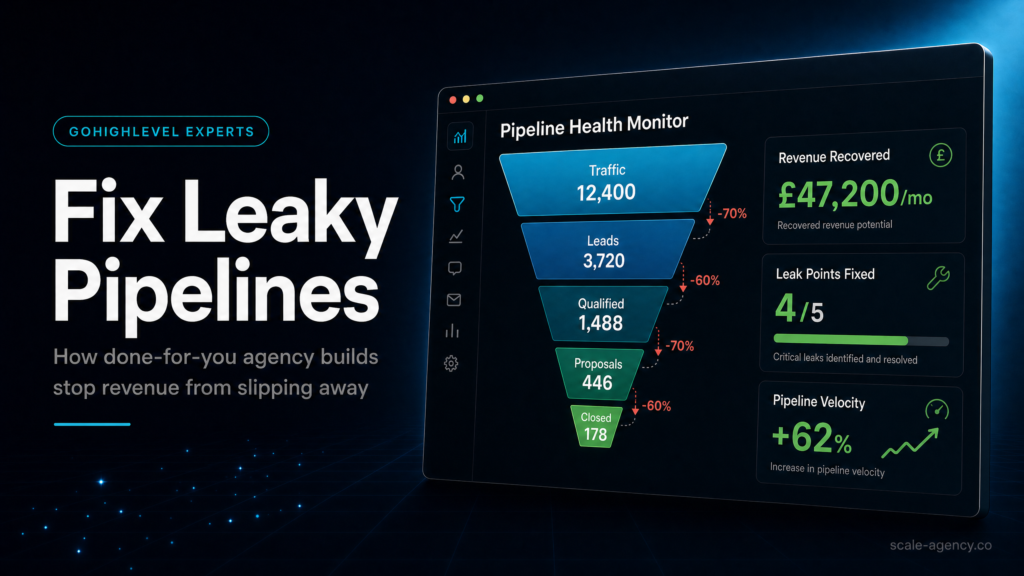
Pipeline growth is not “more leads.” It’s higher conversion at each step: lead captured, contacted, qualified, booked, showed, closed, retained. GoHighLevel can support every step, but only if the system is designed around flow and accountability.
Core components that must work together
- Lead capture: forms, surveys, chat widgets, inbound calls, DMs, and manual entry.
- Routing: which pipeline, which stage, which owner, which calendar, which tags/custom fields.
- Speed-to-lead: immediate SMS/call/email + task creation + escalation.
- Qualification: required fields, notes, outcomes, and stage movement rules.
- Booking + reminders: calendar logic, confirmations, reschedules, no-show recovery.
- Attribution: source/UTM capture, channel mapping, and reporting you can trust.
- Nurture + reactivation: long-term follow-up for “not now” leads and stale opportunities.
What to check (buyer-side due diligence)
- Ask your builder: “Where does lead source get captured, and how does it flow into opportunity reporting?”
- Ask: “What happens if a lead doesn’t respond after 5 minutes, 2 hours, 24 hours, 7 days?”
- Ask: “What is the exact definition of ‘Contacted’ and how is it measured?”
- Ask: “How do you prevent duplicates and double-opportunities?”
How to diagnose leakage quickly
Pull a 14-day view and answer these questions:
- How many new leads entered the system?
- How many got an outbound touch within 5 minutes?
- How many opportunities have no owner?
- How many opportunities are older than your sales cycle and still “open”?
- How many booked calls were no-shows, and what happened next?
If you can’t answer these in under 30 minutes, you don’t have a pipeline growth system yet.
Pipeline architecture: stages, exit criteria, and automation triggers
Most GoHighLevel pipelines fail because stages are treated like labels instead of control points. A stage should do three jobs: reflect buyer reality, trigger the next action, and produce reliable reporting.
What the buyer should check
- Do stages have entry rules (what creates an opportunity and where)?
- Do stages have exit criteria (what must be true before moving forward)?
- Are there automation triggers tied to stage changes (tasks, sequences, notifications)?
- Is there a defined “dead” path (lost reasons) and a defined “not now” path (nurture)?
Commercial reason this matters
If stages are vague, reps move deals based on optimism, not evidence. Your forecast becomes fiction, and your follow-up becomes inconsistent. Tight stage definitions increase close rate indirectly by forcing consistent next steps and preventing “pipeline rot.”
A practical stage model (example pattern)
This is a pattern, not a template. Your business may need fewer or more stages.
- New lead (uncontacted): opportunity created automatically; owner assigned; speed-to-lead starts.
- Contact attempt in progress: at least 1 call + 1 SMS sent; next attempt scheduled.
- Two-way contact: lead replied or answered; qualification fields captured.
- Booked: calendar appointment set; reminders active; pre-call assets sent.
- Showed: attended; outcome logged; proposal sent or next step scheduled.
- Closed won: payment/contract confirmed; onboarding workflow triggered.
- Closed lost / not now: reason captured; reactivation workflow assigned.
What a weak setup looks like
- “Contacted” is used when an SMS is sent (not when contact is made).
- Deals skip stages because there’s no required data capture.
- No “not now” stage, so leads disappear or get marked lost prematurely.
- Closed-won doesn’t trigger onboarding, so delivery starts late and churn risk rises.
What a strong setup looks like
- Stage movement requires minimum fields (budget range, service needed, timeline, decision maker).
- Each stage triggers a defined next action (task + sequence + notification).
- Lost reasons are structured (price, timing, competitor, no fit) to improve marketing and sales.
- Closed-won triggers fulfilment handoff, review requests, and retention workflows.
What SCALE would look for or fix
- Stage definitions aligned to your actual sales cycle length and buyer behaviour.
- Opportunity creation rules to prevent duplicates and misrouted leads.
- Required fields and “data hygiene” guardrails so reporting becomes trustworthy.
- Automation tied to stage movement with stop conditions to avoid spam and confusion.
Routing and ownership: the hidden reason your pipeline “leaks”
Leads don’t leak because your team is lazy. They leak because the system doesn’t assign ownership instantly and doesn’t escalate when the first attempt fails.
What to check
- Is every inbound lead assigned to a specific person within seconds?
- Do you have round robin rules by location, offer, language, or lead source?
- What happens when the owner doesn’t touch the lead within 5–10 minutes?
- Do inbound calls create contacts and opportunities automatically?
How to diagnose
- Filter opportunities by “Unassigned.” If it’s not zero, you have leakage.
- Check the time between lead creation and first outbound activity (call/SMS/email).
- Review missed call logs: are missed calls triggering an immediate callback workflow?
Weak vs strong
Weak: Leads go to a shared inbox, someone “gets to it later,” and the pipeline shows activity but not outcomes.
Strong: Every lead is owned, every owner has a required first action, and the system escalates automatically if the lead isn’t touched.
What SCALE would fix
- Round robin assignment with business rules (e.g., “Meta Ads leads go to closers; organic goes to SDR”).
- Escalation ladder: notify owner, then manager, then reassign if untouched.
- Missed call text-back + voicemail drop + task creation.
Follow-up that actually drives pipeline growth (not just “automation”)
Automation is not the goal. Consistent conversion is the goal. The best GoHighLevel follow-up systems are built around buyer intent, channel preference, and timing windows.
What to check
- Do you have separate follow-up tracks for: new lead, booked, no-show, not-now, and reactivation?
- Are there stop conditions (reply received, appointment booked, deal closed) to prevent over-messaging?
- Is there a human task layer (call attempts) or is it all SMS/email?
- Do you have compliance considerations covered (opt-in language, quiet hours, unsubscribe handling)?
Commercial reason this matters
Most businesses pay for leads and then “hope” the lead books. A strong follow-up system turns paid traffic into booked calls and turns no-shows into second chances. It also protects your brand by preventing chaotic, duplicated messaging.
Diagnostic checklist (quick)
- New lead gets first touch within 60 seconds (SMS + task + optional call).
- At least 6–12 touches across 7–14 days for non-responders (mix of call/SMS/email).
- No-show workflow triggers immediately with reschedule link and a human call task.
- “Not now” leads enter a nurture sequence with periodic value + re-offer prompts.
- Reactivation runs on aged opportunities (e.g., 30/60/90 days) with segmentation.
Weak setup vs strong setup
Weak: One generic workflow for all leads, no segmentation, no stop conditions, and no reporting on outcomes.
Strong: Workflows are segmented by lead source and intent, include human tasks, and are measured by contact rate, booking rate, show rate, and close rate.
The implementation process
Build The Revenue Architecture
- Revenue discovery (sales reality, not theory): map your offers, lead sources, sales cycle length, team roles, and current bottlenecks (missed calls, no-shows, stale deals, low contact rate).
- Pipeline design: define pipelines (sales, onboarding, renewals if needed), stages, exit criteria, and required fields. Decide what creates an opportunity and when.
- CRM data model: set up custom fields (lead source, UTM parameters, service needed, location, budget/tier, timeline), tags, and naming conventions so reporting stays clean.
- Lead capture + routing: connect forms/surveys/chat, inbound call tracking, and manual entry rules. Route by offer/location/source to the correct pipeline, stage, owner, and calendar.
- Calendar + booking logic: configure calendars, availability, buffers, round robin booking (if needed), confirmation pages, and reschedule/cancel flows. Add pre-call assets (intake, reminders, prep).
Make The System Operable
- Speed-to-lead system: build immediate response workflows (SMS/email), call tasks, and escalation rules if the lead isn’t touched within your SLA window.
- Follow-up sequences by scenario: create separate workflows for new lead, contacted/no response, booked, no-show, not-now, and reactivation. Add stop conditions and quiet hours.
- Attribution and lead source tracking: ensure UTMs and source fields are captured at entry, persist on the contact/opportunity, and are visible in reporting. Validate with test leads from each channel.
- Reporting and dashboards: build a simple operator dashboard: new leads, speed-to-lead, contact rate, booked, show rate, close rate, revenue by source, and pipeline aging.
- QA and test plan: run end-to-end tests for each lead source (ad, organic, referral, inbound call). Confirm: opportunity created, owner assigned, messages sent, tasks created, reporting updated.
- Team enablement: document stage definitions, required fields, and daily operating rhythm. Train the team on “what to do when” and how to log outcomes.
- Handover + governance: set change control (who edits workflows), weekly KPI review cadence, and a backlog for iteration (what to improve next based on data).
Common problems and how to fix them
| Problem | What it usually means | Commercial risk | Fix | Metric to watch |
|---|---|---|---|---|
| Pipeline shows lots of “New” but few bookings | Speed-to-lead and/or follow-up is weak; routing may be broken | Wasted ad spend; low booked call volume | Implement instant response + call task + escalation; segment follow-up by lead type | Time to first touch; booking rate |
| Opportunities have no owner | Assignment rules missing or failing | Leads go cold; inconsistent customer experience | Round robin + fallback owner + manager alerts; audit all entry points | % unassigned opportunities |
| High no-show rate | Weak confirmation/reminder flow; poor pre-frame; wrong calendar friction | Lost sales time; lower close volume | Multi-channel reminders + pre-call intake + reschedule flow + no-show recovery | Show rate |
| Duplicates and messy reporting | Multiple forms/sources creating contacts/opportunities inconsistently | Bad decisions; inflated pipeline; attribution confusion | Standardise opportunity creation; dedupe rules; enforce required fields | Duplicate rate; % opportunities with source |
| “Contacted” stage is meaningless | Stages lack definitions; reps move deals without outcomes | Forecast fiction; poor coaching | Define stage exit criteria; require outcome logging; automate tasks per stage | Stage conversion rates |
| Leads reply but nobody responds | No inbound reply routing; notifications not set; no SLA | Lost hot leads; brand damage | Reply alerts + shared inbox rules + escalation; assign “inbox owner” shifts | Reply-to-response time |
| Can’t tell which channel drives revenue | UTM/source not captured or not persisted to opportunities | Scaling the wrong channel; CAC creep | UTM capture on forms; source mapping; validate with test leads | % opportunities with valid source; revenue by source |
What this means for revenue
Pipeline growth is a math problem disguised as a marketing problem. When your GoHighLevel setup is tight, you improve the conversion rate at multiple points without increasing spend.
Where revenue leaks usually happen
- Lead quality vs lead handling: many “bad lead” complaints are actually slow response, weak qualification, or no follow-up.
- Speed-to-lead: if your first touch is delayed, your effective CPL increases because fewer leads convert into conversations.
- Show rate: booked calls don’t pay bills; showed calls do. Reminders, pre-frame, and reschedule flows protect your calendar.
- Pipeline aging: stale opportunities inflate forecast and hide the real problem: no next step and no accountability.
- Attribution: if you can’t tie revenue back to source, you can’t scale spend confidently or cut what’s not working.
Revenue visibility changes operator behaviour
When reporting is clean, you stop arguing about anecdotes and start managing the system:
- If Meta Ads leads book but don’t show, you fix reminders and pre-call assets.
- If organic leads show but don’t close, you fix qualification and offer fit.
- If referrals close well, you build a referral capture and follow-up workflow.
A practical KPI set (weekly)
- New leads by source
- Median time to first touch (and % within SLA)
- Contact rate (two-way conversations / leads)
- Booking rate (appointments / leads)
- Show rate (showed / booked)
- Close rate (won / showed)
- Revenue by source (where possible) and pipeline aging
Conclusion
Most businesses don’t fail at GoHighLevel because the platform is “too complex.” They fail because they skip the unsexy work: defining stages, enforcing data hygiene, and building follow-up that matches how buyers actually behave.
SCALE builds GoHighLevel CRM, funnel and automation systems for businesses that need better lead quality, faster follow-up and clearer attribution. The difference in a SCALE-style DFY build is that we treat your pipeline as a managed production system:
- We design for accountability: ownership, SLAs, escalation, and required outcomes.
- We design for measurement: source capture, opportunity rules, and reporting that doesn’t collapse under real-world use.
- We design for iteration: a rollout sequence and KPI cadence so the system improves after launch instead of decaying.
- We design for operations: handoffs from marketing to sales to fulfilment, so “closed won” actually triggers delivery and retention.
If you’re evaluating the gohighlevel agency model for pipeline growth, the real question isn’t “Can someone build workflows?” It’s “Can someone build a pipeline you can run weekly, coach from, and scale spend into without losing control?”
Rollout sequence: how to implement without breaking sales
One of the biggest risks with DFY is disruption: changing pipelines and automations while leads are actively flowing. A professional rollout reduces risk by sequencing changes and validating with test traffic.
Recommended rollout order
- Stabilise lead capture: ensure every lead becomes a contact with a source and creates an opportunity correctly.
- Fix ownership and speed-to-lead: assignment + first-touch automation + escalation.
- Implement booking and reminders: calendars, confirmations, reschedules, no-show recovery.
- Layer in segmentation: separate workflows by lead type/source/offer.
- Clean reporting: dashboards and weekly KPI review; fix data hygiene issues.
- Optimise: adjust messaging, timing, and stage definitions based on conversion data.
What to avoid
- Launching five new workflows at once without a test plan.
- Changing pipeline stages without training the team and defining exit criteria.
- Building dashboards before fixing data capture (you’ll just visualise bad data).
Concrete business examples (how this plays out)
These are common patterns we see across local businesses, agencies, and high-ticket service providers. They’re not performance claims; they’re operational examples of where pipeline growth is won or lost.
Example 1: Local service business running Meta Ads
Situation: Leads come in via instant forms and landing pages. The owner says, “The leads are bad.”
Typical diagnosis: leads aren’t contacted fast enough; missed calls aren’t recovered; no-shows aren’t followed up; source data is missing so the team can’t separate “bad lead” from “bad handling.”
System fix: instant SMS + call task, missed call text-back, round robin assignment, and a 7–14 day follow-up sequence with stop conditions. Add source capture and a simple weekly dashboard.
Example 2: High-ticket coach with booked calls but inconsistent closes
Situation: Calendar is full, revenue is not. The pipeline looks busy.
Typical diagnosis: qualification is weak, stage definitions are vague, and the sales conversation quality varies by rep/day. No structured “not now” nurture exists.
System fix: required qualification fields before “Booked,” pre-call intake, outcome logging after calls, and nurture workflows for “not now” with periodic reactivation.
Example 3: Agency using GoHighLevel for both sales and onboarding
Situation: New clients close, then onboarding is chaotic and delivery starts late.
Typical diagnosis: closed-won doesn’t trigger fulfilment tasks; onboarding pipeline is missing; handoff is manual and inconsistent.
System fix: separate onboarding pipeline, closed-won triggers onboarding workflow, task templates, and internal notifications. This protects retention and reduces time-to-value.
FAQs
What is the GoHighLevel agency model for pipeline growth?
It’s using GoHighLevel as a repeatable revenue system: defined pipelines, automated lead capture and routing, speed-to-lead follow-up, booking and no-show recovery, and attribution/reporting. The “agency model” part is having specialists build and maintain it so the system stays clean as you scale channels and team members.
How do I know if my GoHighLevel pipeline is leaking leads?
Look for unassigned opportunities, long delays to first touch, lots of “New” opportunities with no activity, high no-show rates, and stale deals that sit past your normal sales cycle. If you can’t quickly report leads by source and stage conversion rates, leakage is likely.
Should I use one pipeline or multiple pipelines in GoHighLevel?
Use one pipeline when you have one core offer and one sales motion. Use multiple pipelines when you have different motions (sales vs onboarding), different offers with different stages, or multiple locations/teams. The key is consistency: each pipeline needs clear stage definitions and reporting that rolls up cleanly.
What automations matter most for pipeline growth?
Start with automations that reduce leakage: instant lead response, owner assignment, missed call text-back, appointment confirmations/reminders, no-show recovery, and “no response” follow-up with tasks. Then add nurture/reactivation and internal QA alerts (e.g., “no touch in 10 minutes”).
How do I set up attribution in GoHighLevel so I can trust it?
Make sure UTMs and source fields are captured at the point of entry (form/survey/chat), persisted on the contact and opportunity, and standardised (no free-text chaos). Then validate with test leads from each channel and confirm the source appears correctly in opportunity reporting.
Is a Done-For-You GoHighLevel build worth it if I already have a CRM?
It’s worth it when your current CRM doesn’t enforce speed-to-lead, ownership, and follow-up consistency, or when you can’t tie pipeline outcomes back to lead sources. DFY is also valuable when you’re spending on ads, selling high-ticket, or coordinating multiple team members—because small process gaps become expensive quickly.
What should I ask a GoHighLevel expert before hiring them?
Ask how they define pipeline stages and exit criteria, how they handle routing and escalation, how they capture and persist lead source/UTMs, what their QA test plan looks like, and what reporting cadence they recommend. If they can’t explain governance (who edits workflows and how changes are controlled), expect the system to degrade over time.
The gohighlevel agency model for pipeline growth works when GoHighLevel is implemented as a complete revenue system: CRM structure, pipelines with real stage definitions, funnels and forms that route correctly, automation that enforces speed-to-lead and lead follow-up, and attribution you can use to scale spend. SCALE focuses on fixing the leakage points that quietly kill conversion and visibility, so your pipeline becomes something you can run, measure, and improve weekly.
