
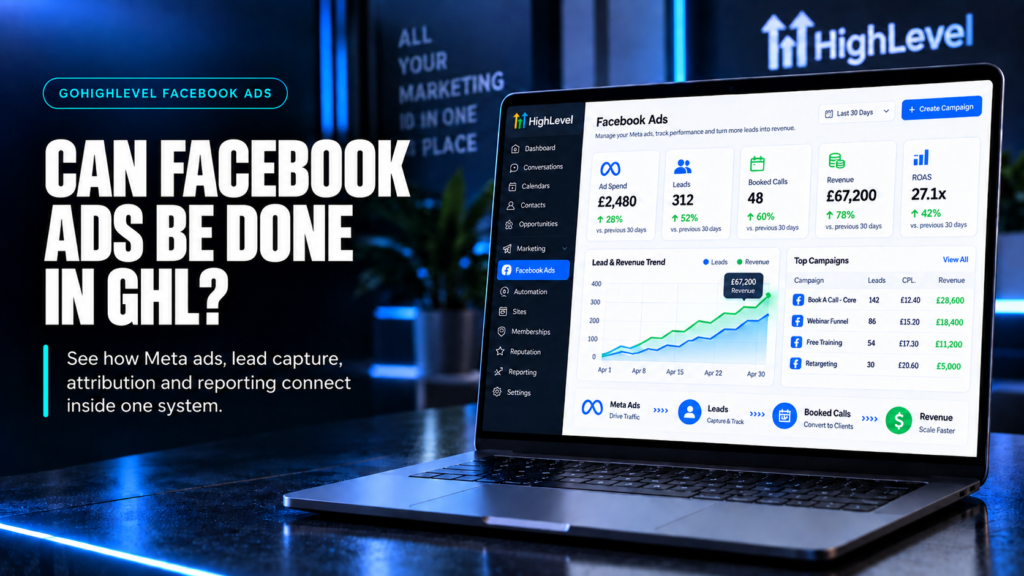
Quick Answer: Can You Manage Facebook Ads Inside GoHighLevel?
Yes. HighLevel’s Ad Manager supports creating, publishing and managing supported Facebook and Instagram campaigns from a connected Meta ad account. HighLevel also handles lead capture, CRM routing, booking and follow-up. Meta still controls ad delivery, review, policy enforcement, billing and account permissions. Think of HighLevel as a connected operating workspace—not a replacement for every Meta tool.
TL;DR
- HighLevel can do more than collect Facebook leads: its Ad Manager supports campaign creation and management.
- Connecting Facebook Lead Ads is not the same as activating and configuring Ad Manager.
- Some published campaign fields can be edited; others remain locked or require a different campaign setup.
- Meta remains responsible for delivery, review, billing and account-level restrictions.
- Test the complete ad-to-CRM journey before treating a published campaign as a working sales system.
What You Will Learn
Understand what you can manage inside HighLevel, what still belongs to Meta, and how to connect the campaign to a reliable next step.
Know What HighLevel Can Manage
Separate campaign creation and editing from the Facebook integration that sends leads into your CRM.
Keep Meta’s Responsibilities Clear
Know where ad review, delivery, billing and permissions sit before troubleshooting the wrong platform.
Turn A Lead Into An Owned Next Step
Connect the form, field mapping, owner, booking and follow-up so a submission does not disappear.
Test The Journey Before Scaling
Check a real submission path, the booking outcome and the reporting definitions—not just the publish button.
Ready To Turn This Into A Working System?
Let us custom-build a conversion system for you, or install our top 5 performing GHL systems yourself, completely free.
Install Our Top 5 GHL Systems (FREE) Have SCALE Build It For You, Done For You.
Use the Facebook Ads setup checklist before connecting an account. For the next stage, see how HighLevel follow-up connects clicks to sales conversations.
HighLevel Is More Than A Facebook Lead Inbox
Older explanations often describe HighLevel only as the place where Facebook leads arrive. That is incomplete. Its current Ad Manager documentation covers campaign creation, publication and ongoing management as well as the CRM work that happens after an enquiry.
The useful distinction is between Ad Manager, where supported campaigns are operated, and the Facebook Lead Ads integration, which connects pages, forms and contact data. Enabling one does not prove the other is configured correctly. The strongest setup is therefore not “HighLevel or Meta”; it is a documented operating boundary with a tested campaign-to-CRM path.
Capability check: 30 September 2026. HighLevel’s campaign creation guide and Facebook integration guide describe these separate functions. Confirm availability and permissions in the specific sub-account you intend to use.
GoHighLevel And Meta: Who Handles What?

Use this boundary when planning a build or deciding where to investigate a fault. HighLevel provides a management interface; the connected Meta account remains part of the system.
| Task | HighLevel’s Role | What Still Needs Checking |
|---|---|---|
| Connect the account | Connect the relevant Facebook identity, page and ad account. | Correct business assets, user permissions and LeadConnector access. |
| Create a campaign | Configure supported campaigns, ad sets and ads in Ad Manager. | Available objective, destination, creative and budget before publishing. |
| Manage a campaign | Pause, edit or duplicate supported campaigns. | Editable fields, status and Meta review after submitted changes. |
| Collect leads | Connect Facebook Instant Forms and map answers into contact fields. | Form selection, page access and an actual test submission. |
| Follow up and book | Run configured workflows, assign owners and connect calendars. | Correct trigger, recipient, stop conditions and appointment outcome. |
| Review performance | Use campaign statistics alongside CRM and opportunity information. | Date ranges, definitions, missing source data and reconciliation with Meta. |
The table summarises HighLevel’s official lead ads setup, campaign editing and campaign statistics guidance. It does not imply complete feature parity with Meta Ads Manager.
What You Can Manage Inside HighLevel
1. Activate Ad Manager And Connect The Right Assets
Start in the intended sub-account and confirm Ad Manager is available. Connect the Facebook identity with access to the correct page and ad account. A successful login is not enough if it connects the wrong business or omits the page that owns the lead form.
Keep an access record: who owns the assets, who can reconnect them and who approves budget changes. Never build a client’s operating process around an employee’s unexplained personal access. The multi-page integration documentation is useful when checking page selection and lead-access permissions.
2. Create And Publish Supported Campaigns
HighLevel’s creation flow uses campaign, ad-set and ad levels. Configure the objective and destination, then the audience, budget, placements and creative available for that setup. Review the actual account and page before submission. Publishing sends the campaign to the connected Meta environment; it does not guarantee approval or delivery.
For an agency, use a short launch brief alongside the interface: offer, intended buyer, budget owner, destination, response owner and success definition. This prevents the person building the ad from guessing what happens after the click. See the official creation walkthrough for current screen-level steps.
3. Edit Carefully After Publication
HighLevel supports changes to eligible campaigns, but “editable” does not mean every setting can change. Its current editing guide distinguishes adjustable settings from fields locked after publication.
| Change Type | Operating Rule |
|---|---|
| Budget, audience or creative | Use the controls available for the campaign’s status and configuration; review and submit the changes. |
| Objective or Facebook page | Do not assume these can be changed on an already-published campaign. |
| Daily versus lifetime budget | The budget type is locked after publication; plan the appropriate setup before launch. |
| Unpublished edits | Review the pending changes before submitting. An edited draft is not proof the live ad changed. |
Record what changed, when and why. Confirm the resulting status rather than making another edit immediately because the first one is not yet visible. Meta may review submitted changes. See HighLevel’s campaign editing rules.
4. Connect Forms, Follow-Up And Booking
For Facebook Lead Ads, choose the correct Instant Form and map its answers to the intended contact fields. Build the workflow around the relevant form submission, not a generic trigger that treats every contact as the same enquiry. Confirm page permissions and LeadConnector access if submissions do not arrive.
HighLevel also documents a calendar booking path from the form’s thank-you step. The embedded experience is supported in the Facebook mobile app; other placements may open a browser. Test the exact placement and calendar link you will use rather than promising an identical experience everywhere. See embedded calendar booking for Facebook Lead Ads.
Connect The Ad To A Working Follow-Up System
Start with the system, then adapt the form, qualification and next actions to the offer you are advertising.
What Still Belongs To Meta
Managing an ad through HighLevel does not move the ad auction, policy decisions or payment account into HighLevel. Meta remains the underlying advertising platform. Keep a route into Meta’s own tools for account restrictions, billing questions, delivery issues and settings that are not exposed in your HighLevel workflow.
A hybrid setup is valid: your media buyer may operate campaigns in Meta Ads Manager while the sales team works in HighLevel. Agree who owns campaign changes and where those changes are recorded. Two people adjusting the same budget from different interfaces is an operating problem, even if both tools are functioning.
Do not assume every campaign created outside HighLevel will appear with identical controls inside it. Inspect the actual campaign and supported connection before committing to a migration. Keep access to existing assets and reporting until the replacement process has been tested.
Build The Campaign-To-CRM Handoff

The campaign publish action is not the same as end-to-end QA. A lead can arrive successfully and still be lost because nobody owns it, the wrong workflow runs or the booking context is missing.
- Define the offer and next step. Decide whether the ad should lead to an Instant Form, landing page or booking route.
- Retain useful context. Map the source, form and answers needed by the person handling the enquiry. Do not collect fields that nobody uses.
- Assign an owner and status. Give each active enquiry a named person or team and a clear next action.
- Acknowledge the request. Explain what will happen next and set a response expectation the team can meet.
- Route by fit and readiness. Separate a suitable booking from an enquiry that needs review. Do not treat a form submission as a qualified opportunity automatically.
- Stop conflicting follow-up. Replies, bookings, opt-outs and closed outcomes should change the route appropriately.
- Record the outcome. Distinguish contact created, call booked, call attended and deal won.
Illustrative workflow: a clinic enquiry creates or updates a contact, retains the treatment interest, notifies the assigned coordinator and offers the appropriate calendar. A booking removes the contact from the non-booker sequence. This is a process example, not a claim about conversion rates.
For implementation detail, use the Facebook Ads tracking and lead-handoff guide. For nurture design, use the follow-up guide. This article remains the capability and responsibility overview.
Check Reporting Without Confusing Leads And Revenue
HighLevel’s Ad Manager statistics support campaign, ad-set and ad views, filters and configurable columns. Its reporting guidance also describes lead and closed-opportunity detail. Those tools are useful only when the underlying records mean what your team thinks they mean. See the official statistics guide.
Choose a consistent period and distinguish platform-reported leads from CRM contacts, booked appointments and won opportunities. A created opportunity is not collected revenue. An improved cost per lead is not proof that the campaign produces profitable clients.
If Meta and HighLevel disagree, compare the date range, timezone, attribution definition, duplicate handling and missing records before drawing a conclusion. Keep test submissions out of commercial reporting. Where a source cannot be established, mark it unknown rather than assigning credit by assumption.
Make The Campaign And CRM Work Together
If your ads generate enquiries but the handoff is unclear, let SCALE help connect the campaign, qualification, booking and follow-up.
Before You Launch: Test The Whole Journey
| Check | Evidence To Look For |
|---|---|
| Account and destination | The intended ad account, page, form and calendar—not a test or old client asset. |
| Submission | A test lead reaches the correct contact record with the expected answers. |
| Owner and notification | The responsible person sees the enquiry, context and next action. |
| Booking | Availability, timezone, confirmation and rescheduling work on the intended device. |
| Duplicate and stop paths | A repeat submission does not create conflicting follow-up; replies, bookings and opt-outs change the route. |
| Reporting | Test records are identifiable and source, stage and outcome definitions are consistent. |
Log the faults, fix the route and repeat the failed steps. Then monitor the first genuine enquiries to confirm the real-world handoff behaves like the test. The Facebook Ads automation guide goes deeper into preventing leads from going cold after acquisition.
When Should You Use HighLevel, Meta Or Both?
- Use HighLevel as the main workspace when its supported campaign controls fit the work and the same team needs close visibility of forms, follow-up and sales outcomes.
- Keep Meta as the campaign workspace when the media team needs controls or diagnostics outside the available HighLevel flow. HighLevel can still own the CRM handoff.
- Use both deliberately when specialists share the work. Name the campaign owner, document the operating boundary and avoid uncoordinated edits.
The right choice is the one your team can operate and verify reliably. Moving the interface does not replace a clear offer, a responsible owner or a tested sales process.
Watch The HighLevel Ad Manager Walkthrough
Conclusion
Yes, GoHighLevel can manage supported Facebook Ads campaigns—not just receive their leads. Keep Meta’s delivery, review, billing and permission responsibilities clear, then connect the campaign to owned CRM records, booking and appropriate follow-up. Start with the controls your team needs and verify the complete journey before increasing spend.
Frequently Asked Questions
Can Facebook Ads Be Managed Inside GoHighLevel?
Yes. HighLevel Ad Manager supports creating, publishing and managing supported Facebook and Instagram campaigns through a connected Meta ad account. Availability and editable settings depend on the account and campaign setup.
Does GoHighLevel Replace Meta Ads Manager?
Not completely. HighLevel provides supported campaign controls and CRM workflows, while Meta remains responsible for delivery, review, billing, policy and account permissions. Keep access to Meta’s tools for the settings and diagnostics your team needs.
Is Connecting Facebook Lead Ads The Same As Setting Up Ad Manager?
No. The Facebook integration connects pages, forms and lead data. Ad Manager provides campaign creation and management controls. Verify both separately if you intend to use both.
Can You Edit A Published Campaign In HighLevel?
Eligible campaigns support changes, but some settings remain locked. Check the current editing rules and available controls. Review and submit the changes, then confirm the resulting status; draft edits are not proof the live ad changed.
Can HighLevel Follow Up With Facebook Leads Automatically?
Yes, when the form integration, field mapping and workflow are configured correctly. Test the trigger, owner, messages and booking route, and make sure replies, bookings and opt-outs stop or change the appropriate sequence.
Who Pays For Facebook Ads Run Through HighLevel?
Meta advertising spend is charged through the payment method on the connected Meta ad account. Do not confuse that spend with a HighLevel subscription, agency service fee or free system offer.
Can Someone Book A HighLevel Calendar After A Facebook Lead Form?
HighLevel documents a booking path from the form’s thank-you step. Embedded booking is supported in the Facebook mobile app, while other placements can open a browser. Test the exact form, placement and calendar link before launch.
