
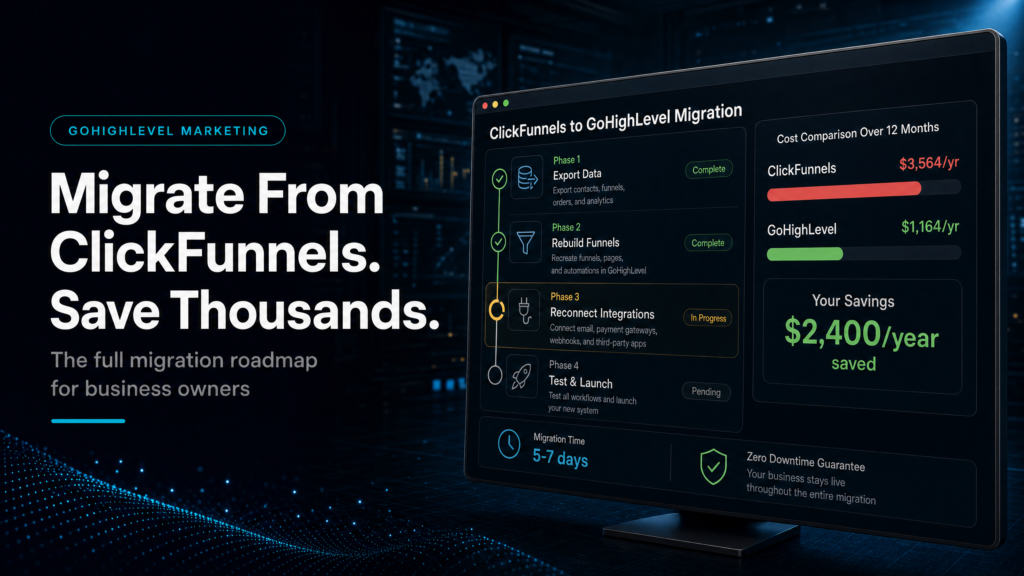
Quick Answer
If you’re paying for ClickFunnels plus separate tools for CRM, email/SMS, calendars, pipeline tracking, and reporting, a gohighlevel vs clickfunnels migration can cut software spend and reduce revenue leakage by centralising funnels, CRM, automation, and attribution in one system. The savings usually come from tool consolidation and faster lead follow-up, not “prettier pages.”
TL;DR
- ClickFunnels is primarily a funnel builder; GoHighLevel is an operating system (CRM + funnels + automation + pipeline + reporting).
- If you run ads, book calls, and have a sales process, the hidden cost is missed follow-up and poor visibility, not page design.
- Migrating saves money when you replace 3–6 tools (email, SMS, CRM, scheduler, forms, tracking, reporting) with one stack.
- The biggest win is speed-to-lead: instant SMS/email + pipeline tasks + routing beats “form goes to inbox.”
- Don’t migrate “pages first.” Migrate the revenue system: tracking, pipeline stages, automations, and handover.
- DIY migrations often fail due to broken attribution, duplicated contacts, and messy pipelines; plan the cutover like a product launch.
- If you need clean reporting and predictable follow-up, GoHighLevel usually wins; if you only need a simple one-off funnel, ClickFunnels can be enough.
Build options (and what it really costs you)
| Approach | Best fit | Risk | Speed | Revenue visibility | When to choose it |
|---|---|---|---|---|---|
| DIY / internal build | Operators with time, strong ops discipline, and someone who can own CRM hygiene + tracking | High: broken automations, inconsistent data, “half-migrated” systems, attribution gaps | Medium to slow | Low to medium (usually improves later) | You have a technical owner, low lead volume, and can tolerate a few weeks of iteration |
| Cheap freelancer / template implementer | Simple funnel + basic follow-up, minimal routing, minimal reporting needs | Very high: template-first builds, poor pipeline logic, no QA, no handover | Fast (but fragile) | Low (often vanity metrics only) | You need something live quickly and you accept you’ll rebuild when you scale |
| Specialist GoHighLevel expert (SCALE-style growth systems build) | Businesses running ads, booking calls, managing sales teams, and needing attribution + follow-up reliability | Low to medium: managed cutover, QA, tracking plan, documented SOPs | Fast and controlled | High: pipeline + source tracking + conversion reporting | You want fewer tools, cleaner reporting, and a system that sales and ops will actually use |
Who this is for
- Local service businesses (med spas, dental, home services, legal) running Meta/Google ads and needing speed-to-lead.
- Coaches, consultants, and high-ticket service providers booking calls and managing multi-step follow-up.
- Agencies tired of duct-taping ClickFunnels to a separate CRM, email platform, and calendar tool.
- Founders who can’t tell which channel or campaign is producing revenue (not just leads).
- Sales teams losing deals because leads aren’t routed, tracked, or followed up consistently.
- Operators paying for multiple tools and still missing basic pipeline visibility.
- Businesses planning to scale ad spend and needing attribution and reporting before they do.
Before you migrate: read the canonical comparison (so you don’t miss the real trade-offs)
This article is a support piece focused on the “save thousands” angle and the migration mechanics. For the broader gohighlevel vs clickfunnels comparison (features, positioning, and who each platform is best for), use the hub page here: GoHighLevel vs ClickFunnels (honest comparison).
Where the “thousands” actually come from (and where they don’t)
Most businesses don’t overspend because ClickFunnels is “expensive.” They overspend because ClickFunnels becomes one piece of a stack that keeps growing: funnel builder + email tool + SMS tool + CRM + calendar + forms + Zapier + reporting + call tracking. Each tool adds cost, complexity, and failure points.
What to check
- List every tool involved from ad click to closed deal: landing page, form, calendar, CRM, email, SMS, calling, reporting, attribution.
- Identify what’s duplicated (contacts stored in multiple places, multiple automations, multiple tags).
- Count how many handoffs exist (form to email, email to CRM, CRM to calendar, calendar to reminders, etc.).
Why it matters commercially
- Every handoff is a place leads get lost, delayed, or misattributed.
- When follow-up breaks, you don’t just lose leads; you waste ad spend and create false “ads don’t work” conclusions.
- When reporting is fragmented, you scale the wrong campaign or cut the right one.
How to diagnose the problem (fast)
Pick 10 leads from the last 30 days and trace them end-to-end:
- Can you see the original source (campaign/ad/form) inside the CRM?
- Can you see the first response time (minutes to first SMS/call/email)?
- Can you see every touch (texts, emails, calls, appointments, notes) in one timeline?
- Can you see the pipeline stage history and who owned the lead?
- Can you tie closed revenue back to the source without spreadsheets?
Weak setup looks like
- Leads arrive in an inbox or Google Sheet; someone “tries to call later.”
- Appointments are booked but no-show reminders are inconsistent.
- Sales asks “where did this lead come from?” and nobody knows.
- Marketing reports leads; sales reports revenue; the numbers never match.
Strong setup looks like
- Lead submits form and instantly receives SMS + email; sales gets a task and a call prompt.
- Lead is routed to the right pipeline and owner based on service, location, or availability.
- Every lead has source data and a clean timeline of activity.
- Reporting shows lead-to-appointment, appointment-to-show, show-to-close, and revenue by source.
GoHighLevel vs ClickFunnels migration: the real decision is “funnel tool” vs “revenue operating system”
ClickFunnels is excellent at building and iterating funnels. But most businesses don’t fail because their funnel pages are ugly. They fail because the system after the form is weak: slow follow-up, no routing, no pipeline discipline, and no attribution.
What to check
- Do you need a CRM that sales will live in daily?
- Do you need multi-step follow-up (SMS + email + voicemail drops + tasks) tied to pipeline stages?
- Do you need multiple calendars, round-robin assignment, or team scheduling?
- Do you need to track lead source and revenue by campaign without manual work?
Why it matters commercially
- If you run paid traffic, speed-to-lead and persistence are often the difference between profit and “ads don’t work.”
- If you have a sales process, pipeline visibility is how you forecast and manage performance.
- If you have multiple offers or locations, routing is how you stop good leads going stale.
Diagnostic checklist (owner/operator)
- We respond to new leads in under 5 minutes during business hours (yes/no).
- Every lead is assigned to a human owner automatically (yes/no).
- Every lead is in a pipeline stage that matches reality (yes/no).
- We can see booked, showed, and closed rates by lead source (yes/no).
- We can re-engage old leads with segmented campaigns (yes/no).
If you answered “no” to two or more, you don’t have a funnel problem. You have a revenue system problem. That’s where GoHighLevel tends to outperform ClickFunnels for service businesses and agencies.
Migration math: how to estimate savings without guessing
To decide if migrating will save you thousands, you need two numbers: tool consolidation savings and revenue leakage reduction. One is a cost line item; the other is an operational performance line item.
1) Tool consolidation savings (hard dollars)
Make a simple list of what you pay monthly today:
- Funnel builder
- Email marketing
- SMS (including per-message fees)
- CRM
- Calendar/scheduling
- Call tracking/recording (if separate)
- Zapier/Make and other connectors
- Reporting/attribution tools
Then mark what GoHighLevel can replace in your specific setup. The goal isn’t “replace everything.” The goal is “remove the tools that create handoff failures.”
2) Revenue leakage reduction (soft dollars that become real)
Revenue leakage usually shows up as:
- Slow response times (lead goes cold)
- Missed follow-up (no second/third attempt)
- No-show appointments (weak reminders and confirmations)
- Unworked pipeline (no tasks, no stage-based actions)
- Bad attribution (scaling wrong campaigns)
How to quantify leakage quickly
| Leak | How to measure in 30 minutes | What “good” looks like | What it costs you |
|---|---|---|---|
| Speed-to-lead | Check timestamps: form submit vs first SMS/call | Under 5 minutes during business hours | Lower contact rate, higher CPL needed to hit targets |
| Follow-up persistence | Count touches in first 7 days for 20 leads | 8–15 touches across channels (depending on offer) | Paying for leads you never convert |
| No-show rate | Booked vs showed last 30 days | Depends on niche; improve with confirmations + reminders | Wasted sales capacity, longer payback period |
| Pipeline hygiene | % of leads with owner + stage + next step | Near 100% within 24 hours | Unforecastable revenue, inconsistent sales performance |
| Attribution | Can you tie closed deals to source without spreadsheets? | Yes, inside CRM reporting | Scaling losers, cutting winners |
What to migrate first (and what to leave alone until later)
The fastest way to botch a gohighlevel vs clickfunnels migration is to start by rebuilding pages. Pages are visible, so they feel like progress. But the money is made (or lost) in tracking, routing, follow-up, and pipeline discipline.
Priority order (commercially)
- Tracking and source capture: UTMs, hidden fields, lead source mapping, call tracking decisions.
- CRM structure: custom fields, tags, smart lists, and lifecycle definitions.
- Pipeline stages: stages that match your real sales process, not generic templates.
- Calendars and routing: correct calendar per offer, round-robin rules, buffers, and qualification logic.
- Automations: speed-to-lead, reminders, no-show recovery, nurture, reactivation.
- Reporting: lead-to-appointment, show rate, close rate, revenue by source.
- Pages/funnels: rebuild only after the system behind them is stable.
Weak setup looks like
- Funnels rebuilt in GoHighLevel but leads still route to old tools.
- Two CRMs running in parallel with duplicated contacts.
- Automations firing twice (old tool + new tool), confusing prospects.
Strong setup looks like
- One source of truth for contacts and pipeline.
- One set of automations tied to pipeline stages and outcomes.
- Cutover plan with a rollback option and clear “done” criteria.
The implementation process
- Inventory the current stack and map the revenue journey. Document every step from ad click to closed deal: pages, forms, calendars, CRM, email/SMS, sales handoff, and reporting.
- Define your lifecycle and pipeline stages. Write stage definitions that match reality (e.g., New Lead, Contacted, Booked, Showed, Proposal Sent, Won, Lost). Add entry/exit rules so stages don’t become “vibes.”
- Design the GoHighLevel CRM structure. Create custom fields (service, location, budget, urgency), tags (lead type, campaign), and smart lists (uncontacted, no-show, stale opportunities). Decide naming conventions now to avoid chaos later.
- Build lead capture with source tracking. Implement forms/surveys with hidden UTM fields, landing page identifiers, and consent fields. Ensure every lead stores source data in the contact record and opportunity.
- Set up calendars and routing logic. Create calendars per offer/team member. Add round-robin assignment if needed. Add qualification steps (e.g., pre-call questions) where it improves show/close rate.
- Implement speed-to-lead automation. For each lead type: immediate SMS + email, internal notification, task creation, and optional auto-dial or call prompt. Add business-hours logic and fallback rules.
- Build appointment confirmation, reminders, and no-show recovery. Confirmations (SMS/email), reminders (24h/3h/15m), reschedule links, and no-show sequences that rebook without manual chasing.
- Implement pipeline stage automations. When a lead moves stages, trigger the right actions: nurture, proposal follow-up, reactivation, review requests, or onboarding.
- Connect inbound calls and missed-call text back. If calls matter in your business, ensure missed calls trigger an instant text and the call outcome is logged to the contact timeline.
- Set up reporting and attribution views. Create dashboards for: leads by source, appointments booked, show rate, close rate, revenue by source, and sales rep performance. Define what gets reviewed weekly.
- Run parallel QA before cutover. Test with internal leads across devices and channels. Verify: source capture, automation timing, deliverability, calendar booking, pipeline creation, and reporting accuracy.
- Cut over in phases. Start with one offer or one traffic source. Monitor metrics daily for 7–14 days. Then migrate remaining funnels/pages once the system is stable.
- Handover and SOPs. Document: how to work the pipeline daily, how to update stages, how to handle no-shows, and how to read the dashboards. A system without SOPs becomes shelfware.
Common problems and how to fix them
| Problem | What it usually means | Commercial risk | Fix | Metric to watch |
|---|---|---|---|---|
| Leads are in GoHighLevel but no one follows up | No ownership rules, no tasks, no internal notifications | Paid leads go cold; CPL rises to hit targets | Add assignment + task creation + rep notifications; enforce “first touch” SLA | Time to first touch; contact rate |
| Double texts/emails after migration | Old automations still active in previous tools | Brand damage; unsubscribes; spam complaints | Audit all automations; disable legacy sequences; test with seed contacts | Unsubscribe rate; complaint rate |
| Attribution is blank or inconsistent | UTMs not captured; forms missing hidden fields; multiple entry points | Scaling wrong campaigns; wasted ad spend | Standardise UTM structure; add hidden fields; map source to opportunity | % of leads with source; revenue by source coverage |
| Pipeline stages don’t match reality | Template pipeline used; no stage definitions | Bad forecasting; reps “park” leads | Redesign stages; define entry/exit rules; weekly pipeline hygiene review | % opportunities with next step; stage aging |
| Appointments book but show rate is poor | Weak confirmation/reminders; no pre-frame; wrong calendar rules | Wasted sales time; lower close volume | Add confirmations + reminders + reschedule; add pre-call assets; tighten qualification | Show rate; reschedule rate |
| SMS/email deliverability is inconsistent | Domain not warmed; sending practices poor; compliance gaps | Follow-up fails silently; lower contact rate | Set up proper sending domains; segment lists; monitor deliverability; ensure consent | Open rate; reply rate; delivery failures |
| Sales team refuses to use the CRM | CRM adds work but doesn’t help them win | System becomes useless; owner loses visibility | Make CRM reduce work: auto-logging, tasks, templates, stage-based prompts; train reps | Daily active users; stage update compliance |
What this means for revenue
Most “platform comparisons” ignore the revenue mechanics. Here’s what changes when you treat GoHighLevel as the system of record instead of treating ClickFunnels as the centre of your world.
Lead quality improves when routing and qualification are consistent
Lead quality isn’t just targeting. It’s also what happens after the click: the right questions, the right calendar, the right rep, and the right pre-frame. If your funnel collects the wrong info or routes everyone to the same calendar, you’ll see “bad leads” that are actually “bad process.”
Booked calls increase when speed-to-lead is engineered
If you rely on manual follow-up, your best leads get contacted late. A strong GoHighLevel setup creates an immediate response loop: instant SMS, instant email, internal alerts, and tasks. That’s how you turn “form fills” into conversations.
Close rate improves when pipeline stages drive actions
When stages are defined and automations support each stage (proposal follow-up, objection handling, reactivation), deals don’t die quietly. You also stop relying on individual rep discipline as the only control mechanism.
Wasted ad spend drops when attribution is usable
Most businesses can tell you cost per lead. Fewer can tell you cost per booked call, cost per show, and cost per closed deal by campaign. When attribution is captured at the contact and opportunity level, you can make budget decisions with evidence instead of opinions.
Revenue visibility becomes operational, not aspirational
Owners don’t need more dashboards. They need a pipeline that reflects reality and a weekly review rhythm: new leads, speed-to-lead, contact rate, booked, showed, closed, and revenue by source. GoHighLevel makes this easier when implemented as a system, not a collection of features.
How to decide in 10 minutes (owner/operator decision table)
| If you are… | ClickFunnels is usually enough when… | GoHighLevel is usually better when… |
|---|---|---|
| Running simple one-off funnels | You only need a landing page + checkout and minimal follow-up | You need CRM, pipeline, and multi-step follow-up tied to outcomes |
| Running paid ads to booked calls | You already have a strong CRM + automation stack elsewhere | You want one system for capture, routing, reminders, and reporting |
| Managing a sales team | Sales process is informal and low volume | You need ownership, tasks, stage rules, and rep performance visibility |
| Trying to scale spend | You can already attribute revenue to campaigns reliably | You need attribution you can trust before increasing budget |
| Concerned about costs | Your stack is already lean and stable | You’re paying for multiple overlapping tools and connectors |
Conclusion
Most migrations fail for one reason: businesses migrate “assets” (pages, forms, emails) but not “operations” (ownership, routing, follow-up logic, stage definitions, and reporting). The result is a new platform with the same old leaks.
SCALE builds GoHighLevel CRM, funnel and automation systems for businesses that need better lead quality, faster follow-up and clearer attribution. In practice, that means we focus on:
- Revenue journey mapping: we don’t build until we can explain how a lead becomes cash in your business.
- Pipeline truth: stages that match your actual sales process, with definitions and hygiene rules.
- Speed-to-lead engineering: instant response, rep tasks, business-hours logic, and escalation paths.
- Attribution that survives reality: UTMs, source mapping, and reporting that doesn’t break when you add a new campaign.
- Handover that sticks: SOPs and training so the system is used daily, not admired once.
This is also why we often recommend a phased cutover: migrate one offer or one traffic source first, stabilise metrics, then expand. It reduces risk and protects revenue while you transition.
Rollout sequence: a low-risk migration plan that protects cash flow
Phase 1: Stabilise tracking and lead capture (days 1–7)
- Implement UTM standards and hidden fields on all lead forms.
- Create the core pipeline and lifecycle fields.
- Route leads into the correct pipeline with source captured.
Phase 2: Turn on speed-to-lead and appointment reliability (days 7–14)
- Launch instant SMS/email, internal notifications, and tasks.
- Deploy appointment confirmations and reminders.
- Implement no-show recovery and reschedule flows.
Phase 3: Migrate funnels/pages with QA (days 14–30)
- Rebuild or import the highest-volume funnel first.
- QA on mobile, load speed, form routing, and tracking.
- Run parallel tracking to confirm attribution accuracy.
Phase 4: Reporting and optimisation cadence (ongoing)
- Weekly: speed-to-lead, contact rate, booked, showed, closed, revenue by source.
- Monthly: funnel conversion rate, show rate improvements, nurture performance, reactivation wins.
- Quarterly: pipeline stage definitions, offer routing, and attribution model updates.
Concrete business examples (how the decision changes by model)
Local service business running Meta Ads
If you’re buying leads daily, the win is operational: instant response, missed-call text back, appointment reminders, and a pipeline your front desk can actually work. ClickFunnels can capture the lead, but the revenue is won in follow-up and scheduling reliability.
High-ticket coach/consultant booking calls
If your sales process includes qualification, reminders, pre-call assets, and multi-step follow-up, GoHighLevel’s CRM + automation reduces no-shows and keeps prospects warm. The “save thousands” angle often comes from replacing separate email automation, SMS, calendar tooling, and manual admin work.
Agency managing multiple clients
Agencies often start with ClickFunnels for speed, then bolt on CRMs and automations per client. That creates a maintenance nightmare. A GoHighLevel-centric system can standardise pipelines, reporting, and follow-up across accounts, reducing tool sprawl and support overhead.
FAQs
Is GoHighLevel replacing ClickFunnels or just complementing it?
For many service businesses, GoHighLevel replaces ClickFunnels because it can host landing pages/funnels while also handling CRM, automation, calendars, and reporting. If your team already relies on ClickFunnels for complex funnel experimentation, you can keep ClickFunnels and still run GoHighLevel as the CRM and follow-up engine, but you’ll lose some consolidation savings.
What’s the biggest risk in a gohighlevel vs clickfunnels migration?
Broken attribution and broken follow-up. If UTMs and source fields aren’t captured consistently, you’ll lose the ability to judge campaign performance. If old automations aren’t shut off cleanly, prospects can get duplicate messages. Plan the cutover with QA, a phased rollout, and clear “done” criteria.
Should I migrate funnels first or CRM/automation first?
CRM/automation first. Funnels are the front door; the revenue system is what happens after the form. Build pipeline stages, routing, speed-to-lead, appointment reminders, and reporting first. Then migrate the highest-volume funnel and test end-to-end before moving everything.
How do I know if my follow-up is actually costing me money?
Measure time to first touch, contact rate, and the number of touches in the first 7 days. If you’re slow to respond or only attempt once or twice, you’re paying for leads you never convert. Also check no-show rate: weak confirmations and reminders quietly destroy booked-call volume.
Can I keep my existing email domain and phone number?
Usually yes, but you should treat deliverability and compliance as part of the migration plan. Set up sending domains properly, confirm consent language, and test deliverability before scaling volume. For phone numbers, confirm your messaging setup and ensure missed-call and inbound call flows are logged correctly.
What should my pipeline stages be in GoHighLevel?
They should match your real sales process, not a template. A common service pipeline is: New Lead, Contacted, Booked, Showed, Proposal Sent, Won, Lost. The key is stage definitions and rules: what triggers a stage move, what automation fires, and what “next step” is required.
How long does a proper migration take?
A controlled migration is often phased over 2–6 weeks depending on complexity: number of funnels, offers, team members, and traffic sources. The fastest safe path is migrating one offer first, stabilising metrics (speed-to-lead, booked, showed), then expanding.
A smart gohighlevel vs clickfunnels migration isn’t about switching page builders; it’s about consolidating GoHighLevel as the system of record for your CRM, funnels, automation, lead follow-up, and attribution so you can see what’s working and stop leaking revenue. If you’re in the gohighlevel vs clickfunnels cluster decision, prioritise pipeline truth, speed-to-lead, and reporting, and use SCALE’s operator lens to migrate without breaking cash flow.
