
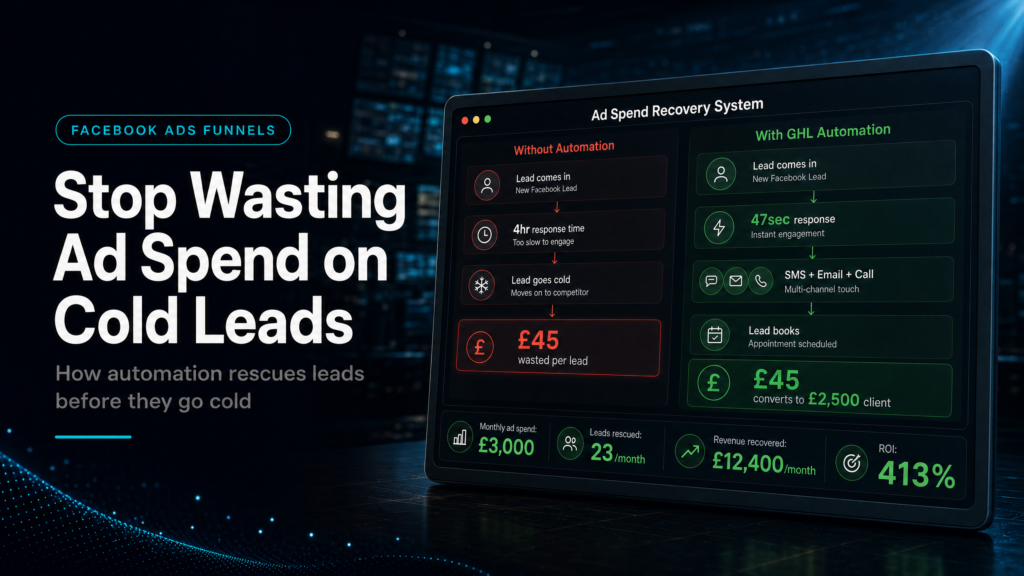
In this guide, we will cover:
GoHighLevel Facebook Ads automation should protect every paid lead after the click: capture it cleanly, trigger follow-up fast, qualify it into the right booking path and report which campaigns create sales conversations.
Keep Every Paid Lead
Send each Facebook lead into one CRM contact with source, campaign and offer context preserved.
Respond Before Intent Drops
Use GoHighLevel tasks, SMS, email and alerts while the buyer still remembers the ad.
Separate Real Buyers From Noise
Route high-fit leads toward booking while lower-fit leads receive lighter nurture.
See Where Ad Spend Leaks
Connect campaign, response speed, booking, show rate and revenue before scaling budget.
Quick Answer
GoHighLevel Facebook Ads automation stops wasted spend by turning each paid lead into a tracked CRM record, a fast follow-up task and a measurable booking path. The automation should support sales response; it should not hide weak routing or slow ownership.
This support page feeds the parent GoHighLevel Facebook Ads follow-up guide, where the broader click-to-client system is explained.
TL;DR
- Most wasted ad spend happens after the Facebook click, not only inside the ad account.
- Every paid lead needs source, campaign and offer context inside GoHighLevel.
- Automation should create fast owner tasks, SMS/email follow-up and booking reminders.
- Support pages should feed the Facebook Ads canonical instead of competing with it.
- Track booked calls, show rate and revenue before increasing budget.
Why GoHighLevel Facebook Ads Automation Matters
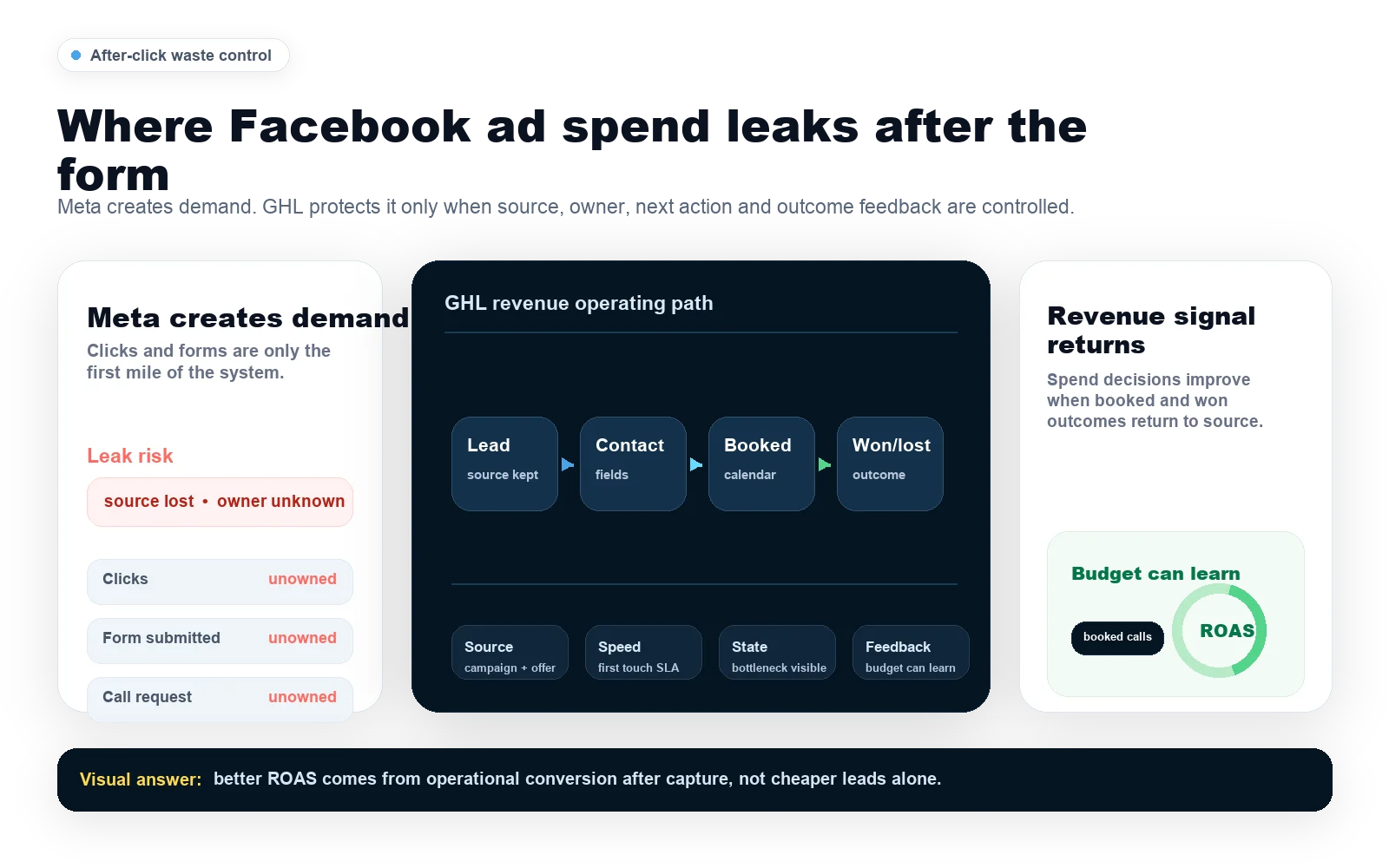
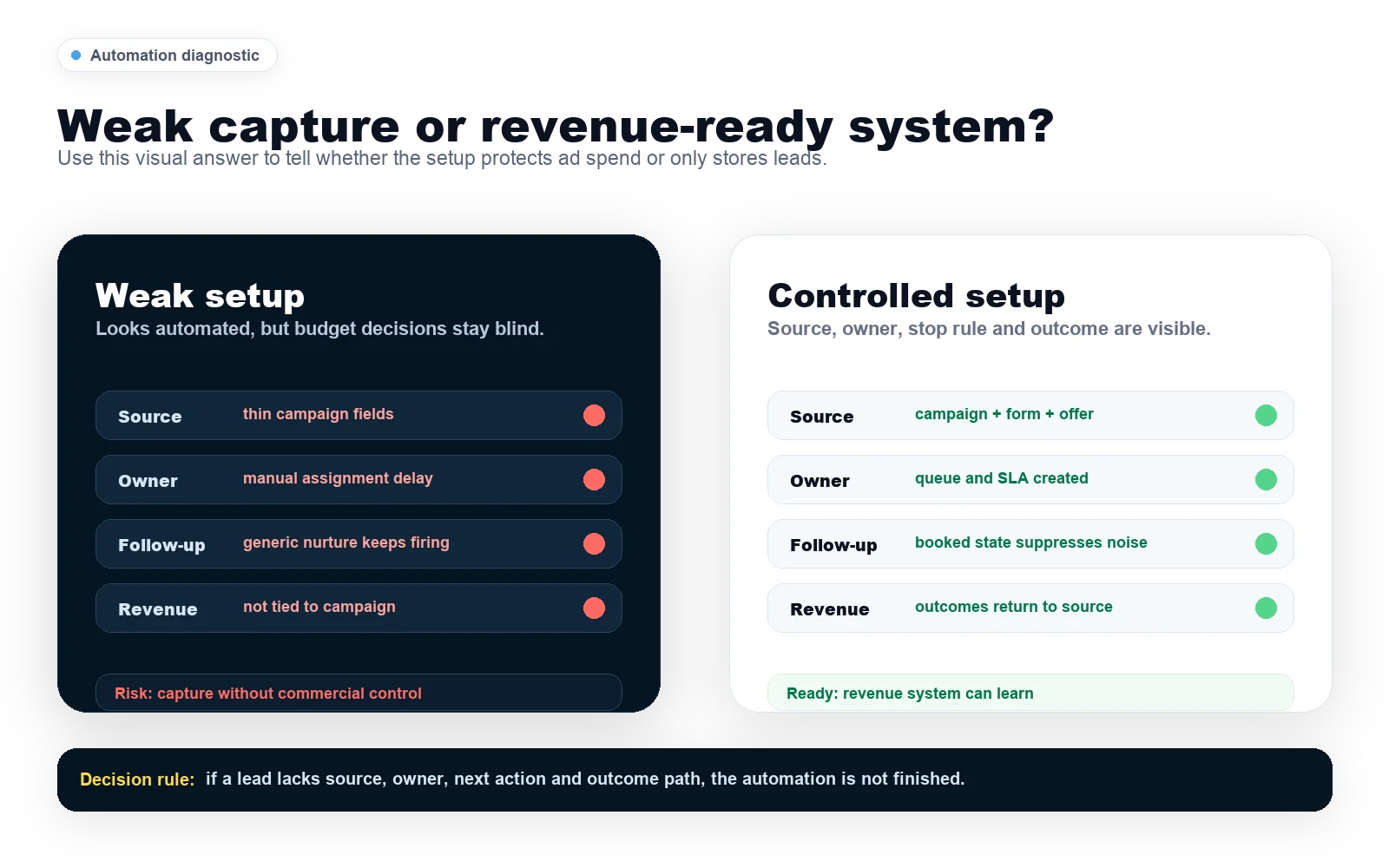
Facebook can produce the lead, but GoHighLevel decides whether that lead becomes a handled sales opportunity. If paid enquiries wait too long, lose source context or sit without an owner, the campaign can look weak even when the traffic was useful.
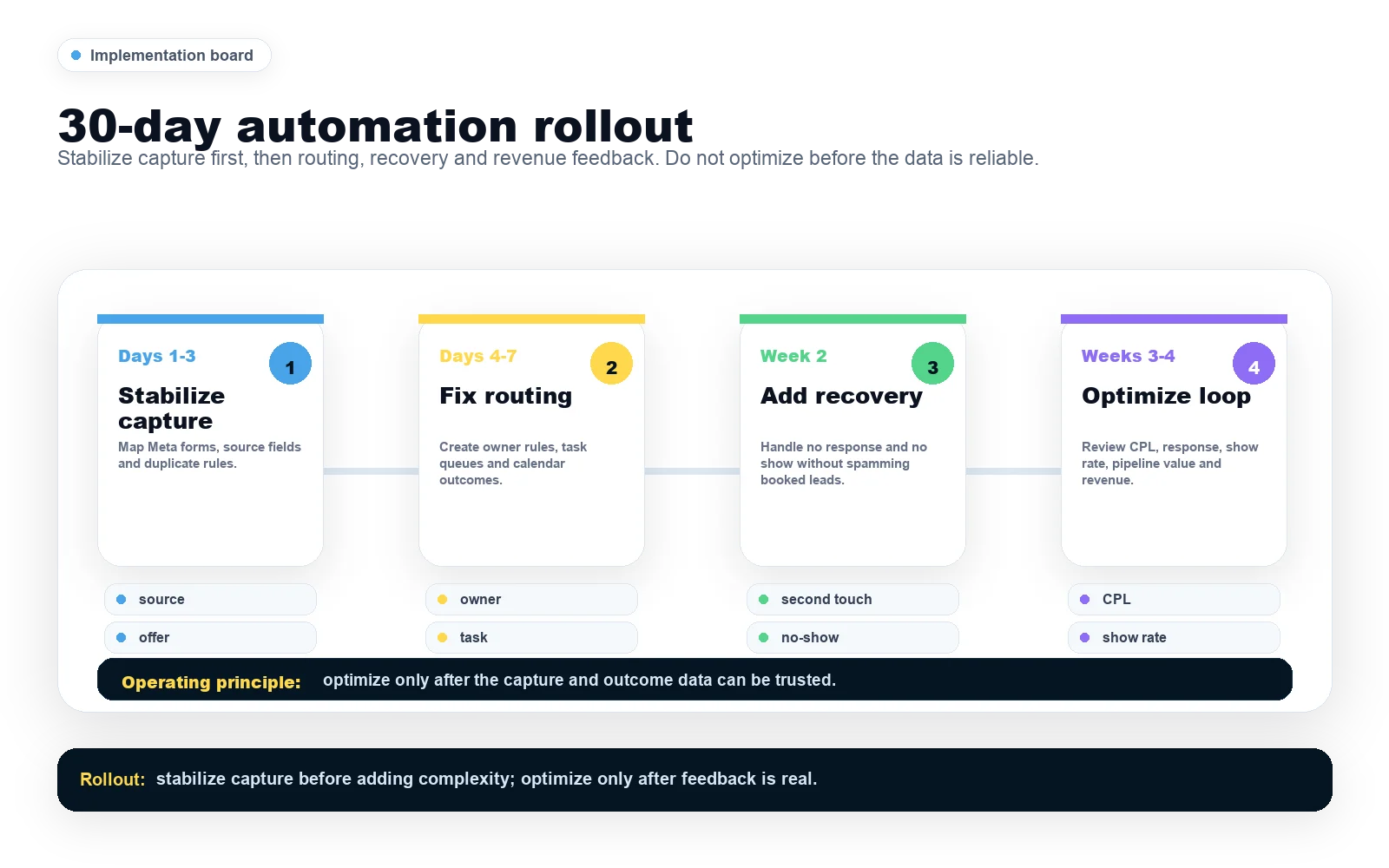
The automation layer should make the next action obvious. Capture, alert, follow up, qualify and report before judging whether the ad budget is working.
Capture Source Context Before Anything Else
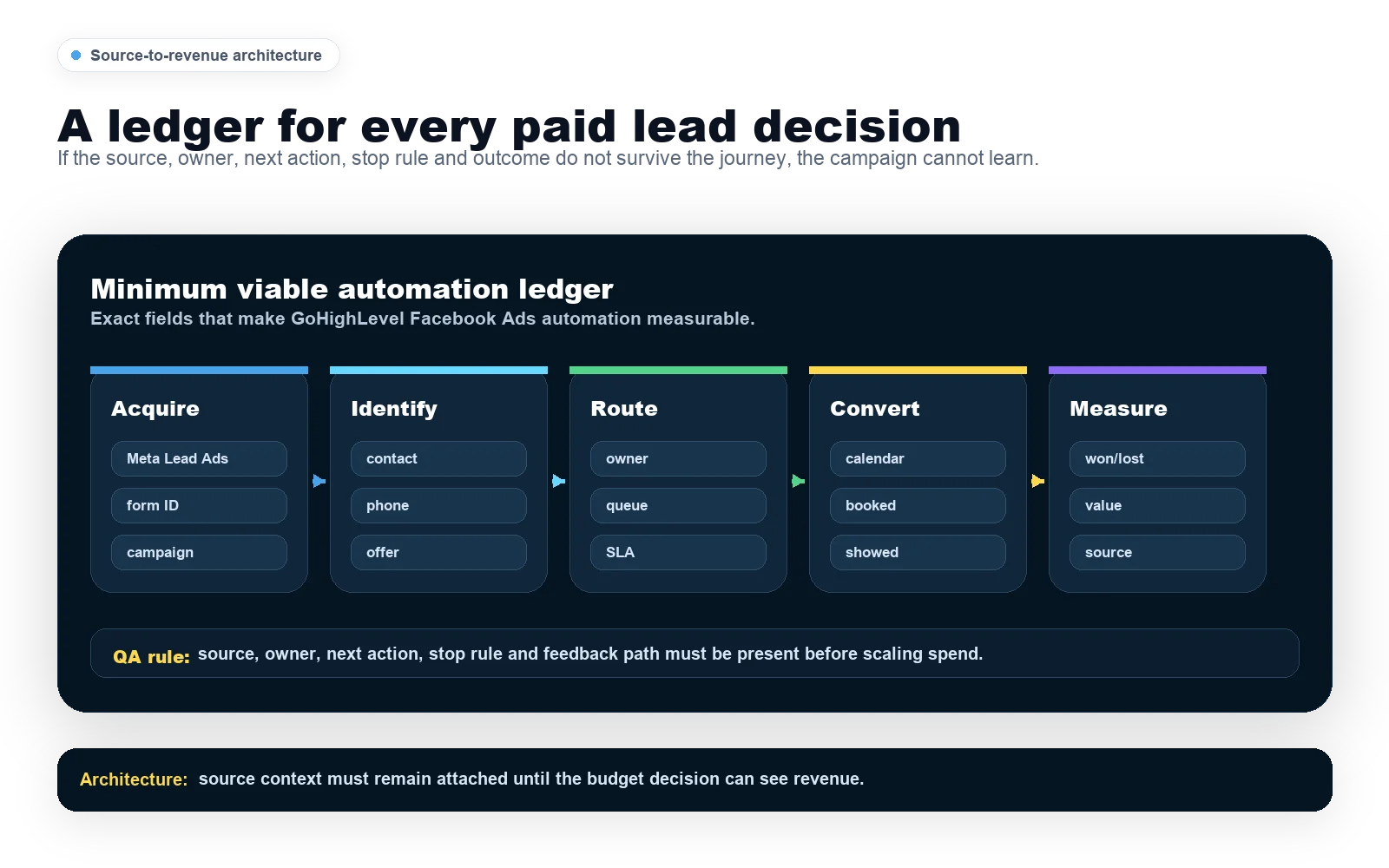
Every Facebook lead should enter GoHighLevel with source, campaign, form and offer context attached. That is the difference between a usable revenue system and a CRM full of disconnected contacts.
For platform setup guidance, compare the official Meta business help resources with your internal source-tracking rules. The ad platform records the click; your CRM must preserve the sales context.
Trigger Fast Follow-Up Without Creating Noise
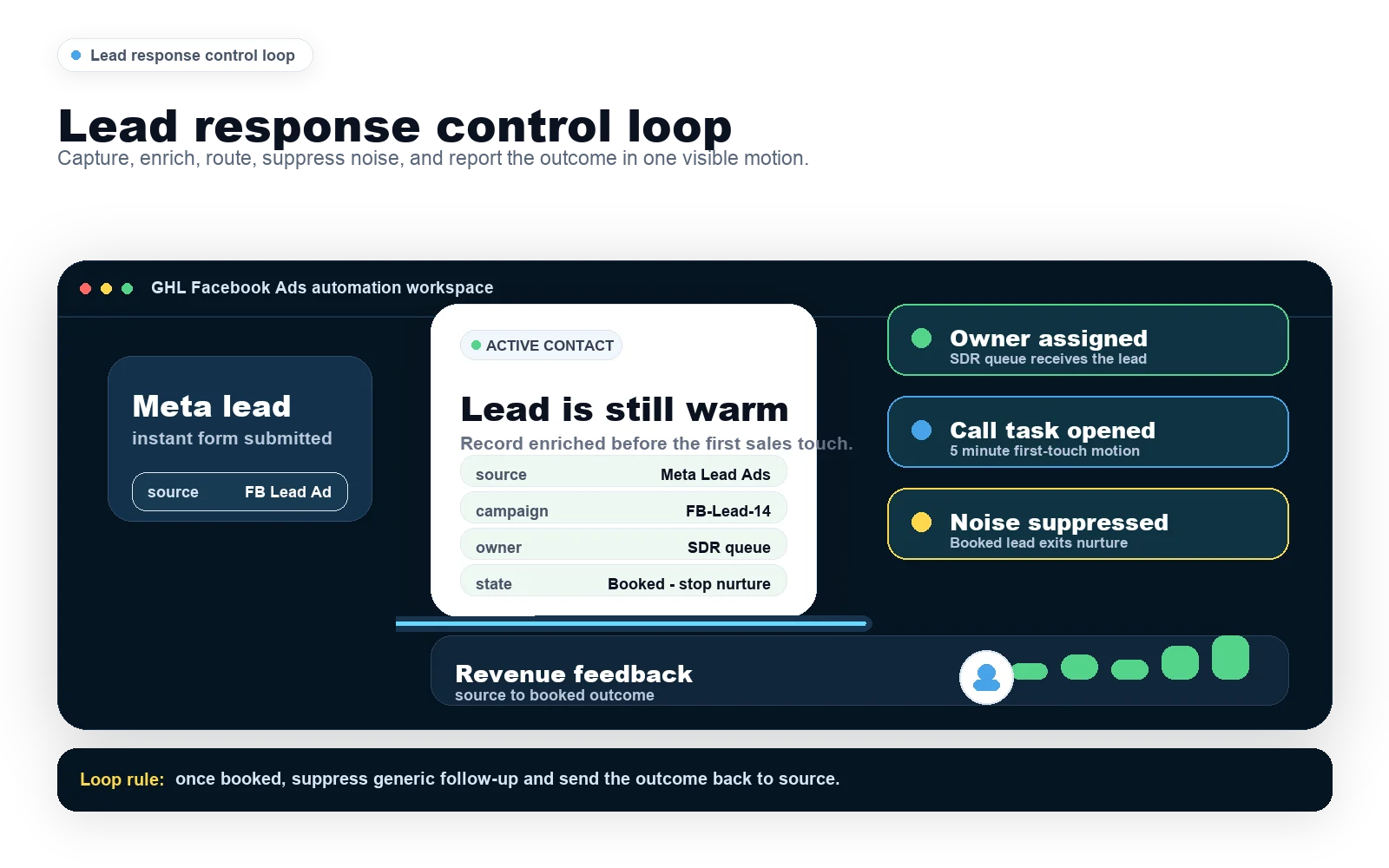
Fast response does not mean sending ten generic messages. A clean GoHighLevel workflow should notify the owner, send a useful confirmation and guide the lead toward the next step.
Use SMS, email and tasks to reduce handoff friction. Keep the human sales action visible, especially for high-ticket or local service leads where trust matters.
Route Buyers Toward Booking
Automation should identify the leads worth direct response and move them toward a booking path. Lower-fit leads can still receive nurture, but qualified enquiries should not be buried inside the same generic sequence.
This is where the setup affects ROAS. A campaign that creates fewer leads but more booked calls can beat a cheap-lead campaign that produces no sales conversations.
Report On Revenue Signals, Not Just Leads
Lead count is not enough. The useful report connects campaign, source, first response, booked call, show rate and revenue so the business can see what to scale.
SCALE builds GoHighLevel systems around that path because the goal is not automation for its own sake. The goal is to stop paid demand leaking before it reaches sales.
GoHighLevel Facebook Ads Automation Checklist
| Automation Layer | What It Should Do | Why It Protects Spend |
|---|---|---|
| Lead capture | Create one contact record with campaign and offer context. | Stops paid demand from becoming anonymous form noise. |
| Owner alert | Notify the right person and create a next-step task. | Reduces response delay while intent is fresh. |
| Fast follow-up | Trigger useful SMS and email without pretending automation can close every lead. | Protects the first conversation window. |
| Booking path | Send qualified leads toward calendar flow and reminders. | Moves clicks into sales conversations. |
| Attribution | Report campaign, source, booking, show rate and revenue. | Shows which campaigns deserve more budget. |
Conclusion
GoHighLevel Facebook Ads automation works when it protects the handoff after the click. Capture every lead with source context, trigger fast follow-up, route qualified buyers and measure booked calls and revenue.
If ad spend is being wasted, do not only rewrite the ads. Fix the CRM, routing, follow-up and attribution layer that decides whether clicks become clients.
FAQs
What should GoHighLevel Facebook Ads automation do first?
It should capture each paid lead with source and campaign context, assign ownership, trigger a fast follow-up and move qualified enquiries toward booking.
Can automation improve Facebook Ads ROAS?
Yes, if it improves response speed, booking rate and attribution. It cannot rescue poor offers, but it can stop good leads from going cold.
Should this page compete with the main GoHighLevel Facebook Ads guide?
No. This is a narrow support page about automation. The broader Facebook Ads cluster should continue feeding the main follow-up and Facebook Ads owner pages.
Recommended Watch:
