
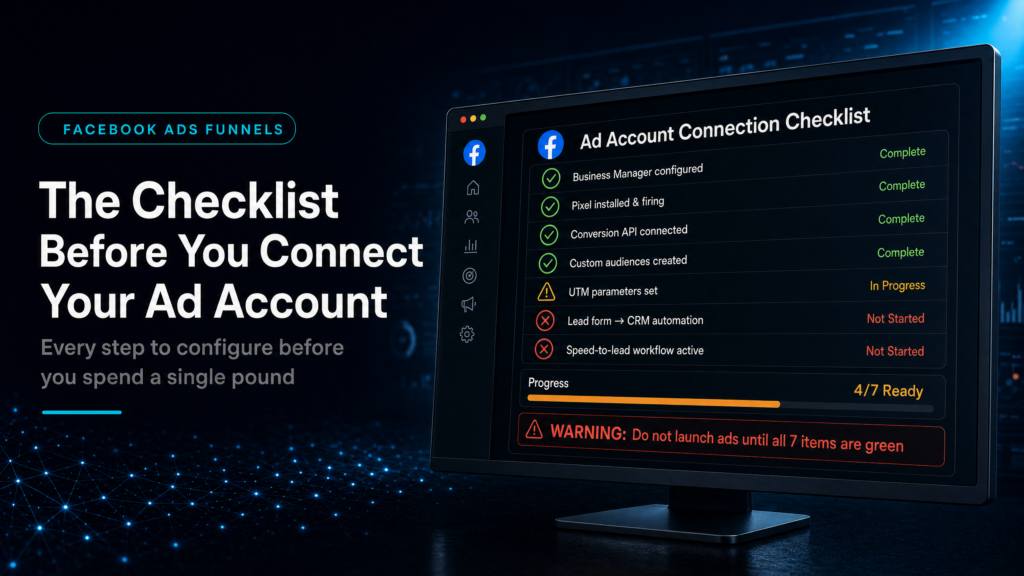
In this guide, we will cover:
How to connect Facebook ads to GoHighLevel without losing attribution, lead ownership, follow-up speed or booking visibility.
Preserve Campaign Context
Make sure every lead carries source, campaign and offer data into the CRM.
Route Leads To One Pipeline
Send paid leads into owned stages with tasks, owner assignment and clear next steps.
Respond Before Intent Drops
Use alerts, SMS, missed-call recovery and booking prompts while the lead still remembers the offer.
Report On Sales Outcomes
Track booked calls, show rate and revenue instead of judging ads on form fills alone.
If you need the broader setup decision, start with what to check before managing Facebook Ads inside GoHighLevel. This checklist stays focused on the pre-launch connection, tracking and handoff steps.
Quick Answer
GoHighLevel Facebook Ads setup should happen before you scale spend. Connect lead capture, source tracking, CRM routing, fast follow-up, booking and revenue attribution first.
If those pieces are missing, Meta can send leads but GoHighLevel will not show which campaigns create real sales conversations.
TL;DR
- Do not connect ads before the CRM path is ready.
- Preserve campaign source and offer context on every lead.
- Route paid leads to one pipeline with a clear owner.
- Use fast follow-up to protect high-intent clicks.
- Measure booked calls and revenue, not just lead volume.
GoHighLevel Facebook Ads Setup Checklist
| Step | What To Confirm | Why It Matters |
|---|---|---|
| Tracking | UTMs, source and campaign fields are captured. | Stops paid leads becoming anonymous contacts. |
| Forms | Every form or lead ad creates one clean contact record. | Prevents duplicate or missing leads. |
| Pipeline | New paid leads move to the correct stage with an owner. | Creates accountability after the click. |
| Follow-up | SMS, email, tasks and missed-call recovery trigger quickly. | Protects lead intent before it drops. |
| Reporting | Booked calls, show rate and revenue are visible by source. | Shows which campaigns deserve more budget. |
Start With Source Tracking
Facebook leads need to arrive with useful context. At minimum, GoHighLevel should know the source, campaign, offer and form that created each enquiry.
That setup makes reporting usable later. Without it, the team can see leads but cannot tell which ad path created quality conversations.
Connect The CRM Before Scaling Spend
The CRM should receive each paid lead into one clear pipeline. The lead needs an owner, a stage and a next action so it does not sit as a notification.
This is especially important for local services, agencies and high-ticket offers where response speed affects booking quality.
Build Follow-Up Around The First Few Minutes
Fast follow-up protects intent. SMS, email, tasks and missed-call recovery should move the lead toward a useful next step while the problem is still active.
The goal is not to automate everything. It is to help the team respond quickly and consistently.
Measure Revenue Instead Of Lead Count
Cheap leads can still be expensive if they never book, show up or buy. GoHighLevel should help connect source data to booked calls, show rate and revenue.
That is what gives you the confidence to increase spend, pause poor campaigns or repair the funnel path.
Conclusion
GoHighLevel Facebook Ads setup is not only a connection task. It is a revenue-path check across tracking, CRM routing, follow-up, booking and attribution.
Before connecting or scaling ad spend, make sure GoHighLevel can show where each lead came from, who owns it and whether it turned into a real sales opportunity.
FAQs
Can I run Facebook ads directly inside GoHighLevel?
GoHighLevel can support Facebook ad lead capture, routing, follow-up and attribution. Meta Ads Manager still owns campaign setup and optimisation for most accounts.
What should I set up before connecting Facebook ads to GoHighLevel?
Set up source tracking, lead capture, CRM pipeline stages, owner assignment, follow-up messages, booking flow and revenue reporting.
Why are Facebook leads not turning into clients?
Common causes include missing attribution, slow response, weak booking flow, poor qualification and no clear owner for the lead after capture.
Watch the official GoHighLevel strategy video below.
