
In this guide, we’ll cover:
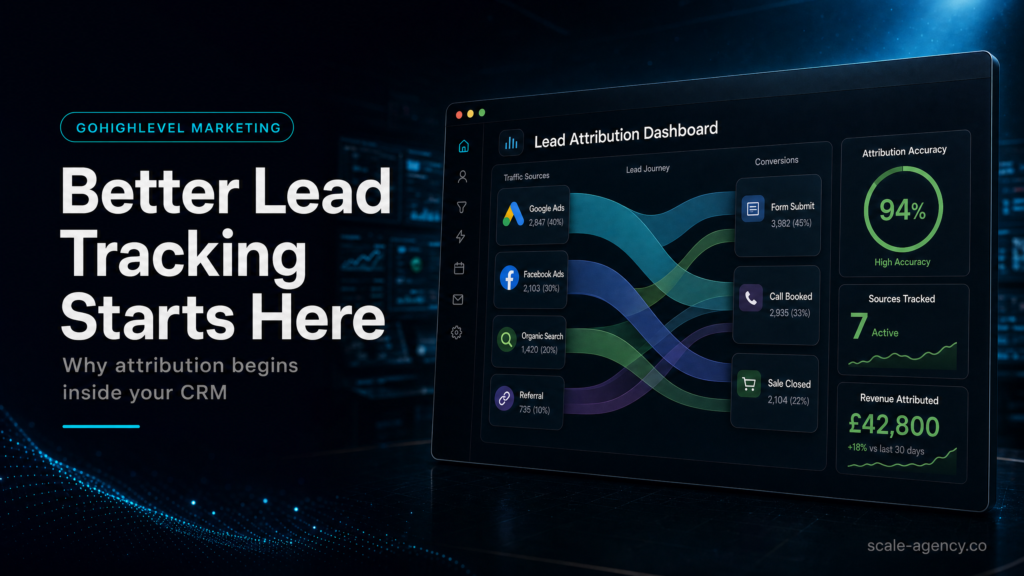
A lead source GoHighLevel guide showing how marketing automation turns forms, calls, ads, pipeline stages and follow-up into usable attribution.
SCALE builds GoHighLevel CRM, funnel, and automation systems for businesses that need better lead quality, faster follow-up, and clearer attribution.
Can You Prove Where The Lead Came From?
Before any workflow follows up, every form, call and ad click needs one clean source record that will not be overwritten later.
Who Gets The Lead First?
Lead tracking only becomes commercial when the right owner, task or workflow reacts quickly enough to create a real conversation.
Where Does Sales Reality Show Up?
Your CRM should reveal contact, booking, show, quote and close movement instead of hiding revenue behind vague activity.
What Stops The Workflow?
Automation needs clear stop conditions so replies, bookings, opt-outs and disqualification do not trigger confusing follow-up.
Which Campaigns Deserve More Budget?
Source and pipeline outcomes should show which campaigns create booked calls, closed deals and revenue before spend increases.
“GoHighLevel marketing automation only improves tracking when the CRM data model, follow-up rules and revenue reporting are designed as one system.”
Quick Answer
GoHighLevel marketing automation improves lead tracking when your CRM is the “source of truth” for every form, call, ad click, pipeline stage, and follow-up action. Instead of stitching together spreadsheets and disconnected tools, you capture lead source, intent, speed-to-lead, and outcomes inside GoHighLevel—so you can see what’s working, fix leaks fast, and scale spend with confidence.
If your tracking is already tied to paid traffic and pipeline ownership, compare the build against a GoHighLevel CRM and funnel expert checklist before adding more workflows. The goal is to map source, owner, stage, next action and attribution before automation hides the gaps.
TL;DR
- If you can’t answer “Which channel produced revenue last week?” from your CRM, your tracking is not operational.
- Lead tracking breaks most often at handoffs: form-to-pipeline, pipeline-to-sales, and sales-to-reporting.
- In GoHighLevel, tracking is a system: fields + pipeline rules + automation + attribution + reporting—not a single integration.
- Speed-to-lead is a tracking problem and a revenue problem; automate routing and first-touch within minutes.
- Stop relying on UTM-only reporting; store source data on the contact and lock it at creation.
- Templates help you launch, but they rarely match your offer, sales process, or team behavior—expect leakage unless you adapt.
- If you’re spending on ads or have a sales team, a specialist build pays back by preventing invisible lead loss and misattributed spend.
Build Approach Decision Table
| Option | Best fit | Main risk | When to choose it |
|---|---|---|---|
| DIY / internal build | Simple source tracking and one pipeline. | Inconsistent fields and weak reporting discipline. | Use it when one person owns weekly CRM QA. |
| Template implementer | Basic CRM setup and simple follow-up. | Generic stages and missing attribution edge cases. | Use it only for a quick baseline before volume grows. |
| Specialist GoHighLevel build | Ads, multiple channels, sales teams or high-ticket offers. | More setup work before launch. | Use it when source, booked calls and revenue must match. |
Who Is This For?
- Local service businesses (home services, clinics, legal, med spa) running Meta/Google ads and missing calls or form leads
- Agency owners managing multiple client sub-accounts who need consistent lead source tracking and reporting
- Coaches/consultants selling high-ticket offers with a calendar-based funnel and a setter/closer workflow
- Founders/operators who suspect “we’re getting leads, but they’re not showing up” in the pipeline
- Teams migrating from HubSpot, ActiveCampaign, Pipedrive, or spreadsheets and worried about losing attribution
- Businesses with multiple locations, multiple pipelines, or multiple lead capture points (website, landing pages, chat, calls)
Why better lead tracking starts inside your CRM (not in your ad platform)
Most businesses try to solve tracking by adding more integrations: more pixels, more UTMs, more dashboards. The problem is that revenue decisions are made in the CRM: who got contacted, who booked, who showed, who bought, and why.
If your CRM doesn’t reliably capture lead source and lifecycle events, you end up with two dangerous outcomes:
- You scale the wrong channel because the CRM can’t connect leads to outcomes.
- You cut the right channel because leads “disappear” between form, inbox, and pipeline.
GoHighLevel marketing automation is powerful because it can unify capture, routing, follow-up, and reporting in one place—if you design it as a system. If you treat it like a pile of features, you’ll get a pile of partial data.
What to check
- Does every lead creation event (form, chat, call, manual entry, import) create or update a contact consistently?
- Is lead source stored on the contact record in a consistent field (not just in notes)?
- Do pipeline stages reflect your real sales process (not generic “New Lead / Won / Lost”)?
- Can you trace a single lead from first touch to outcome without leaving the CRM?
Why it matters commercially
When tracking is CRM-native, you can answer operational questions that directly affect revenue:
- Which lead sources produce booked calls, not just leads?
- Which sources produce closed revenue, not just appointments?
- Where are leads stalling (no contact, no show, no close)?
- How long does it take to respond, and how does that correlate with booking rate?
Weak setup vs strong setup
Weak setup: UTMs exist, but they’re not stored on the contact; pipeline stages are inconsistent; sales reps move deals manually; reporting is “best guess.”
Strong setup: Source fields are captured and locked at creation; pipeline movement is rule-driven; follow-up is triggered by stage and activity; reporting ties source to outcomes.
If you want the broader operating model for GoHighLevel (CRM + funnels + automations + reporting), use the hub guide here: GoHighLevel marketing: the definitive guide to running your business in GHL.
GoHighLevel marketing automation: the tracking foundation you need before you build workflows
For the broader funnel launch view, pair this tracking audit with the GoHighLevel sales funnel pre-launch checklist so source data, booking logic and follow-up rules line up before traffic scales.
Once the tracking layer is clean, use the Go High Level automation lead recovery guide to connect source data to routing, first-touch workflows and stop rules.
Automation doesn’t fix tracking. Automation amplifies whatever tracking you already have. If your fields are messy and your pipeline logic is unclear, automations will create more noise faster.
The minimum viable tracking model (what “good” looks like)
At a minimum, your GoHighLevel CRM should capture these as structured data:
- Lead source (human-readable): Meta Ads, Google Ads, Organic, Referral, Partner, Outbound, Existing customer
- Lead source detail (machine-readable): UTM source/medium/campaign, click IDs where applicable
- Offer / campaign: which service, location, or funnel the lead responded to
- Lifecycle timestamps: created, first contact attempt, first contact made, booked, showed, closed
- Owner / routing: which rep or location owns the lead
- Outcome: won/lost reason, disqualification reason, no-show reason
How to diagnose your current foundation in 10 minutes
- Pick 10 recent leads from different sources. Can you see their source on the contact record without opening notes?
- For each lead, can you see whether they were contacted and how fast?
- For each lead, can you see their current pipeline stage and the last stage change date?
- Can you filter or report by source and stage to see conversion rates?
If any of these are “no,” your automation will be guessing—and your reporting will be misleading.
What SCALE would look for or fix
- Standardize fields and enforce naming conventions (so reporting doesn’t fragment)
- Define pipeline stages that match your sales motion and handoffs
- Ensure every lead entry point writes to the same source fields
- Lock “first-touch” source at creation to prevent overwrites from later visits
- Build stage-based automations that create measurable lifecycle events
Lead source tracking inside GoHighLevel: what to capture, where to store it, and how to keep it clean
Most “tracking problems” are actually data model problems. If you don’t decide where source data lives and how it’s written, you’ll end up with multiple versions of the truth.
What to capture (practical field list)
Use a small set of fields that you can keep consistent. More fields usually means more blanks and more errors.
- Primary Source: a dropdown (Meta, Google, Organic, Referral, Partner, Outbound, Other)
- Source Drilldown: free text or dropdown (Facebook Lead Form, IG DM, Google Search, Google LSA, Website Form, Call Tracking Number)
- UTM Source / Medium / Campaign: text fields
- Landing Page / Funnel: text field (or dropdown if you have a controlled list)
- Location / Service Line: dropdown if you route by geography or offer
- First Touch Date: timestamp (system or custom)
Where to store it (and what not to do)
- Store on the contact record so it’s visible to sales and reportable.
- Do not store source only in notes (not reliably reportable).
- Do not rely on “tag soup” as your primary tracking method; tags are useful, but they get messy fast.
- Do not let every integration write its own version of source fields without rules.
How to keep it clean (rules that prevent attribution chaos)
- Rule 1: First-touch source is locked. Once a contact is created, don’t overwrite Primary Source unless you intentionally run a re-attribution process.
- Rule 2: Last-touch can exist, but it’s separate. If you want last-touch, store it in a different field so you can compare.
- Rule 3: Normalize naming. “FB,” “Facebook,” and “Meta” become three different sources in reporting unless you standardize.
- Rule 4: Every entry point must map to the same fields. Website form, funnel form, chat widget, inbound call, and manual entry should all populate Primary Source and Source Drilldown.
Concrete example: local service business running Meta + Google
A home services company runs Meta lead forms and Google Search ads. They also get organic calls and referrals. A clean model looks like this:
- Meta lead form submits: Primary Source = Meta; Source Drilldown = FB Lead Form; UTM Campaign captured if available; Funnel = “Lead Form”; First Touch Date set
- Google Search landing page form: Primary Source = Google; Source Drilldown = Search; UTM fields captured; Funnel = “Service LP – City”; First Touch Date set
- Inbound call from tracking number: Primary Source = Google; Source Drilldown = Call; Campaign stored if your call tracking passes it; First Touch Date set
- Referral manually entered: Primary Source = Referral; Source Drilldown = “Partner Name”; First Touch Date set
Now your pipeline can answer: “Which source produces booked jobs?” not just “Which source produces leads?”
Pipeline stages and lifecycle events: the missing link between leads and revenue
Lead tracking fails when the pipeline is treated like a to-do list instead of a revenue instrument. Your pipeline stages should represent measurable lifecycle events that trigger automation and reporting.
What to check
- Do stages reflect real buyer progress (not internal hope)?
- Does each stage have an entry condition and an exit condition?
- Are there clear definitions for “Contacted,” “Booked,” “Showed,” “Qualified,” “Closed Won,” “Closed Lost”?
- Can you measure conversion rates stage-to-stage by lead source?
Why it matters commercially
If your stages are vague, you can’t diagnose where revenue is leaking. You’ll blame “lead quality” when the real issue is follow-up, routing, or sales execution.
Weak setup vs strong setup
Weak setup: Stages are “New / Working / Won / Lost.” Reps move cards inconsistently. No timestamps. No show-ups tracked. Reporting is meaningless.
Strong setup: Stages map to your process (New Lead, Attempting Contact, Contacted, Booked, Showed, Proposal Sent, Closed Won/Lost). Automations stamp key events and enforce next actions.
What SCALE would look for or fix
- Rebuild pipeline stages to match your actual sales motion and handoffs
- Add required fields or prompts at key stages (e.g., lost reason)
- Automate stage movement where possible (e.g., booking moves to “Booked”)
- Ensure every stage change is reportable and timestamped
Speed-to-lead and routing: tracking that directly changes conversion
Speed-to-lead is where tracking and automation become revenue. If you can’t measure response time, you can’t improve it. If you can’t route leads correctly, you can’t convert them.
What to check
- Do new leads trigger an immediate confirmation + internal notification?
- Is there a clear owner assignment rule (round robin, location-based, service-based)?
- Do you have escalation if the lead isn’t contacted within a set window?
- Are missed calls and after-hours leads handled automatically?
How to diagnose (simple operational test)
- Submit a test lead from each entry point (website form, funnel form, lead ad, chat).
- Time how long it takes to receive: (a) customer confirmation, (b) internal notification, (c) first human outreach.
- Check whether the lead appears in the correct pipeline and is assigned to the correct owner.
- Check whether the contact record contains source fields and the correct campaign/funnel values.
Weak setup vs strong setup
Weak setup: Leads go to a shared inbox. No owner. No SLA. Sales follows up “when they can.” Missed calls become voicemails with no automation.
Strong setup: Leads are assigned instantly, first-touch automation fires immediately, and escalation triggers if no activity occurs. After-hours logic sets expectations and books the next available slot.
What SCALE would look for or fix
- Owner assignment rules that match your org chart and coverage hours
- Multi-channel first-touch (SMS/email/VM drop) aligned with compliance and brand tone
- Escalation paths (manager alert, reassignment, second rep) tied to SLA
- Missed call text-back and call-back workflows with tracking on outcomes
The implementation process
- Define your tracking outcomes (before tools): Decide what you must report weekly: leads by source, booked calls by source, show rate, close rate, revenue by source, and speed-to-lead.
- Map your lead entry points: List every way a lead can enter (forms, funnels, chat, inbound calls, manual entry, imports, DMs). Identify which ones currently bypass the CRM.
- Design your CRM data model: Create/standardize custom fields for Primary Source, Source Drilldown, UTM fields, Offer/Campaign, Location/Service Line, and lifecycle timestamps.
- Build pipeline stages to match your sales process: Create stages with clear definitions and required actions. Add lost reasons and disqualification reasons as structured fields.
- Configure forms and calendars: Ensure every form writes to the same source fields. Configure calendars to stamp booking events and move pipeline stages automatically.
- Set routing rules: Assign owners by location/service/round robin. Define after-hours behavior and escalation rules if no contact attempt occurs within your SLA.
QA The Revenue Paths Before You Scale
- Build GoHighLevel marketing automation workflows: Trigger first-touch sequences on lead creation, stage changes, and missed calls. Add stop conditions (reply, booked, closed) to prevent spammy follow-up.
- Implement lead source capture logic: Capture UTMs where available, map known sources (lead ads, call tracking numbers, referral entries), and lock first-touch fields to prevent overwrites.
- Set up reporting and dashboards: Build views for leads by source, pipeline conversion by stage, speed-to-lead, and outcomes. Ensure sales activity is visible (calls, texts, tasks).
- QA with real scenarios: Test each entry point, each pipeline path, and edge cases (duplicate leads, reschedules, no-shows, after-hours, multi-location routing).
- Train the team on “tracking hygiene”: Define what sales must do (stage updates, lost reasons, notes standards). If humans are part of the system, training is part of the build.
- Handover + weekly optimisation loop: Review weekly: source-to-stage conversion, SLA compliance, and leakage points. Adjust automations, routing, and pipeline definitions based on reality.
Common problems and how to fix them
What Breaks First In Tracking
| Problem | What it usually means | Commercial risk | Fix | Metric to watch |
|---|---|---|---|---|
| Leads show in forms but not in pipeline | Form isn’t mapped to pipeline, workflow trigger missing, or contact creation fails | Silent lead loss; wasted ad spend | Map every form to pipeline creation; add workflow to create opportunity; QA each entry point | Leads created vs opportunities created (daily) |
| Source is blank or inconsistent | No standardized fields; UTMs not captured; integrations writing different values | Bad decisions on budget allocation | Standardize Primary Source; enforce mapping rules; lock first-touch; normalize naming | % of new leads with Primary Source populated |
| Duplicates inflate lead counts | Multiple entry points create new contacts; no dedupe rules | Overstated performance; messy follow-up | Use consistent identifiers; configure update vs create; dedupe process and rules | Duplicate rate; contacts created per unique phone/email |
Sales Outcome Issues To Fix Next
| Problem | What it usually means | Commercial risk | Fix | Metric to watch |
|---|---|---|---|---|
| Sales says “leads are low quality” | Routing delays, poor first-touch, or wrong expectations set in ads/landing page | Lower booking and close rate; churn | Measure speed-to-lead; tighten offer-message match; add qualification fields; improve follow-up | Speed-to-lead; contact rate; booked rate by source |
| Booked calls don’t move stages | Calendar not linked to pipeline logic; no stage automation | Pipeline visibility breaks; forecasting unreliable | Connect calendar events to stage updates; stamp booking timestamps; add reminders | % bookings reflected in pipeline within 5 minutes |
| No-show rate is high | Weak reminders, low commitment, poor pre-frame, no reschedule flow | Wasted sales time; lower revenue per lead | Multi-step reminders; confirmation prompts; pre-call assets; reschedule automation | Show rate; reschedule rate |
| Won/Lost is unreliable | Reps don’t update stages; no required fields; unclear definitions | False attribution; bad forecasting | Require lost reason; automate prompts; weekly pipeline hygiene review | % opportunities with outcome + reason |
What this means for revenue
Better lead tracking isn’t a “reporting nice-to-have.” It changes how you spend, how you follow up, and how you close.
1) Lead quality becomes measurable (not a debate)
When source and outcomes live in the CRM, you can separate:
- Channel quality: Meta vs Google vs referrals
- Campaign quality: which ad set or offer produces qualified appointments
- Process quality: whether your team is contacting leads fast enough and handling them consistently
Without this, “lead quality” becomes a catch-all excuse that hides operational issues.
2) Booked calls increase when speed-to-lead is engineered
GoHighLevel marketing automation can trigger immediate confirmation, route to the right rep, and escalate when the SLA is missed. That’s not just convenience—it’s conversion control. If you can’t measure response time, you can’t enforce it. If you can’t enforce it, you’ll keep paying for leads you don’t contact.
3) Pipeline visibility prevents invisible leakage
Most revenue leakage is boring:
- Leads not assigned
- Leads contacted once and forgotten
- Booked calls not reminded
- No-shows not reactivated
- Closed-lost not nurtured
When stages and lifecycle events are tracked, you can see exactly where the leak is and fix it with a workflow, a routing rule, or a sales standard.
4) Attribution becomes decision-grade
Ad platforms optimize for their own view of conversions. Your business needs the CRM view: what turned into revenue. When your CRM stores source and outcomes, you can make budget decisions based on booked, showed, and closed—not just clicks and leads.
Conclusion
Most GoHighLevel builds fail for one reason: they’re built like software installs, not like revenue systems. People set up a pipeline, import contacts, turn on a few automations, and assume tracking will “just work.” It won’t—because tracking is a design decision.
Better lead tracking is not a bolt-on integration—it’s the outcome of a clean GoHighLevel CRM data model, consistent pipeline stages, disciplined GoHighLevel marketing automation, and reliable lead follow-up that stamps lifecycle events for attribution. When your gohighlevel marketing automation is built as a revenue system (not a feature set), your gohighlevel marketing cluster becomes measurable across funnels, speed-to-lead, and sales outcomes—and SCALE can help you turn that visibility into decisions you can scale.
SCALE builds GoHighLevel CRM, funnel and automation systems for businesses that need better lead quality, faster follow-up and clearer attribution. The difference in approach is simple:
- We start with reporting requirements. If you can’t define what you need to see weekly, you can’t design the fields, stages, and workflows correctly.
- We design for human behavior. Sales teams don’t update fields because you asked nicely. You need prompts, required fields, and automation that reduces manual work.
- We treat every lead entry point as a first-class citizen. Website forms, funnels, calls, chat, lead ads, and manual entries must all land in the same tracking model.
- We build “stop conditions” and guardrails. Automation should stop when the lead replies, books, or closes—otherwise you create spam and confusion.
- We QA edge cases. Duplicates, reschedules, after-hours, multi-location routing, and reactivation are where most systems break in real life.
This is also why templates often disappoint: they’re not wrong, they’re just generic. Your offer, your sales motion, your team coverage, and your attribution needs are specific. The CRM has to reflect that reality.
FAQs
How do I track lead source in GoHighLevel without breaking reporting?
Create a standardized “Primary Source” dropdown and a “Source Drilldown” field, then ensure every lead entry point writes to those fields. Capture UTMs in separate fields, and avoid using dozens of tags as your main tracking method. Most importantly, lock first-touch source at contact creation so later visits don’t overwrite it.
Why do my GoHighLevel opportunities not match my form submissions?
Forms create contacts, but opportunities usually require a pipeline action (manual or automated). If you don’t have a workflow that creates an opportunity when a form is submitted (or when a contact meets a condition), you’ll see leads in contacts but not in the pipeline. Fix by mapping each form to the correct pipeline and adding an “opportunity create” step with QA tests.
What pipeline stages should I use for a high-ticket appointment funnel?
Use stages that reflect measurable events: New Lead, Attempting Contact, Contacted, Booked, Showed, Qualified, Proposal Sent, Closed Won, Closed Lost. Add structured lost reasons. Then automate stage movement from calendar events (Booked/Showed) and from sales actions where possible, so reporting stays accurate.
How can I measure speed-to-lead in GoHighLevel?
At minimum, track a timestamp for lead creation and a timestamp for first contact attempt (call, SMS, email). If you can’t reliably stamp “first attempt,” use workflow steps that log an activity and write a custom field when the first outbound action occurs. Then report on the time difference and enforce an SLA with escalation workflows.
Do I need UTMs if I’m using GoHighLevel marketing automation?
Yes, but treat UTMs as supporting detail, not the whole system. UTMs help with campaign-level analysis, but your CRM still needs a clean Primary Source and lifecycle tracking to connect leads to booked calls and revenue. UTMs without pipeline outcomes lead to “busy dashboards” and poor decisions.
What’s the fastest way to fix attribution when I already have messy data?
Start forward, not backward. Standardize fields and rules for all new leads first, then run a cleanup project for historical contacts if needed. If you try to perfect old data before fixing intake, you’ll keep generating new messy data while you clean the past.
When should I hire an expert instead of using a GoHighLevel snapshot?
If you run paid traffic, have multiple lead sources, have more than one salesperson, or need decision-grade reporting, hire a specialist. Snapshots are a starting point, but they rarely match your routing rules, pipeline definitions, and attribution requirements—so you’ll lose leads invisibly unless the system is tailored and QA’d.
