
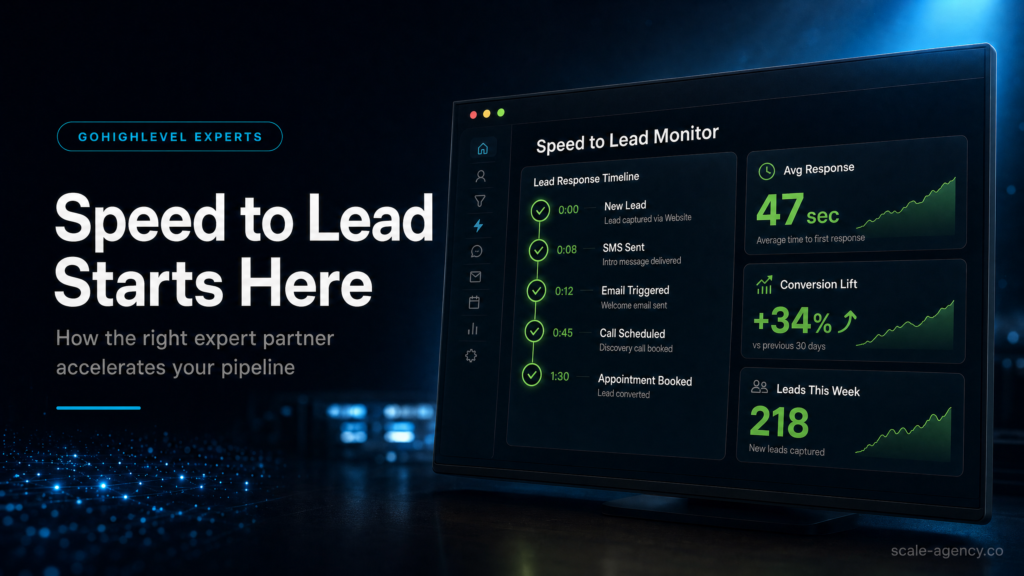
In This Guide, We’ll Cover:
A revenue-first view of what a GoHighLevel expert should fix when the real problem is slow lead response, weak routing, missed follow-up and unclear pipeline ownership.
SCALE builds GoHighLevel CRM, funnel, and automation systems for businesses that need better lead quality, faster follow-up, and clearer attribution.
Every Lead Needs Clean Intake Before Automation Starts
Why speed-to-lead breaks early: forms, funnels, calls and chat widgets often create contacts differently, which leaves routing and reporting inconsistent before a rep sees the lead.
Ownership Has To Be Assigned In Seconds
Where strong GoHighLevel experts separate themselves: they define rep assignment, after-hours rules, notifications and SLA logic so hot enquiries do not sit unowned.
Automation Should Respond Quickly And Stop Cleanly
How the build protects conversion: first-touch SMS, email confirmation, booking logic and stop conditions work together so the lead is contacted without awkward over-messaging.
Pipeline Data Has To Explain Revenue, Not Just Activity
What owners need to see: source, rep, stage, booked calls, no-shows and closed revenue. Therefore, without that view, ad spend and sales performance become guesswork.
The Right Partner Designs The Operating System
How to judge the expert: ask for the pipeline map, routing rules, QA test plan, handover process and reporting model before you pay for a build.
Hiring a GoHighLevel expert is not just about getting workflows installed. Instead, it is about fixing the part of the sales system where most businesses quietly lose money: the first few minutes after a lead raises their hand.
However, if your leads wait too long, land in the wrong pipeline, get assigned to nobody, or receive generic follow-up after they have already booked, the issue is not always traffic quality. Usually, it is CRM architecture, routing logic and sales handoff.
“Speed-to-lead improves when CRM structure, routing, follow-up and reporting work as one revenue system rather than separate automations.”
Quick Answer
If you want faster response times, higher booked-call rates and cleaner pipeline reporting, hire GoHighLevel expert support that can design your CRM, automations and lead routing end to end. Therefore, the right partner reduces response delays, prevents missed follow-up and gives your team a measurable lead-to-revenue system.
TL;DR
- If leads wait more than a few minutes for a first touch, you are paying for enquiries that can cool before sales sees them.
- A real GoHighLevel expert fixes speed-to-lead by aligning forms, calendars, pipelines, notifications and automations.
- Most weak builds fail because routing, dedupe, stage rules and stop conditions were never defined properly.
- DIY can work if someone owns QA, reporting and weekly improvements. Otherwise the CRM becomes a noisy inbox.
- Cheap template implementers can be fine for simple follow-up, but risky for paid traffic, multi-rep sales or high-ticket offers.
- A specialist build matters when you need source tracking, lead ownership and consistent sales handoff across every channel.
Decision Table: Who Should Build Your GoHighLevel Speed-To-Lead System?
| Option | Best fit | Main risk | When to choose it |
|---|---|---|---|
| DIY or internal build | Low lead volume, simple offer, strong internal operator | Slow QA, missed edge cases and weak reporting | Choose this only if someone can own weekly testing, pipeline hygiene and sales adoption. |
| Cheap freelancer or template implementer | Single offer, one pipeline, minimal paid traffic | Fast setup but brittle automation and limited commercial thinking | Choose this when the build is basic and rework would not damage revenue. |
| Specialist GoHighLevel expert | Paid traffic, high-ticket sales, teams, multi-source lead flow | Higher upfront cost, but lower operational risk | Choose this when response speed, attribution and sales ownership affect profit. |
Who Is This For?
- Local service businesses running Meta or Google Ads who need leads contacted quickly.
- Coaches, consultants and high-ticket providers who sell through booked calls.
- Agencies managing client funnels, CRM follow-up and pipeline reporting.
- Founders migrating from HubSpot, Pipedrive, spreadsheets or disconnected tools.
- Teams with multiple sales reps who need routing, accountability and stage discipline.
- Operators who cannot confidently explain which channel produces booked calls and revenue.
Why Speed-To-Lead Is The First GoHighLevel Expert Test
In practice, speed-to-lead is the time between a new enquiry and a meaningful first response. In practice, it is also a test of whether your CRM, funnel, calendar, notifications and sales process are actually connected.
For example, when the system is weak, a lead submits a form, gets a generic email, lands in the wrong stage and waits for someone to notice. When the system is strong, the lead receives an immediate relevant message, the right owner is assigned, the pipeline updates and the sales team knows what to do next.
Because of that, speed-to-lead is such a useful hiring filter. However, if a provider cannot explain how they will route, notify, stop, report and QA the first few minutes of the journey, they are probably selling setup, not a growth system.
What To Check Before You Blame Lead Quality
- Does the first automated response fire within 60 seconds?
- Does a rep receive a clear notification with source, offer and contact details?
- Is every new enquiry assigned to an owner, not left in a shared inbox?
- Do missed calls trigger text-back and a callback task?
- Does follow-up stop when the lead replies, books or moves stage?
- Can you see leads, contacted leads, booked calls and revenue by source?
The GoHighLevel Speed-To-Lead Chain
At a practical level, a GoHighLevel speed-to-lead system is a chain. Capture, routing, first touch, persistence and visibility all need to work together. However, if one link is weak, the system loses trust with the lead or loses clarity for the business.
1. Capture
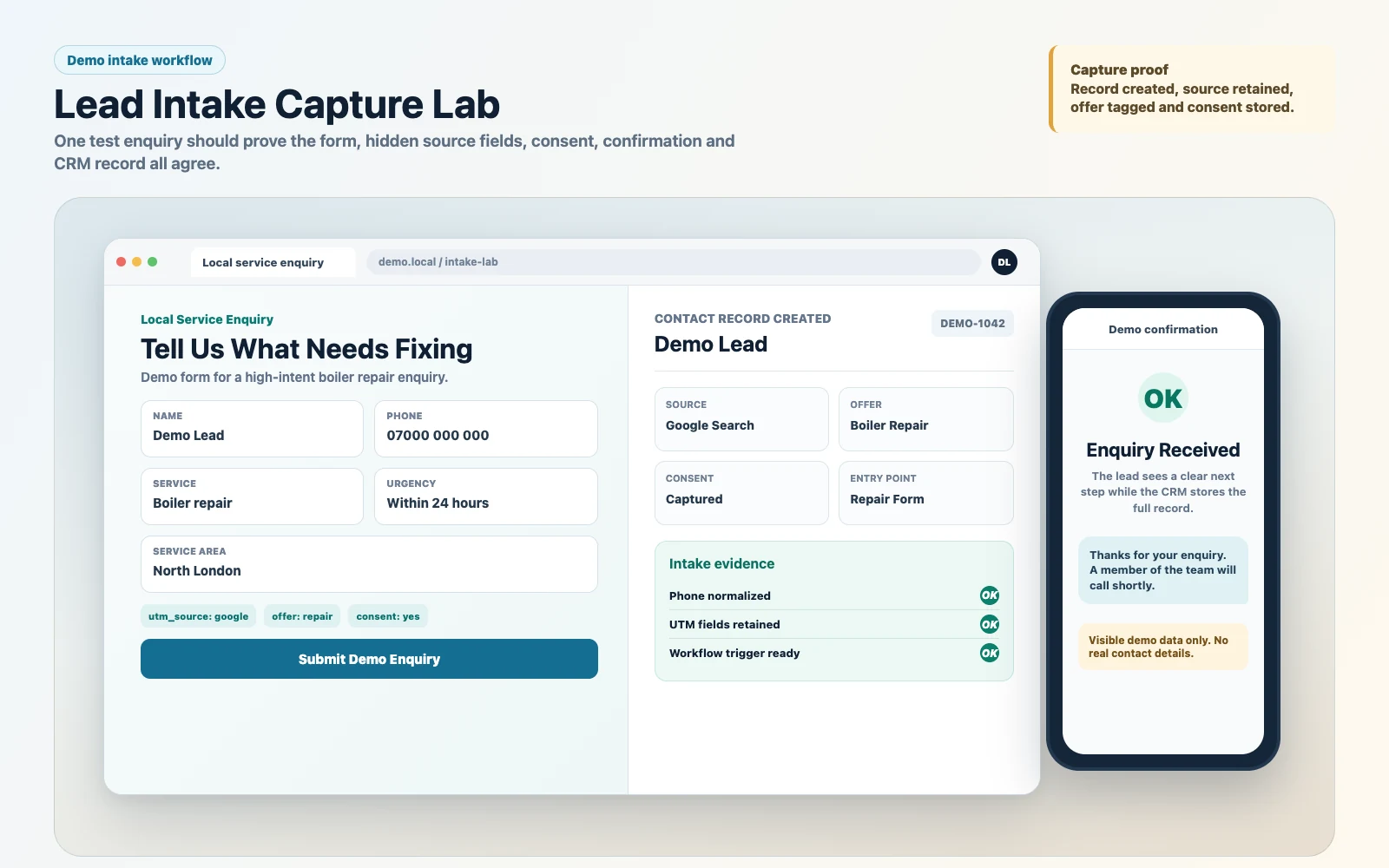
First, every form, survey, chat widget, funnel page and inbound call should create clean contact data. That means consistent phone fields, offer tags, UTM capture, consent where needed and a reliable entry point into the CRM.
Then, diagnose the account by submitting test leads from every source and confirming they create the right contact, opportunity, tag and workflow trigger. However, if each source behaves differently, the account needs intake normalisation before more automation is added.
2. Routing
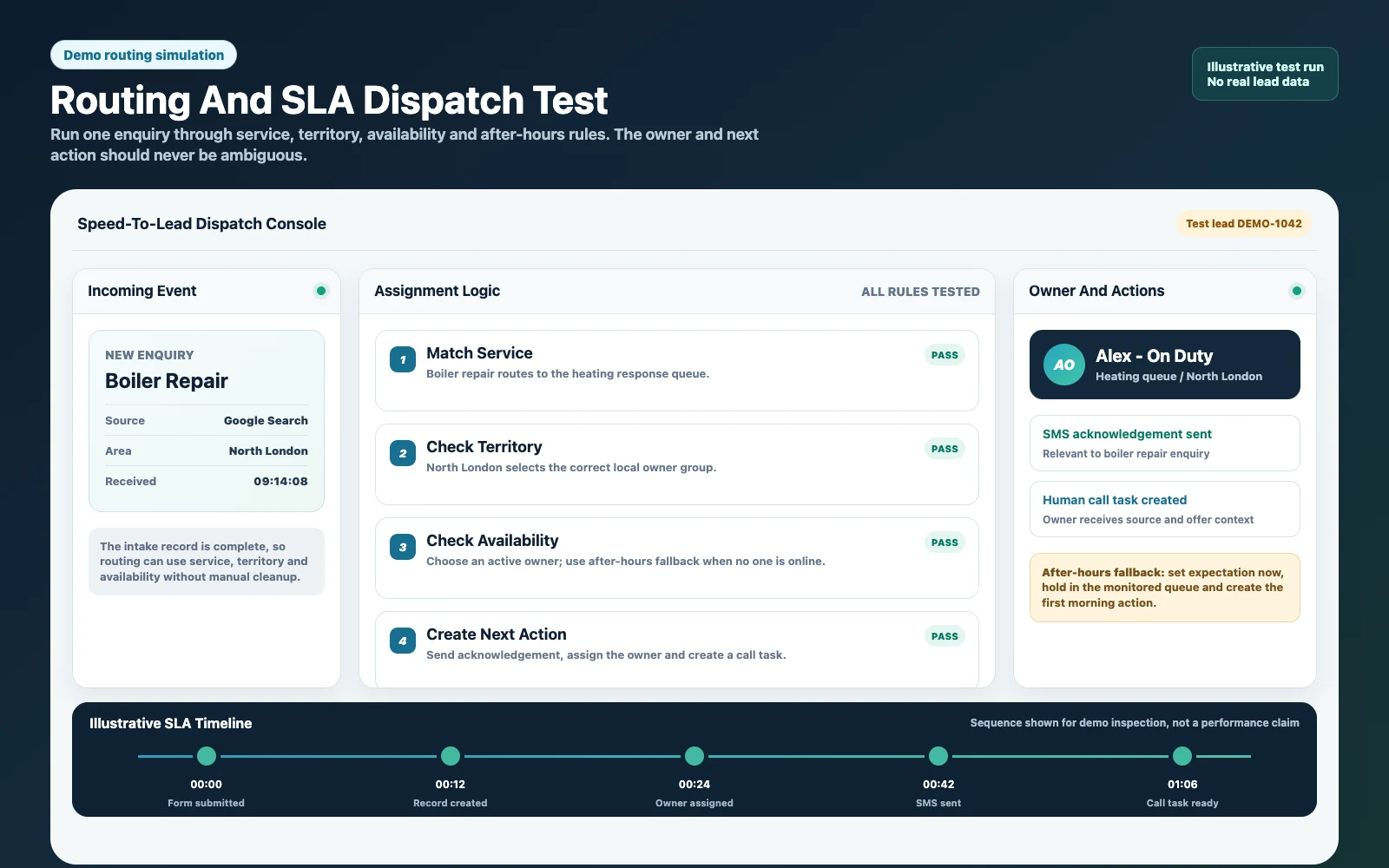
Next, routing decides who owns the lead. It can be round-robin, territory-based, offer-based, availability-based or manually assigned for low volume. However, the exact method matters less than having a rule that is documented and tested.
Good routing also covers after-hours enquiries. HighLevel’s official inbound call handling and routing documentation shows how call flows can branch through routing rules, IVR and AI handling before an owner takes over. In practice, a strong build sets expectations immediately, assigns the lead to a monitored queue or owner and creates the next action so the enquiry is not invisible when the team starts work again.
3. First Touch
After routing, the first touch should match the source and offer. Meanwhile, a high-intent audit enquiry needs a different response from a downloadable checklist opt-in. For example, SMS is useful for speed, email is useful for detail, and human call tasks matter when sales conversations drive revenue.
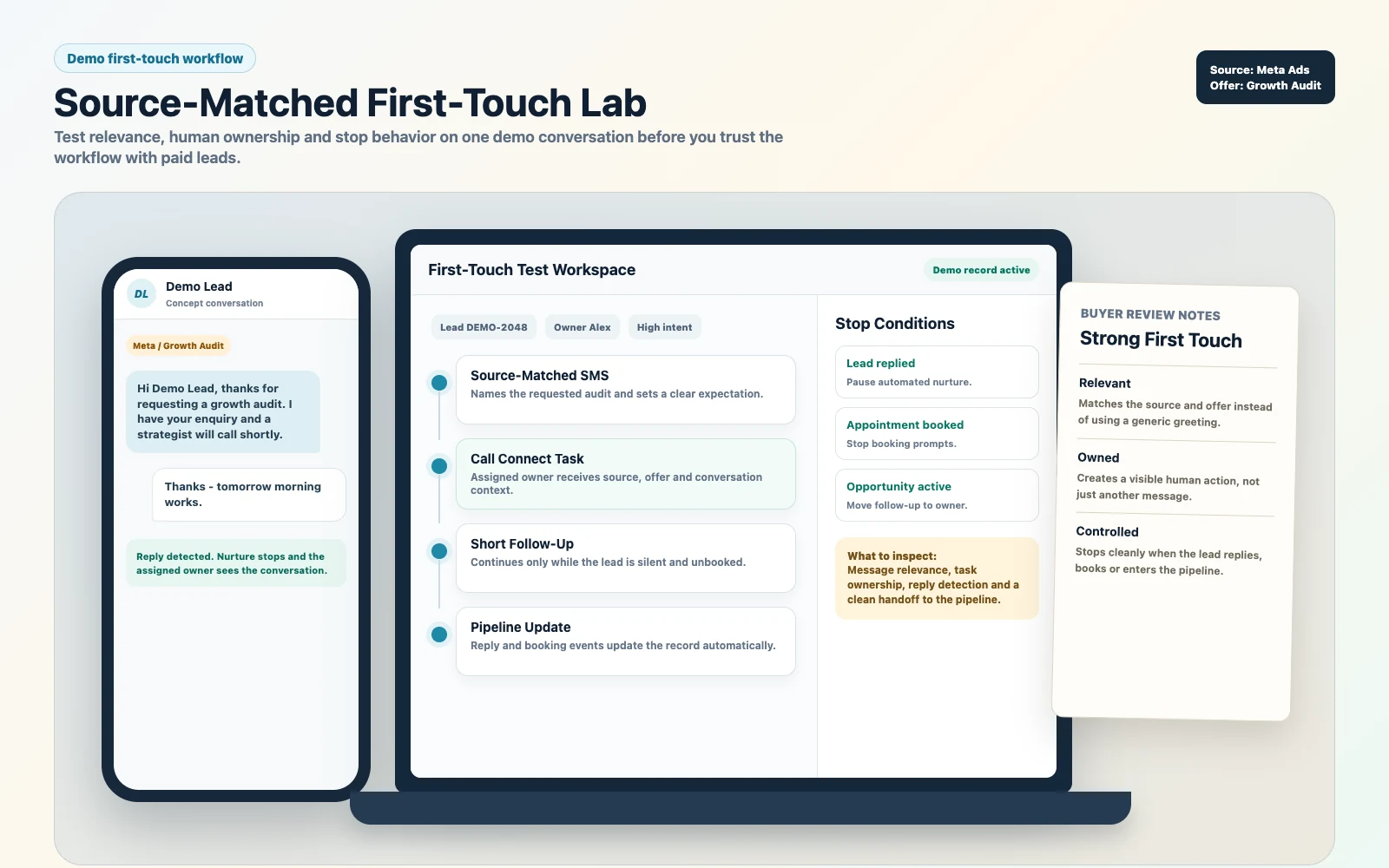
Do not judge this by whether a workflow exists. Judge it by whether the message is relevant, whether the rep knows what happened and whether the lead has a clear next step. HighLevel’s official Call Connect status guidance is useful here because unanswered and completed calls need accurate outcomes before the next automation decides what to do.
For a platform-level view of this handoff, HighLevel’s Call Connect walkthrough shows how a fresh enquiry can trigger a human call while the lead is still active.
Use the walkthrough to confirm the platform behavior, then follow the implementation process below to validate ownership, fallbacks and reporting before launch.
4. Persistence
Because most sales are not won by one message, the system needs a short-term response sequence, a longer nurture sequence and clean stop conditions. Also, it should continue when the lead is silent and stop when the lead replies, books or becomes active in the pipeline.
However, the most common mistake is over-messaging after a booking. That is not just messy; it lowers trust. A competent expert builds event-based stops into the system from the start.
5. Visibility
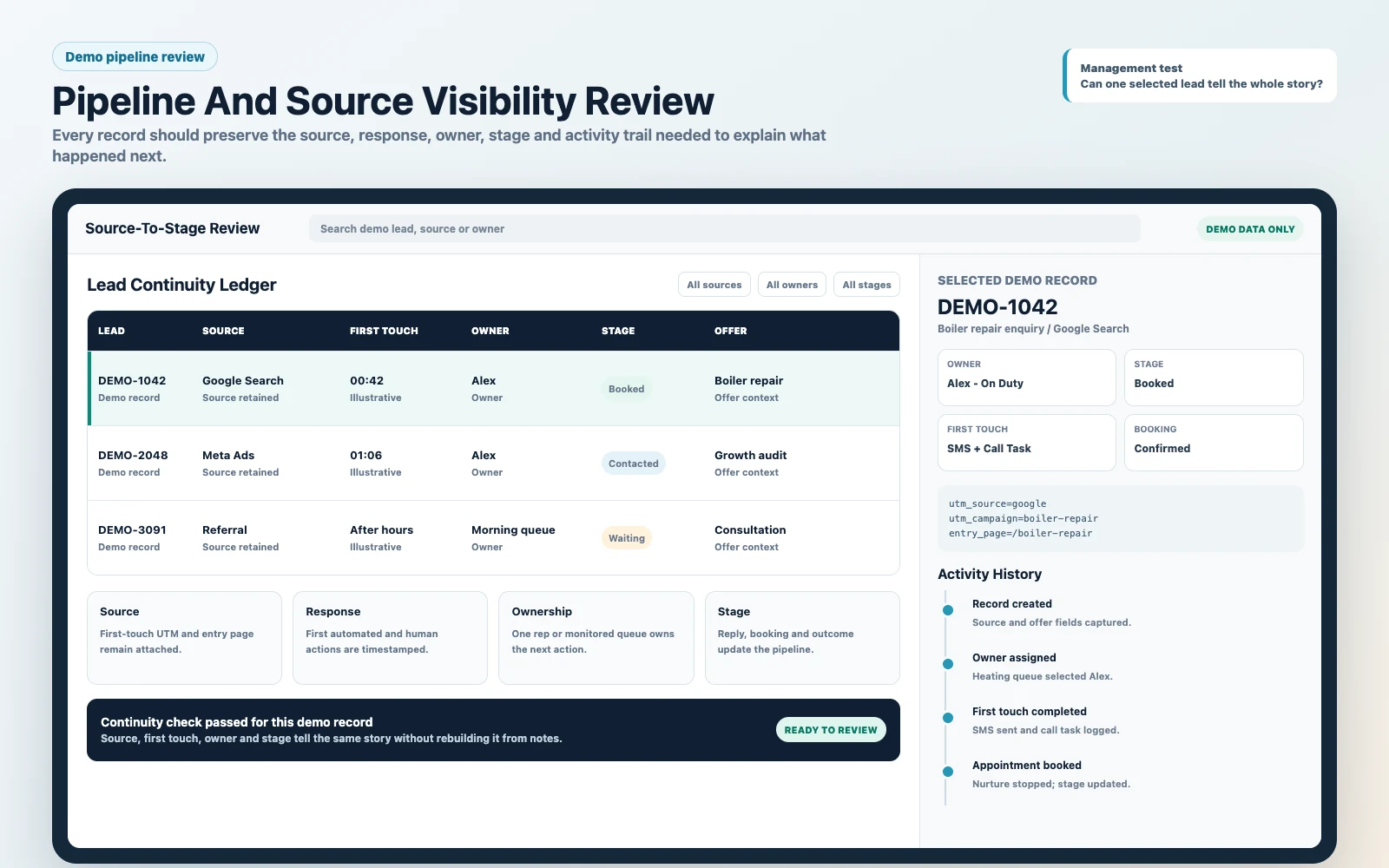
Finally, visibility is where GoHighLevel becomes useful for decisions. As a result, the owner should be able to see source, contact status, appointment status, stage, rep and revenue without manually rebuilding the story from notes and spreadsheets.
Therefore, if you cannot answer which source creates booked calls, which rep is slowest to respond and where leads stall, the system is not finished. It may send messages, but it is not yet a management system.
What To Demand Before You Hire
Before you hire GoHighLevel expert help, ask for deliverables that prove the provider understands the business outcome. You are not buying random workflows. You are buying a system that handles real leads, real sales reps and real exceptions.
- Pipeline map: stages, definitions, entry rules, exit rules and ownership.
- Lead intake plan: fields, tags, sources, UTM capture and duplicate handling.
- Routing rules: assignment logic, after-hours behaviour and escalation.
- Speed-to-lead workflow: first response, rep notification, task and booking path.
- Stop conditions: reply, booking, stage change, won, lost and manual pause logic.
- Reporting baseline: lead source, appointment conversion, stage movement and revenue visibility.
- QA protocol: test leads from each source, device and edge case before launch.
- Handover pack: SOPs, naming conventions and training for the team.
For a deeper hiring checklist, compare this with the GoHighLevel expert questions before hiring post. That article helps qualify the partner; this one helps qualify the speed-to-lead build.
The Implementation Process
- Define the SLA: set the target for automated first touch and human follow-up during business hours.
- Map every entry point: list forms, funnels, calls, chats, referrals and ad lead forms.
- Design the CRM structure: clean up pipelines, stage names, stage definitions and required fields.
- Standardise capture: make every source create consistent contact and opportunity data.
- Configure calendars: connect booking logic to pipeline stages, reminders and stop conditions.
- Build routing: assign ownership by rep, territory, offer, availability or queue.
- Build first-touch workflows: combine immediate SMS, email confirmation, task creation and internal notification.
- Add missed-call logic: text-back, callback task and call outcome handling.
- Capture source data: store UTMs and lead source fields in a way the opportunity can inherit.
- QA the system: run test leads from every channel and fix exceptions before launch.
- Train the team: show reps how to work the pipeline, disposition leads and keep notes clean.
- Review weekly: track unassigned leads, contact rate, booked rate, stage aging and source quality.
Common Problems And How To Fix Them
| Problem | What it usually means | Fix | Metric to watch |
|---|---|---|---|
| Leads are created but nobody follows up | No assignment, no task, weak notification logic | Add owner assignment, task creation and escalation rules | Unassigned leads |
| Automation texts after a booking | Missing stop conditions | Stop workflows on booked appointment, reply and stage change | Opt-outs and complaints |
| Duplicate contacts or opportunities | Inconsistent forms and no dedupe process | Standardise intake and merge/match by phone and email | Duplicate rate |
| Reps say leads are poor quality | Slow response or weak first message | Improve first-touch sequence and add call tasks | Contact rate inside one hour |
| Pipeline stages mean nothing | No stage definitions or hygiene rules | Define stages, require next action and train the team | Stage aging |
| Lead source reporting is blank | UTMs are not captured or mapped | Add UTM fields and source inheritance into opportunities | Opportunities with known source |
Questions That Expose Whether The Expert Can Improve Speed-To-Lead
Also, a polished GoHighLevel demo is not enough. For example, a good partner should be able to explain the operating logic behind the build, including what happens when leads duplicate, reps miss tasks, calendars are unavailable or a lead replies before the next automated message goes out.
For that reason, use these questions before you hire. They force the conversation away from generic workflow promises and toward the commercial details that protect booked calls.
Ask These Before You Sign
- How will every lead source enter the CRM? The answer should mention forms, funnels, calls, chat, lead ads, tags, source fields and duplicate handling.
- Who owns a new lead in the first minute? The answer should explain assignment rules, rep notifications, queues and what happens after hours.
- What stops the automation? The answer should include replies, bookings, stage changes, won/lost states and manual pause logic.
- How will we know if response speed is improving? The answer should connect contact rate, booked rate, show rate, stage aging and source-level reporting.
- What will my team receive after launch? The answer should include SOPs, training, test results, naming conventions and a change log.
Red Flags
- Also, they lead with snapshot installation before asking about your sales process.
- In practice, the provider cannot explain routing, escalation or after-hours logic in plain language.
- There is no clear conversation about how leads are currently captured, assigned and followed up.
- Revenue promises appear before any discussion of your offer, traffic source, sales capacity or current response process.
- In addition, reporting is treated as a dashboard add-on instead of a requirement of the build.
Ultimately, the point is not to make the hiring process complicated. The point is to avoid paying for a tidy-looking account that still leaks leads because the commercial logic was never designed.
What This Means For Revenue
Speed-to-lead improves revenue because it increases the percentage of leads that become real conversations while intent is still high. It can improve booked calls without changing ad spend, creative or offer, which is why it should be fixed before blaming the channel.
In practice, the commercial mechanics are straightforward. As a result, faster contact increases response rate. Cleaner ownership reduces dropped leads. In addition, reminders improve show rate. In addition, source tracking shows which campaigns deserve more budget. Finally, stage discipline gives the owner a view of where the sales process is leaking.
For high-ticket and local-service businesses, the upside is not theoretical. For example, one additional booked call can cover a meaningful part of the build, while one repeated routing failure can waste weeks of ad spend and sales time. Because of that, the first few minutes deserve senior-level design.
That is why SCALE treats GoHighLevel as more than software. The platform only becomes valuable when it creates faster follow-up, cleaner attribution and a repeatable sales motion.
Conclusion
Hiring a GoHighLevel expert should shorten the distance between enquiry and accountable human follow-up, not just add more automation. The right build captures clean data, assigns an owner immediately, matches first touch to intent, stops messages when the lead acts and shows the source-to-revenue path. If those five links cannot be demonstrated with test leads, the system is not ready for paid traffic.
FAQs
What Does It Mean To Hire A GoHighLevel Expert For Speed-To-Lead?
It means hiring someone to design the CRM, routing, follow-up, booking and reporting logic so new leads are contacted quickly and every stage is visible.
How Fast Should A Business Respond To A New Lead?
Aim for an immediate automated acknowledgement and a human attempt within two to five minutes for high-intent enquiries. Therefore, the goal is not speed alone; it is fast, clean ownership.
Why Are My Automations Firing But Leads Still Not Getting Contacted?
Usually because capture, ownership, stop conditions or notifications are broken. The automation may send a message, but the sales team may still lack a clear owner, task or pipeline rule.
How Do I Stop GoHighLevel From Texting After Someone Books?
Next, use booking goals, appointment triggers, tags or opportunity-stage changes to stop nurture sequences once the lead has taken the intended action. As a result, this should be tested before launch.
Should I Use One Pipeline Or Separate Pipelines?
Also, use the structure that makes ownership and reporting clear. Many businesses need separate stages or pipelines for different services, but too many pipelines can make reporting harder.
What Should I Ask Before Hiring A GoHighLevel Expert?
Before hiring, ask how they map lead sources, assign owners, test automation, prevent duplicate messaging, report source-to-revenue data and hand the system over to your team.
